EasyManua.ls Logo

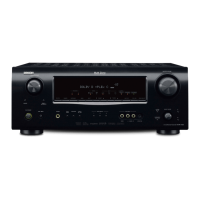
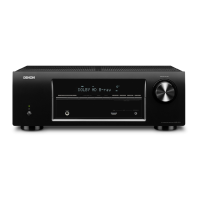
Denon AVR-1713 - Service Manual

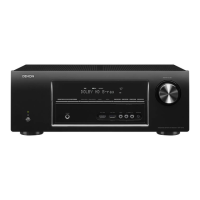
Denon AVR-1713
186 pages
Print Icon
To Next Page IconTo Next Page
Loading...
D&M Holdings Inc.
SERVICE MANUAL
e
e
MODEL JP E3 E2 EK EA E1C E1K CI
AVR-1613
P
AVR-1713
P P P
AVR-1723
P
INTEGRATED NETWORK AV RECEIVER
Ver. 1
Some illustrations using in this service manual are slightly different from the actual set.
Please use this service manual with referring to the operating instructions without fail.
• For purposes of improvement, specications and design are subject to change without notice.

Table of Contents

Other manuals for Denon AVR-1713

Questions and Answers

  • J
    John LeeSep 12, 2025
    Why does my Denon AVR-1713 Receiver power automatically switch to standby mode?
    • L
      lanecharlesSep 12, 2025
      The sleep timer may be activated. Turn the power back on or adjust the sleep timer settings. Alternatively, the “Auto Standby” feature might be enabled, which triggers when there is no activity for a certain period. To disable it, set “Auto Standby” to “Off” in the menu.
  • J
    jesseriveraSep 12, 2025
    How to fix no video output with HDMI connection on my Denon AVR-1713 Receiver?
    • S
      Steven PetersSep 12, 2025
      Check the HDMI cable connections first. Then, make sure the input source matches the connected HDMI connector. Also, verify that your TV is compatible with HDCP copyright protection. If not, the video output may not work correctly.
  • D
    Donald WalkerSep 10, 2025
    Why is there no audio output with HDMI connection on my Denon AVR-1713 Receiver?
    • A
      ashleyramseySep 10, 2025
      First, verify the HDMI connectors are properly connected. If you want audio from the speakers, ensure “HDMI Audio Out” is set to “AVR” in the menu. If you want audio from the TV, set “HDMI Audio Out” to “TV” in the menu.
  • C
    camachorobertSep 9, 2025
    Why is the AirPlay icon not displayed for my Denon AVR-1713 in iTunes or on my iPhone/iPod touch/iPad?
    • L
      lwhitakerSep 9, 2025
      If the AirPlay icon is missing in iTunes or on your iPhone/iPod touch/iPad when trying to connect to your Denon Receiver: * Ensure that your device and the receiver are connected to the same network (LAN). * Make sure iTunes or your iPhone/iPod touch/iPad has the latest firmware that supports AirPlay installed.
  • S
    Stephanie JonesSep 8, 2025
    Why Audyssey Dynamic EQ and Audyssey Dynamic Volume cannot be selected on Denon AVR-1713?
    • N
      nathan73Sep 8, 2025
      To enable Audyssey Dynamic EQ® and Audyssey Dynamic Volume® on your Denon Receiver, run Audyssey® Setup.
  • A
    Adam CruzAug 23, 2025
    How to fix a Denon Receiver that does not turn on?
    • M
      Mary FloresAug 23, 2025
      If your Denon Receiver isn't powering on: * Ensure the power plug is correctly inserted into the power outlet. * The protection circuit might be active. Unplug the receiver from the outlet, wait 5-10 seconds, and plug it back in.
  • J
    Joe MccarthySep 6, 2025
    Why can't I select Dolby PLg mode or DTS NEO:6 mode on my Denon AVR-1713?
    • R
      Rachel RodriguezSep 6, 2025
      If you cannot select Dolby PLg or DTS NEO:6 mode on your Denon Receiver: * Ensure that “Speaker Config.” – “Center” or “Surround” is set to something other than “None”. These modes cannot be selected if the speaker system is 2.0/2.1ch. * Dolby PLg or DTS NEO:6 cannot be selected when headphones are in use.
  • N
    nguyenkaylaSep 5, 2025
    How to improve radio reception on my Denon AVR-1713?
    • M
      Melissa RodriguezSep 5, 2025
      If you're experiencing poor radio reception with noise or distortion on your Denon Receiver: * Try changing the antenna's orientation or position. * Consider using an FM outdoor antenna. * Keep the antenna separate from other connection cables.
  • R
    Richard RiveraSep 4, 2025
    How to get audio output with HDMI connection on Denon Receiver?
    • J
      Joy PerezSep 4, 2025
      If you're not getting audio output via HDMI on your Denon Receiver: * Check the HDMI connector connections. * To output HDMI audio from the speakers, set “HDMI Audio Out” to “AVR” in the menu. * To output HDMI audio from a TV, set “HDMI Audio Out” to “TV” in the menu.
  • S
    susan71Sep 3, 2025
    Why is there no video output with HDMI connection on my Denon Receiver?
    • C
      Cole BanksSep 3, 2025
      If you're not getting any video output via HDMI on your Denon Receiver, consider the following: * Check the HDMI cable connections to ensure they are properly connected. * Make sure the input source on the receiver matches the HDMI connector you're using. * Verify that your TV is compatible with HDCP (High-bandwidth Digital Content Protection). If the connected device isn't HDCP-compliant, the video may not display correctly.

Denon AVR-1713 Specifications

General IconGeneral
Receiver type-
Audio output channels5.1 channels
Audio A/D Converter (ADC)24-bit/96kHz
Power output per channel (1KHz@6 Ohm)120 W
Power output per channel (20-20KHz@8 Ohm)80 W
HDMI in5
Composite video in2
Digital audio optical in1
Ethernet LANYes
Preset stations quantity56
Internet radio services supportedLast.fm
Supported video modes1080p
Analog signal format systemNTSC, PAL
DisplayLCD
HDMI version1.4
Product colorBlack
Audio decodersDolby Pro Logic II, Dolby TrueHD, DTS 96/24, DTS Neo:6, DTS-HD
Apple docking compatibilityNot supported
Graphical user interface (GUI) languageEnglish, French, German
AC input voltage220-240 V
AC input frequency50 - 60 Hz
Power consumption (standby)0.5 W
Storage temperature (T-T)-10 - 60 °C
Operating temperature (T-T)0 - 40 °C
Storage relative humidity (H-H)5 - 90 %
Operating relative humidity (H-H)10 - 80 %
Weight and Dimensions IconWeight and Dimensions
Depth332 mm
Width435 mm
Height151 mm
Weight8300 g

Related product manuals