79
4
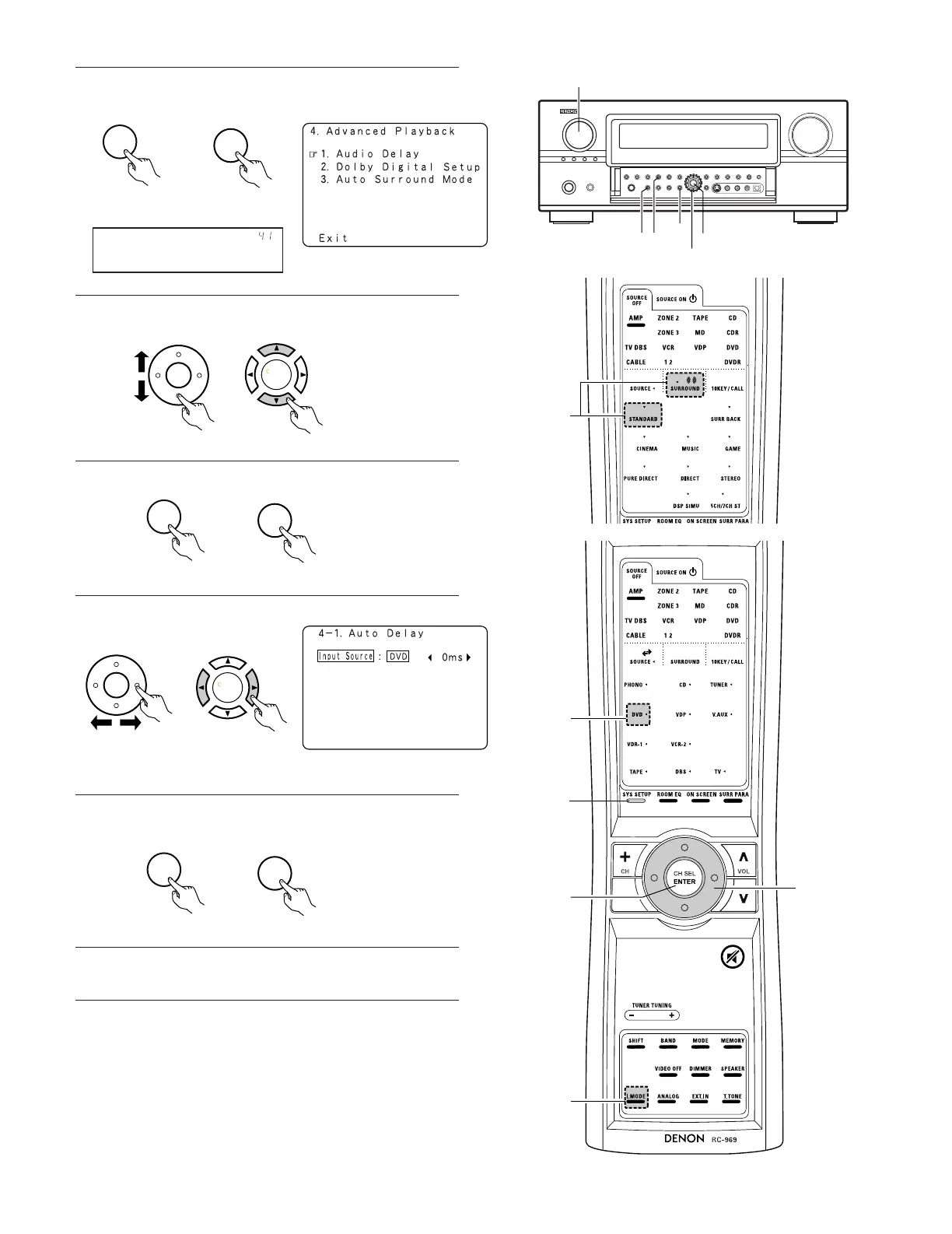
Press the ENTER button and display the Advanced Playback
Menu.
With a movie source, for example, adjust so that the movement of
the actors’ lips is synchronized with the sound.
8
Enter the setting.
The Advanced Playback Menu reappears.
9
Press the SYSTEM SETUP button to complete the setting.
NOTE:
The audio delay setting does not apply when playing in the EXT. IN
mode or in the analog input direct mode or stereo mode (TONE
DEFEAT “ON”).
(Remote control unit)
(Main unit)
Audio Delay
*Advanced Play
5
Select “Audio Delay” at the Advanced Playback Menu.
(Remote control unit)
(Main unit)
6
Switch to the Audio Delay adjustment screen.
(Remote control unit)
(Main unit)
7
Set the delay time. (0 ms ~ 200 ms)
(Remote control unit)
(Main unit)
(Remote control unit)
(Main unit)


 To Next Page
 Loading...