R
Rebecca Smith PhDSep 16, 2025
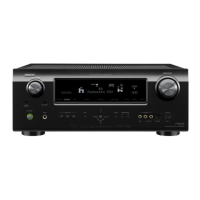
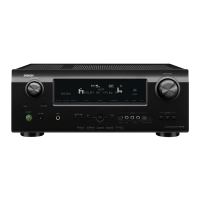
What to do if my Denon AVR-591 does not operate properly?
- JJean RamirezSep 16, 2025
If your Denon Stereo Receiver isn't working properly, try resetting the microprocessor.



 To Next PageTo Next Page
What to do if my Denon AVR-591 does not operate properly?
If your Denon Stereo Receiver isn't working properly, try resetting the microprocessor.
Why won't my iPod play on my Denon Stereo Receiver?
If your iPod isn't playing on your Denon Stereo Receiver, check the iPod connections and ensure the control dock's AC adapter is plugged into a power outlet. Also, make sure the input source is set to “DOCK.”
What does it mean if the power indicator on my Denon AVR-591 Stereo Receiver is blinking red after turning on?
If after turning on the power, the power indicator of your Denon Stereo Receiver is blinking red every 0.5 seconds, the amplifier circuit has likely failed. Turn off the power and contact a DENON service advisor.
How to enable sound from the front height speaker on Denon Stereo Receiver?
To get sound from the front height speaker on your Denon Stereo Receiver, set “Surround Parameter” – “Front Height” to “ON” in the menu. Also, set “Pre Assign” to “Front Height” and ensure “Speaker Config.” – “Surround” is set to something other than “None.”
How do I get sound from the surround back speaker on my Denon AVR-591 Stereo Receiver?
To get sound from the surround back speaker on your Denon Stereo Receiver, set “Pre Assign” to “Normal” in the menu. Also, set “Speaker Config.” – “S.Back” to something other than “None” and “Surround Parameter” – “S.Back” to something other than “OFF.” Finally, ensure the surround mode is set to something other than “STEREO.”
How to enable DTS sound on Denon AVR-591?
To enable DTS sound on your Denon Stereo Receiver, set “Decode Mode” to “Auto” or “DTS” in the menu.
What to do if no picture appears on my Denon AVR-591?
If no picture appears on your Denon Stereo Receiver, check the TV connection and ensure the TV input is set correctly.
What to do if my Denon Receiver does not operate properly?
If your Denon Receiver isn't operating properly, try resetting the microprocessor.
How to fix a Denon Receiver that does not turn on?
If your Denon Receiver isn't powering on, check the following: * Ensure the power plug is correctly inserted into the power outlet. * If the protection circuit is active, disconnect the power plug from the outlet, wait 5 to 10 seconds, and then plug it back in.
Why won't my Denon Receiver respond to the remote control?
If you're having trouble operating your Denon Receiver with the remote control, consider these points: * Replace the batteries with new ones if they are worn out. * Ensure you are within 23 ft / 7 m of the unit and within a 30° angle. * Remove any obstacles between the unit and the remote. * Verify the batteries are inserted correctly, matching the polarity marks. * Move the unit away from strong light sources like direct sunlight or fluorescent lights.
 General
| Channels | 5.1 |
|---|---|
| Power Output | 75 W per channel (8 ohms, 20 Hz - 20 kHz, 0.08% THD) |
| Frequency Response | 10 Hz - 100 kHz (+1, -3 dB) |
| Input Sensitivity/Impedance | 200 mV / 47 kohms |
| Signal-to-Noise Ratio | 98 dB |
| HDMI Inputs | 4 |
| HDMI Outputs | 1 |
| Audyssey | Audyssey MultEQ |
| HDMI Pass-Through | Yes |
| Tuner Bands | AM/FM |
| Preset Station Qty | 56 |
| Total Harmonic Distortion | 0.08% |
| Tuner Frequency Range | FM: 87.5 - 107.9 MHz, AM: 520 - 1710 kHz |
| Dolby Support | Dolby Digital, Dolby Digital Plus |
| DTS Support | DTS-HD Master Audio |
| Dimensions | 434 x 167 x 382 mm |
| Weight | 21.6 lbs (9.8 kg) |
Check all connections and ensure they are correct before powering on the unit.
Explains how temperature differences can cause condensation and affect operation.
Advises moving mobile phones away to prevent noise interference.
Instructions on how to safely move the unit by turning it off and unplugging it.
Guidance on cleaning the unit and avoiding certain chemical cleaners.
Describes the initial installation process for 5.1-channel speakers.
Explains how to connect 5.1-channel speakers, TV, and Blu-ray Disc player.
Details the procedure for powering on the unit and connected devices.
Guides through the Audyssey Auto Setup process for speaker configuration.
Instructions on how to play back Blu-ray discs and DVDs in surround sound.
Information on connecting various media and external devices to the unit.
Basic procedures for playing back audio and video content.
How to choose the appropriate surround sound mode for playback.
Installation and connection methods for speakers other than 5.1-channel systems.
Explains advanced functions and operations for better unit utilization.
Guide to menu operations for configuring audio, video, and other settings.
How to register preset codes to control external AV equipment.
Identifies and explains the various buttons and indicators on the front panel and display.
Includes trademark information, surround mode details, and explanations of terms.
Provides solutions for common problems encountered with the unit.
Lists the technical specifications for the audio, video, tuner, and other sections.