• Turnonthepowerofthedifferentcomponentsbeforeoperatingthem.
1
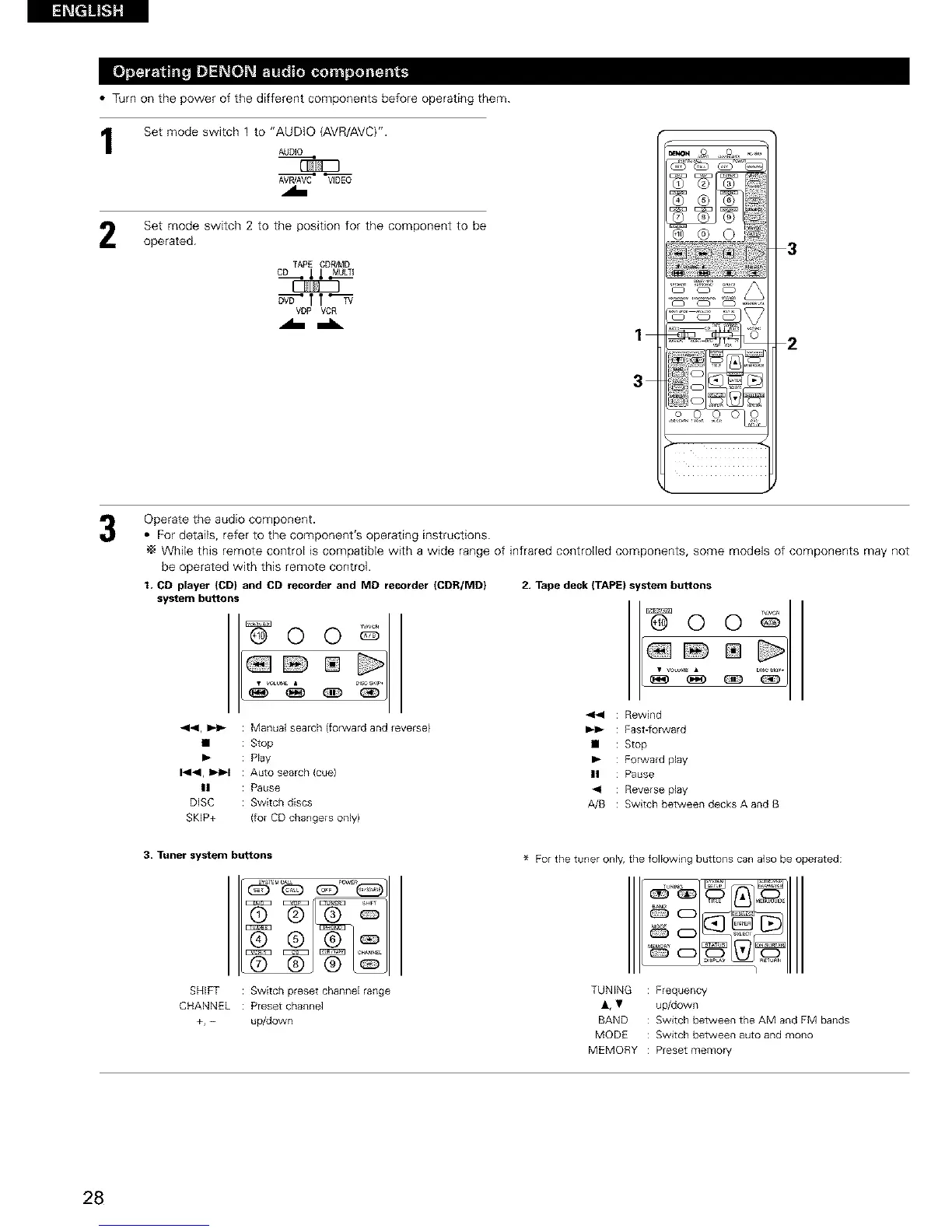
Set mode switch 1 to "AUDIO (AVR/AVC)".
AUDIO
AVR]AVC VIDEO
Set mode switch 2 to the position for the component to be
operated.
TAPE CDR/MD
CD_ ,t,t-MULTI
_'TT_
VDP VCR
1
3
2
Operate the audio component.
• For details, refer to the component's operating instructions.
While this remote control is compatible with a wide range of infrared controlled components, some models of components may not
be operated with this remote control.
t, CD player (CD) and CD recorder and MD recorder (CDR/MD)
system buttons
441, _1_ : Manual search (forward and reverse}
• : Stop
I_ : Play
1414, _ : Auto search (cue)
II : Pause
DISC : Switch discs
SKIP+ (for CD changers only)
2. Tape deck (TAPE) s stem buttons
@ ©
<_1 : Rewind
_1_ : Fast_orward
• : Stop
I_ : Forward play
|| : Pause
_<l : Reverse play
0
A/B : Switch between decks A and B
3, Tuner system buttons
SHIFT : Switch preset channel range
CHANNEL : Preset channel
+, - up/down
For the tuner only, the following buttons can also be operated:
TUNING Frequency
&, • up/down
BAND Switch between the AM and FM bands
MODE Switch between auto and mono
MEMORY Preset memory
28



 To Next Page
 Loading...