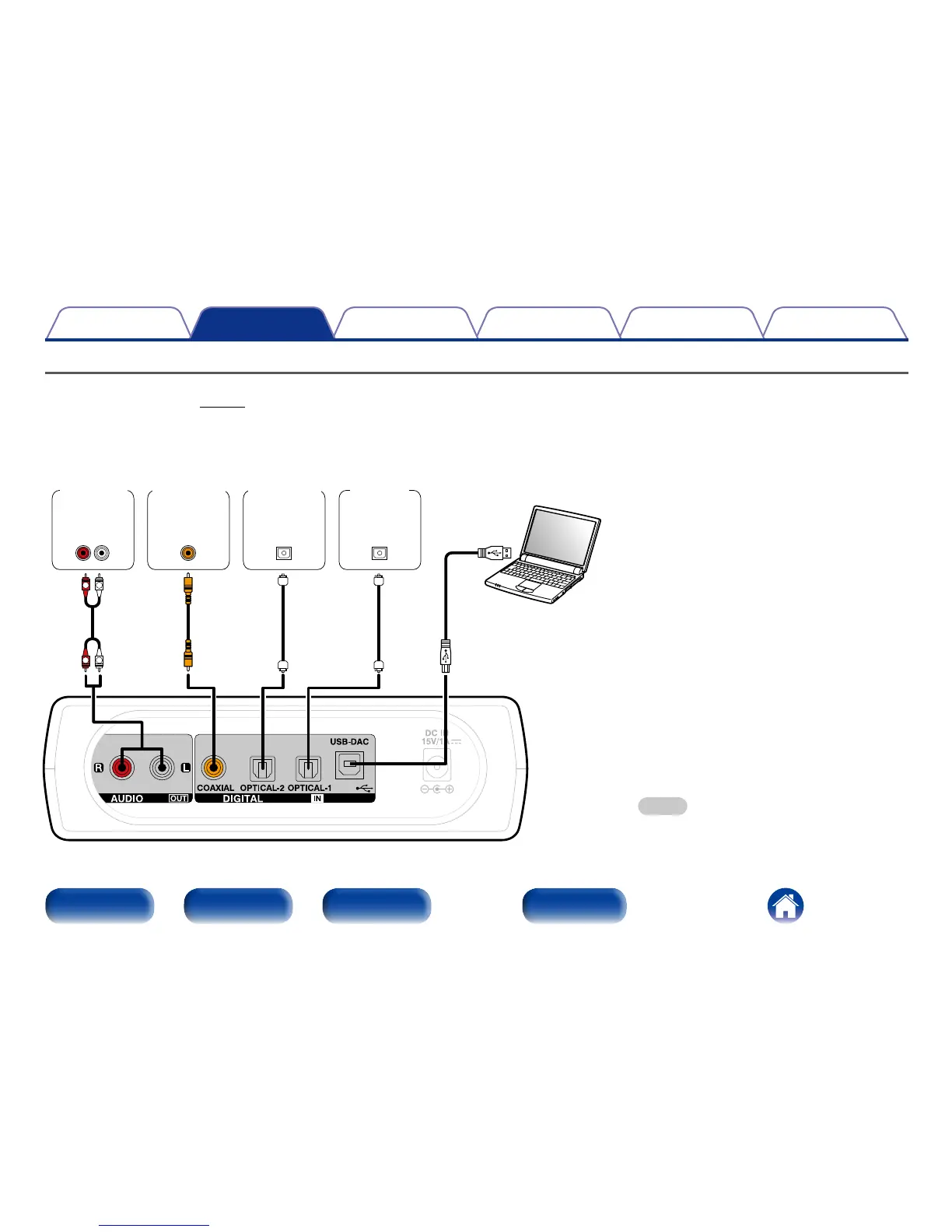
Connecting devices
•For USB-DAC playback, install the dedicated driver software and player software on your computer before connecting (“Installing the dedicated driver
(Windows OS only)” (vpage15)).
•Download the driver software from the DA-300USB page of the Denon website.
AUDIO
LR
IN
OUT
COAXIAL
OPTICAL
OUT
OPTICAL
OUT
L
R
R
L
Computer on which the driver
software and audio player
software are installed
USB 2.0 cable
(sold separately)
Type B
Type A
Amplifier
CD player
Satellite
tuner
TV
NOTE
•Use a cable that is 10 ft (3 m) or less to connect to
the computer.



 To Next Page