4
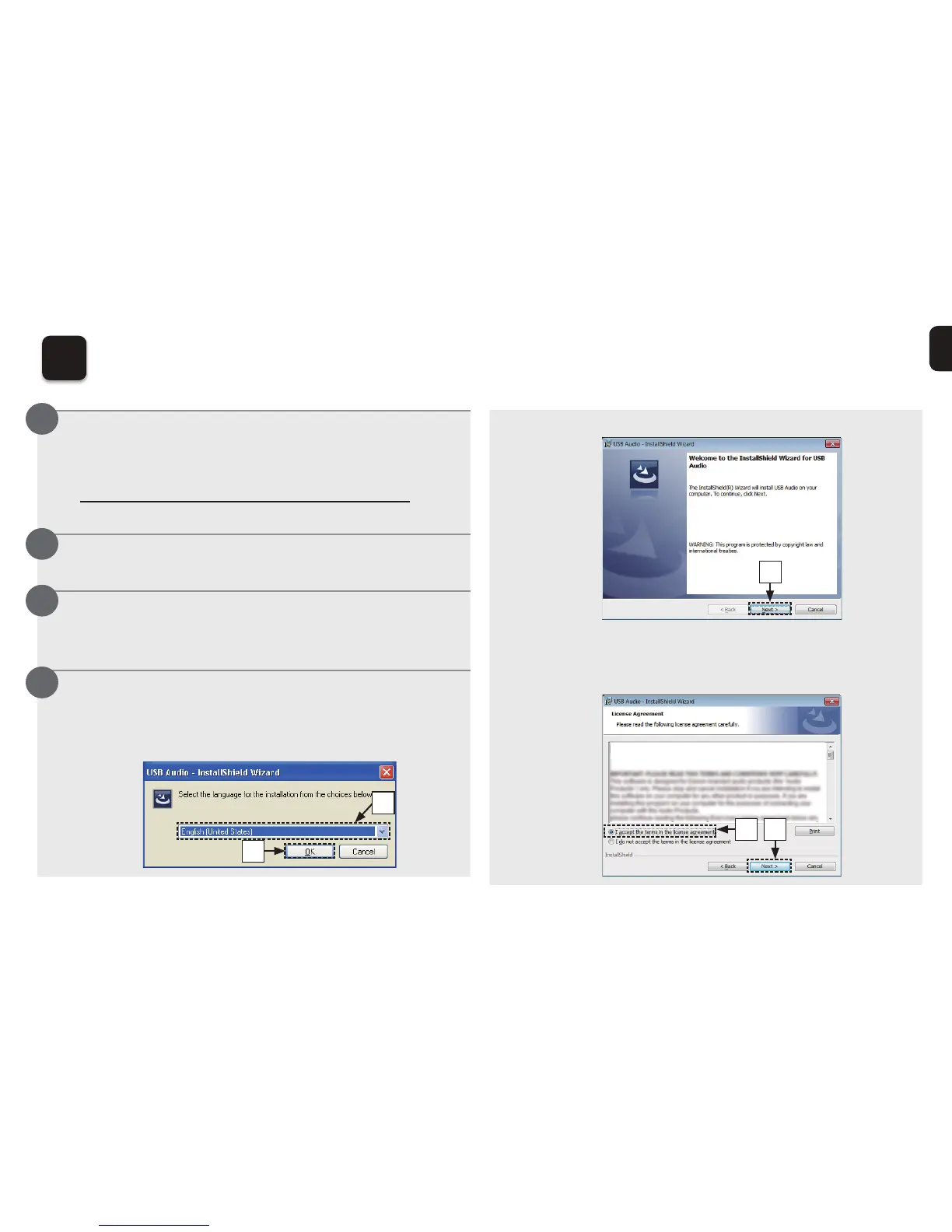
eThe wizard menu is displayed. Click “Next”.
e
r Read the Software Licensing Agreement, and click “I
accept the terms in the license agreement”.
tClick “Next”.
SOFTWARE LICENSING AGREEMENT
t
r
1
Installing the driver software onto your PC
(Windows OS only)
Download the dedicated driver from the
“Download” section of the DA-300USB page of
the Denon website
(http://www.denon.com/pages/home.aspx)
onto your PC.
8Q]LSWKHGRZQORDGHG¿OH
6HOHFWWKHELWRUELWH[H¿OHWKDWPDWFKHV
your Windows operating system, and double-
FOLFNWKH¿OH
Install the driver.
qSelect the language to use for the installation.
wClick “OK”.
q
w
1
2
3
4



 To Next Page