13
DCD-710AE
2.6
Laser current is
display
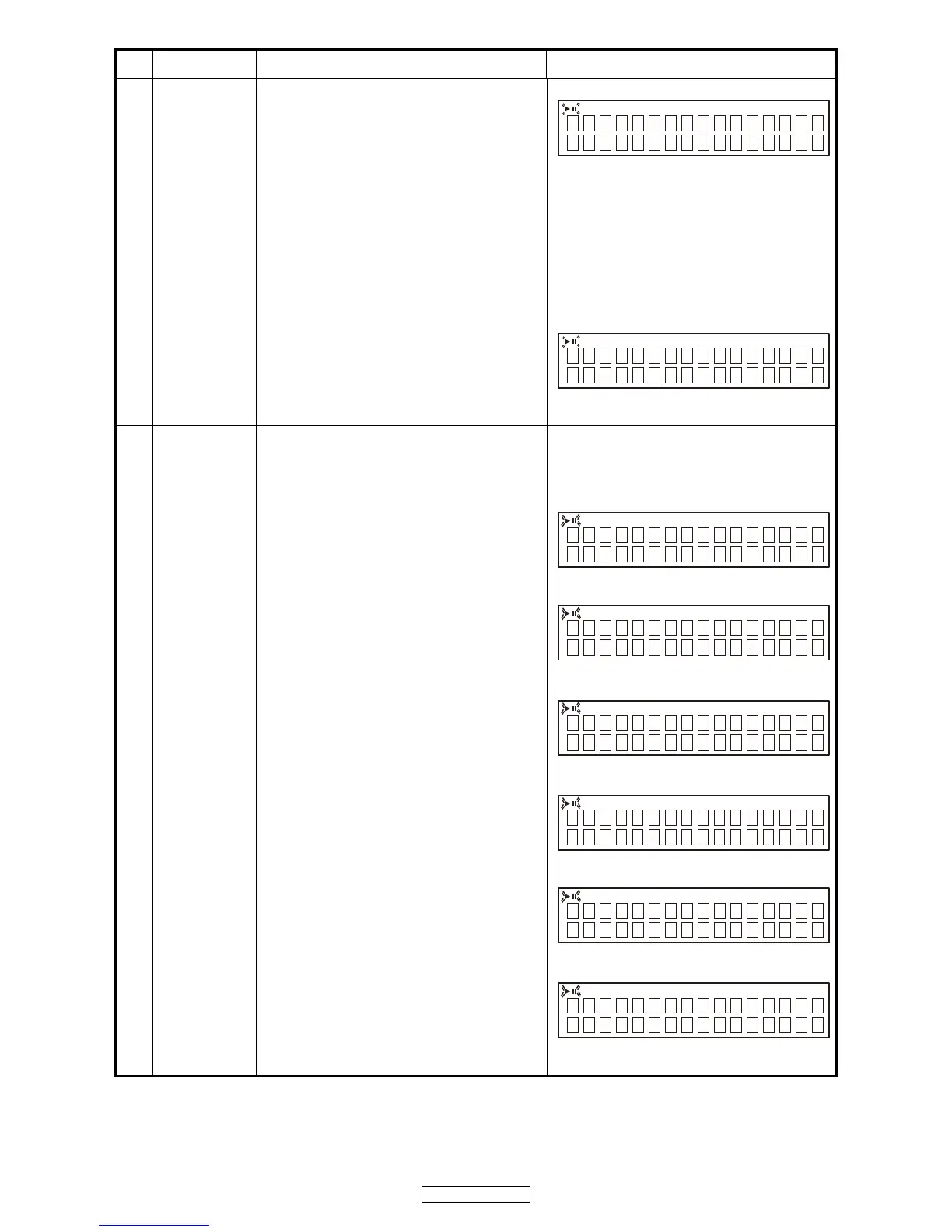
・When the 2 button is pressed for over 1 second
while the DCD-710AE is in the stop mode, the
laser turns on and the laser current is measured.
・The laser drive current undergoes A/D
conversion for calculation. Decimal values are
discarded.
・The first current value is measured 3 seconds
after the laser turns on.
・The current value is updated every 3 seconds.
・Press the 2 button, CD test mode display (2)
reappears.
・Stored data is not cleared, even when the DCD-
710AE is reset.
q Overwriting the stored data
・When the
/
13 button is pressed for over 5
seconds while the laser current is displayed, the
current value is stored in the EEPROM
(overwriting the stored data).
・Once rewriting is completed, the display in 2.6
reappears.
・ 13 flashing
XX : Stored data : EEPROM Stored value
YY : Current value
q
2.7
Adjustment value
display
・Press the 2 button after executing the servo auto
adjustment.
・When 9 button is pressed, the adjustment
values are displayed in the following order.
q FOCUS BALANCE
w FOCUS GAIN
e TRACKING BALANCE
r TRACKING GAIN
tFOCUS OFFSET
y TRACKING OFFSET
・13 flashing
q
XX : Adjustment value
w
XX : Adjustment value
e
XX : Adjustment value
r
XX : Adjustment value
t
XX : Adjustment value
y
XX : Adjustment value
No
Key name
Function Display


 To Next Page