12
Getting started
Playback
Troubleshooting Specifications Index
Others Preset
Connection
Connecting the power cord
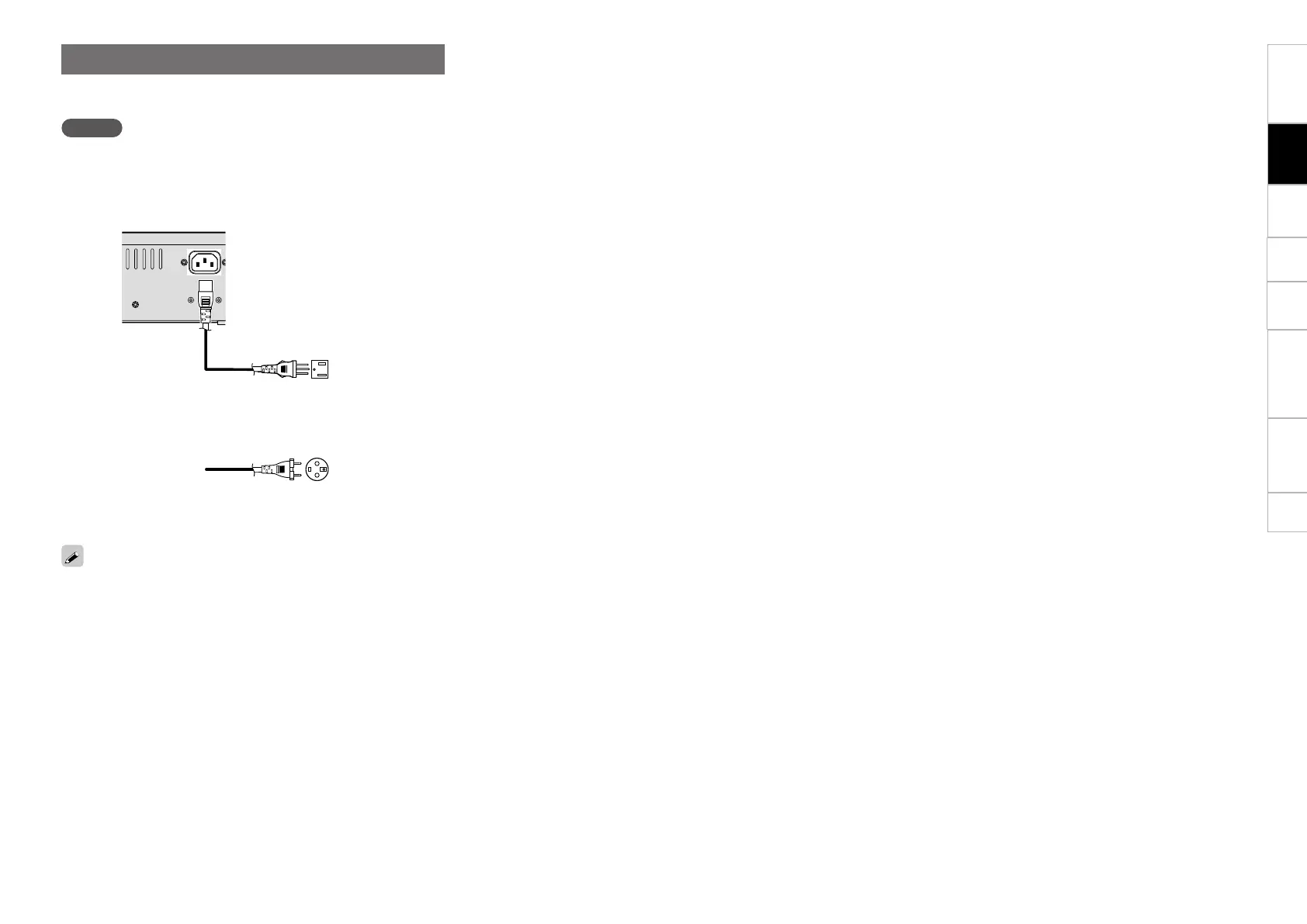
Connect the supplied power cord to this unit, and insert the plug into
the wall socket.
NOTE
•Do not plug in the power cord until all connections have been
completed.
•Insert the plug fully and securely into the socket. Incomplete
connection to the power supply may cause damage to the unit, or
noise.
ToACoutlet
(AC230V,50/60Hz)
U.S.AandCanadamodels
European,U.KandAsia/
Pacific models
Power cord
(supplied)
ToACoutlet
(AC120V,60Hz)
To prevent the power plug from falling out, we recommend fixing the
powercordtotheACcordholder.UseaPhillipsscrewdrivertoxthe
powercordtotheACcordholder.


 To Next Page