EasyManua.ls Logo

Denon DN-V200 - User Manual

Denon DN-V200
120 pages
Print Icon
To Next Page IconTo Next Page
Loading...
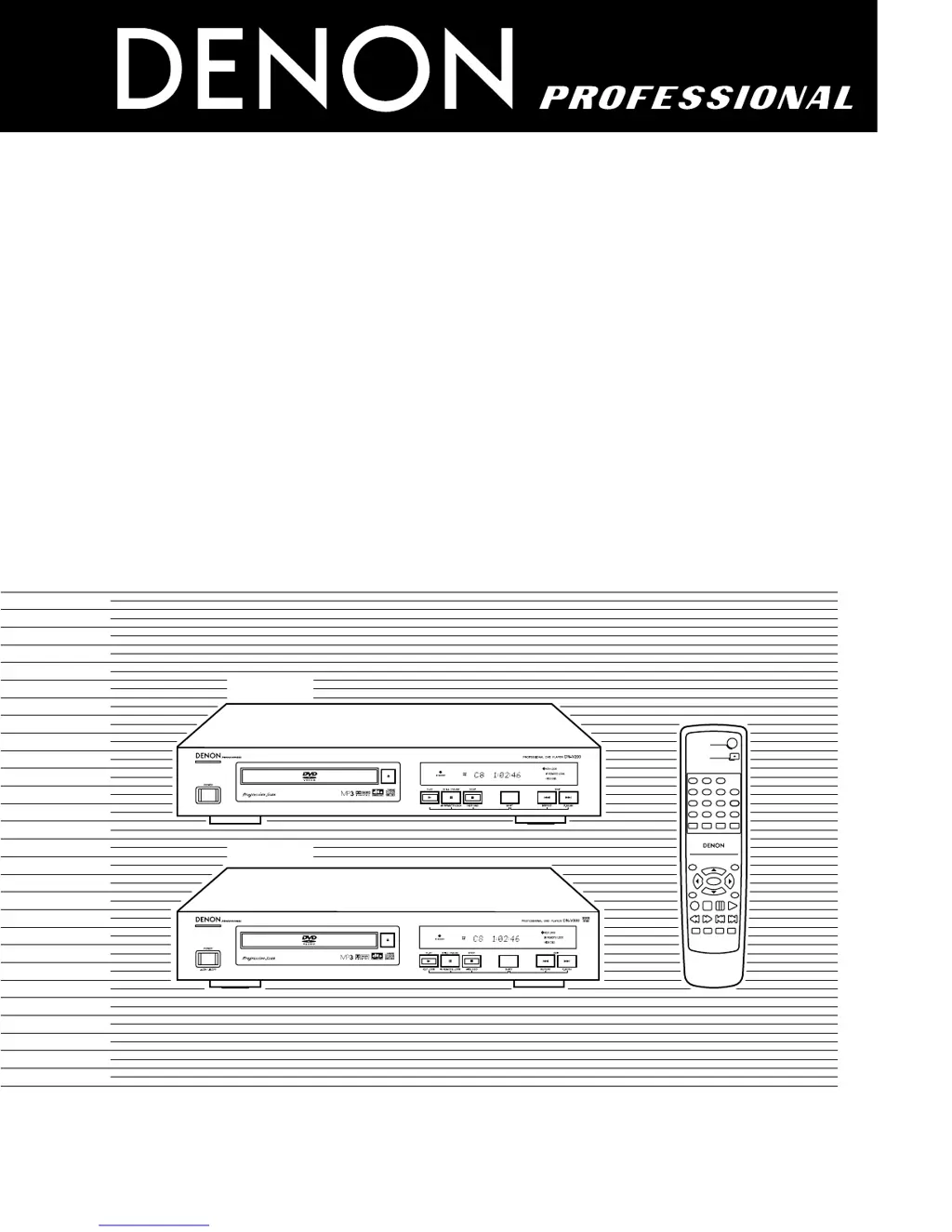
DVD VIDEO PLAYER
DN-V200/DN-V300
OPERATING INSTRUCTIONS
MODE D’EMPLOI
TOP MENU
/PBC
MENU
RETURN
ANGLE
DISPLAY
STOP
STILL /PAUSE
PLAY
RC-963
DVD POWER
123
456
789
0+10
OPEN/CLOSE
A-B REPEAT
REPEAT
AUDIO
SUBTITLE
ENTER
SETUP NTSC/PAL
ZOOM SLIDE SHOW
SLOW/SEARCH SKIP
CALL
RANDOM
CLEAR
PROG /
DIRECT
FOR ENGLISH READERS PAGE 006 ~ PAGE 061
POUR LES LECTEURS FRANCAIS PAGE 062 ~ PAGE 117
PARA LECTORES DE ESPAÑOL PAGINA 118 ~ PAGINA 173
DN-V200
DN-V300

Questions and Answers

  • J
    James AdamsSep 23, 2025
    What to do if I forgot the password for rating level on Denon DN-V200 DVD Player?
    • A
      Andrea WarnerSep 23, 2025
      To reset a forgotten password for the rating level on your Denon DVD Player, set the initial settings back to the factory defaults. Input “1470” at 5 under step 3 on page 17.
  • A
    alexander92Aug 25, 2025
    Why is there no sound from my Denon DN-V200 DVD Player or the sound quality is poor?
    • S
      Shelia YangAug 25, 2025
      If the Denon DVD Player is not producing sound or the sound quality is poor, verify the connections to your TV or stereo system. Ensure that the input settings on your TV or stereo are properly configured. Also, check the “DIGITAL OUT” and “COMPRESSION” settings on the DVD player.
  • D
    David HaleAug 25, 2025
    What to do if playback does not start on Denon DVD Player?
    • E
      erinlawrenceAug 26, 2025
      If playback doesn't start when you press the PLAY button on your Denon DVD Player, or if playback stops immediately, it could be due to condensation on the disc or player; let it stand for 1 to 2 hours. Discs other than DVDs, video CDs, music CDs, and digital pictures (JPEG) cannot be played. If the disc is dirty, wipe it off.
  • C
    cynthia46Aug 27, 2025
    Why do the buttons on my Denon DN-V200 DVD Player not operate?
    • J
      Jeremiah ChapmanAug 27, 2025
      If your Denon DVD Player buttons aren't working, check the “KEY LOCK” mode. Some operations are disabled for some discs.
  • E
    eperkinsAug 27, 2025
    Why are no subtitles displayed on my Denon DN-V200?
    • D
      devin56Aug 27, 2025
      If subtitles are not showing on your Denon DVD Player, ensure that the subtitles setting is turned on. Note that subtitles are not displayed for DVDs that do not contain subtitles.
  • D
    Derek HollandSep 15, 2025
    How to change the language on Denon DVD Player menu?
    • J
      Julie SotoSep 15, 2025
      If the menu screen messages on your Denon DVD Player aren't displaying in the language you want, check the default setting for the disc language’s menu language.
  • A
    Andrew AlvarezSep 13, 2025
    How to adjust screen ratio on Denon DN-V200 DVD Player?
    • K
      kirbynicholasSep 13, 2025
      If the picture on your Denon DVD Player isn't displaying in the correct 4:3 or 16:9 aspect ratio, set the “TV ASPECT” default setting to match your connected TV.
  • L
    Lauren BrownSep 14, 2025
    What to do if playback doesn't start when the title is selected on Denon DVD Player?
    • T
      Tonya SimmonsSep 14, 2025
      If playback doesn't start when you select a title on your Denon DVD Player, check the “RATING” setting.
  • C
    Christine BestSep 5, 2025
    What to do if the picture does not appear on Denon DVD Player?
    • A
      Andrea SchultzSep 5, 2025
      If the picture doesn't appear on your Denon DVD Player, first check all the connections. Then, if you have a TV connected to the VIDEO OUT, AV1, or S-VIDEO connector, turn “P.SCAN” off. Finally, make sure the TV’s input is set to “video.”
  • S
    Stephanie HoodSep 3, 2025
    Why angle does not switch on Denon DN-V200?
    • S
      Sean BlackSep 3, 2025
      The angle cannot be switched on your Denon DVD Player for DVDs which do not contain multiple angles. In some cases multiple angles are only recorded for specific scenes.

Denon DN-V200 Specifications

General IconGeneral
TypeDVD Player
Audio FormatsDolby Digital, DTS
Video OutputComposite, S-Video, Component, HDMI
Remote ControlYes
Power Consumption20W
Operating Temperature5°C to 35°C
Disc CompatibilityDVD, CD
Audio OutputAnalog, Digital Optical, Digital Coaxial
Control InterfaceRS-232C
Playback ModesRepeat, Shuffle

Related product manuals