EasyManua.ls Logo

Denon DN-V200 - Playing Repeatedly; Remote Control Unit (RC-963)

Denon DN-V200
120 pages
Print Icon
To Next Page IconTo Next Page
To Previous Page IconTo Previous Page
Loading...
36
ENGLISH
10
PLAYING REPEATEDLY
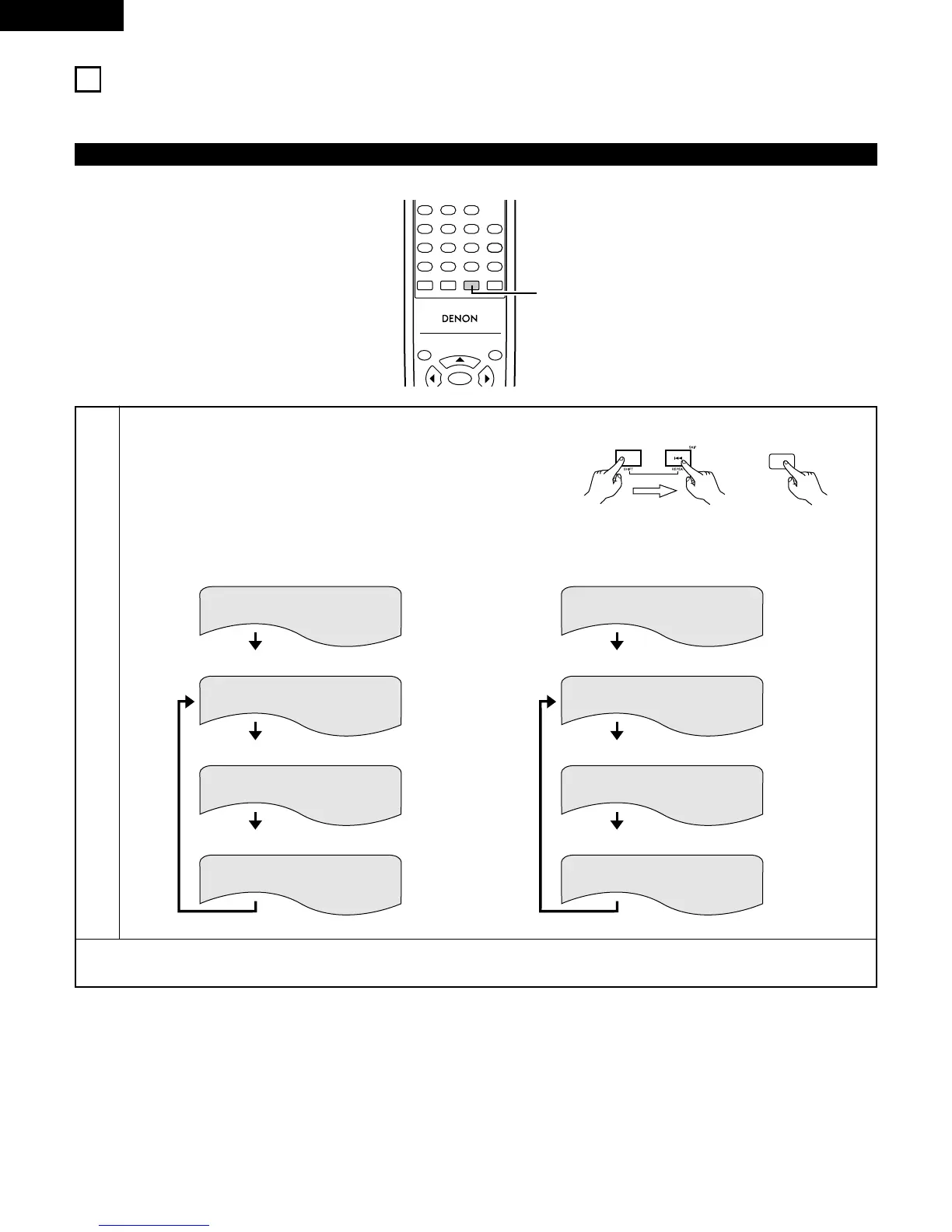
2 Use this function to play your favorite audio or video sections repeatedly.
Playing Repeatedly (Repeat Playback)
1
In the play mode,
Main unit :
Press the SHIFT and 8 buttons simultaneously for 3 seconds.
Remote control unit :
Press the REPEAT button.
The display on the TV screen switches each time the button is
pressed, and the corresponding repeat play or stop mode is set.
To return to normal playback:
Return to normal playback by pressing the REPEAT button until REPEAT OFF appears on the TV screen.
TOP MENU
/PBC
MENU
RC-963
123
456
789
0 +10
A-B REPEAT
REPEAT
AUDIO
SUBTITLE
ENTER
CALL
RANDOM
CLEAR
PROG /
DIRECT
1
REPEAT
Remote control unit
q For DVD video discs
TITLE REPEAT
CHAPTER REPEAT
REPEAT OFF
Normal playback
Chapter repeated
w For video and music CDs
TRACK REPEAT
DISC REPEAT
REPEAT OFF
Normal playback
Track repeated
Title repeated
Repeat playback cancelled
Entire disc repeated
Repeat playback cancelled
Main unit

Related product manuals