35
ENGLISH
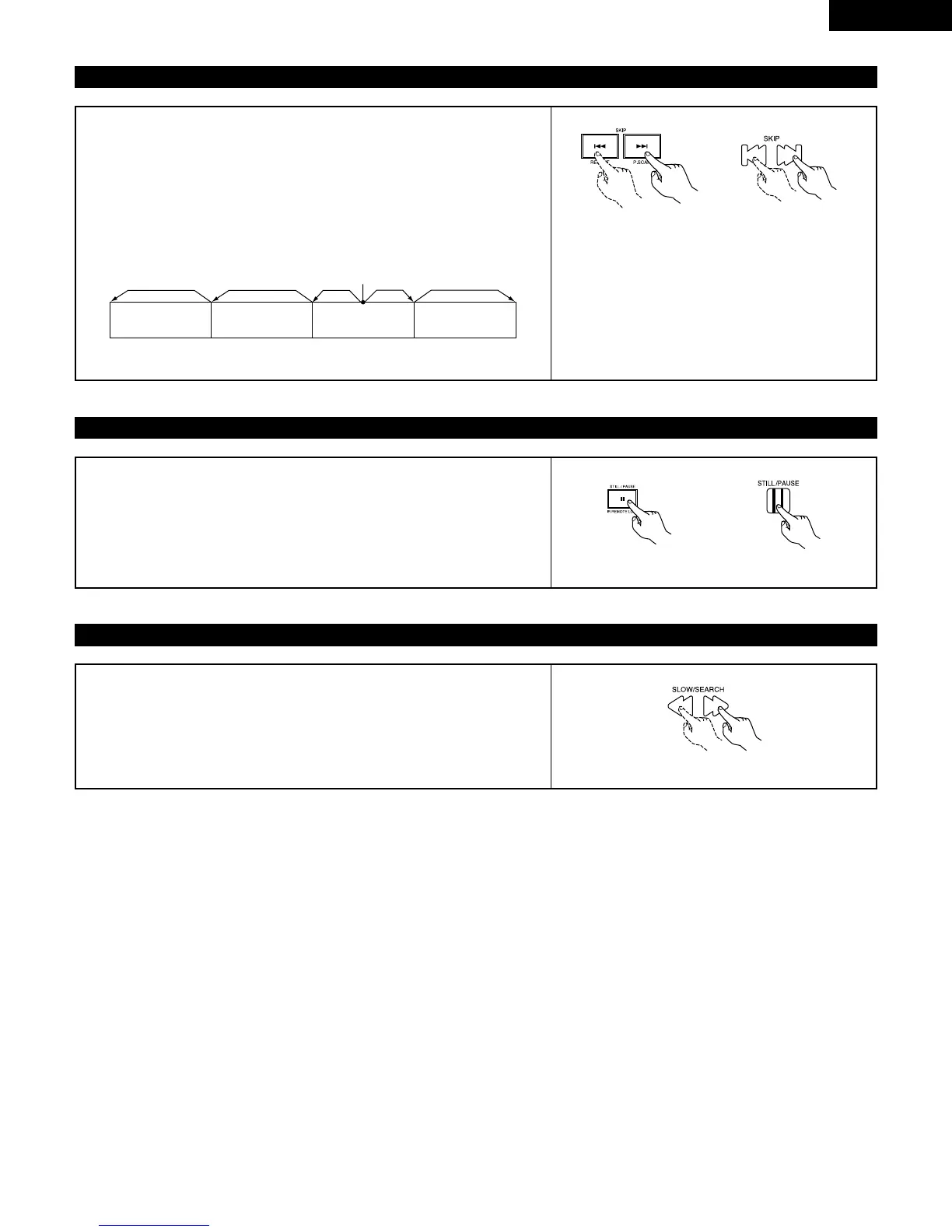
(5) Skipping to the Beginning of Chapters or Tracks
During playback, press one of the SKIP buttons on the main unit or the
remote control unit.
8 : Reverse direction
9 : Forward direction
• A number of chapters or tracks equal to the number of times the button is
pressed is skipped.
• When the SKIP
8 button is pressed once, the pickup returns to the
beginning of the currently playing chapter or track.
NOTE:
• In some cases the menu screen may reappear
when one of the SKIP buttons is pressed during
menu playback on a video CD.
Playing position
Chapter/Track Chapter/Track Chapter/Track Chapter/Track
Reverse direction
,/
Forward direction (direction of playback)
(6) Playing Frame by Frame (for DVDs only)
During playback, press the STILL/PAUSE button on the main unit or the remote
control unit.
• The picture moves forward one frame each time the button is pressed.
• Press the PLAY button to resume normal playback.
(7) Slow Playback (for DVDs only)
In the still mode, press one of the SLOW/SEARCH buttons on the remote
control unit.
6 : Reverse direction
7 : Forward direction
Main unit Remote control unit
Remote control unit
Remote control unit
Main unit



 To Next Page