EasyManua.ls Logo

Denon DN-V200 - Playing in the Zoom Mode

Denon DN-V200
120 pages
Print Icon
To Next Page IconTo Next Page
To Previous Page IconTo Previous Page
Loading...
46
ENGLISH
NOTES:
Zooming is not possible with some discs.
The zoom function may not work properly at some scenes.
Zooming is not possible at the top menu or the menu screen.
16
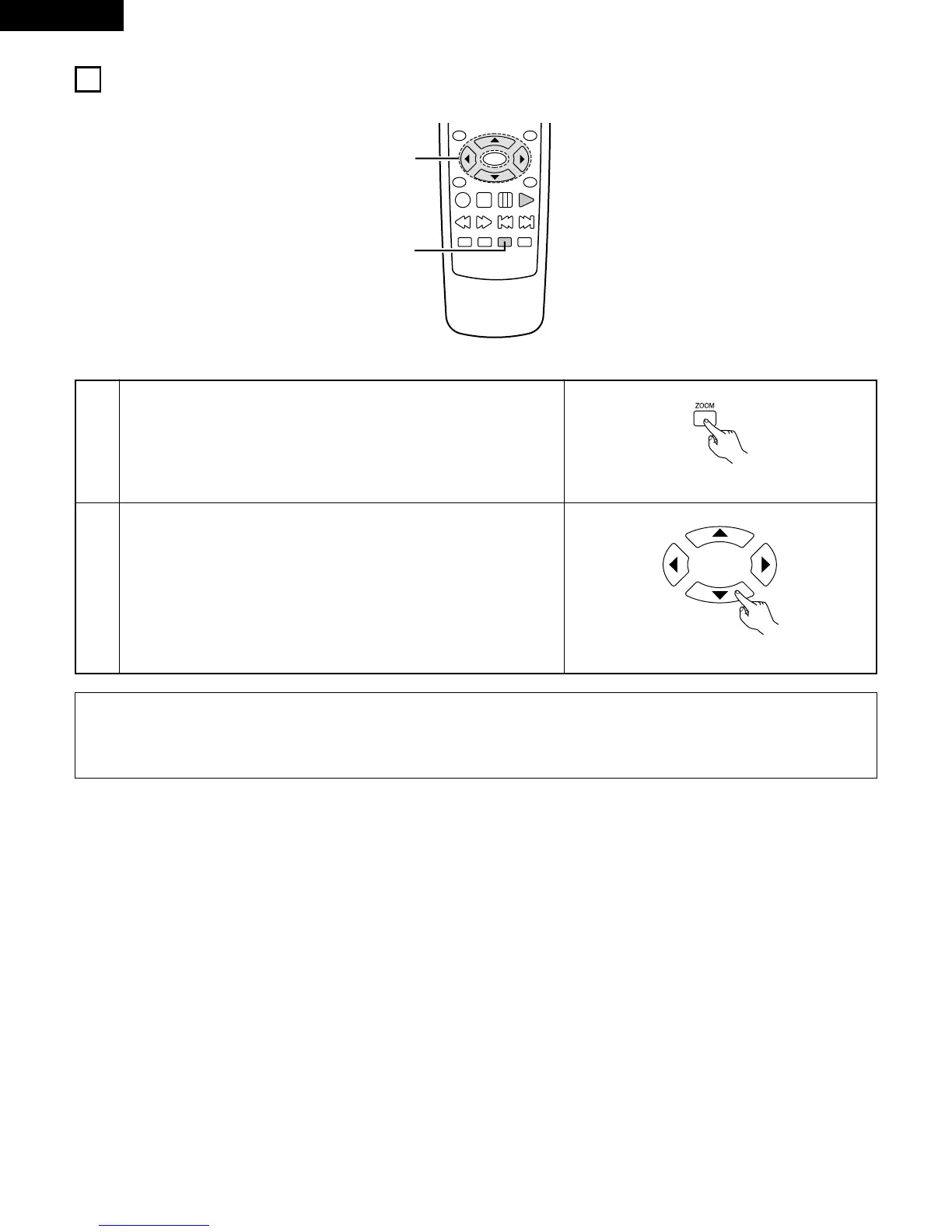
PLAYING IN THE ZOOM MODE
1
In the play or pause mode, press the ZOOM button.
The zoom rate increases each time the ZOOM button is pressed.
For DVD video discs:
OFF / x2 / x4 / x16 / OFF

TOP MENU
/PBC
MENU
RETURN
ANGLE
DISPLAY
STOP
STILL/PAUSE
PLAY
ENTER
SETUP NTSC/PAL
ZOOM SLIDE SHOW
SLOW/SEARCH SKIP
1
2
Remote control unit
2
Use the cursor buttons (ª, , 0 and 1) to move the zoomed picture.
Remote control unit

Related product manuals