EasyManua.ls Logo

Denon DVD-5000 - Page 6

Denon DVD-5000
64 pages
Print Icon
To Next Page IconTo Next Page
To Previous Page IconTo Previous Page
Loading...
mm”
OVD-5000
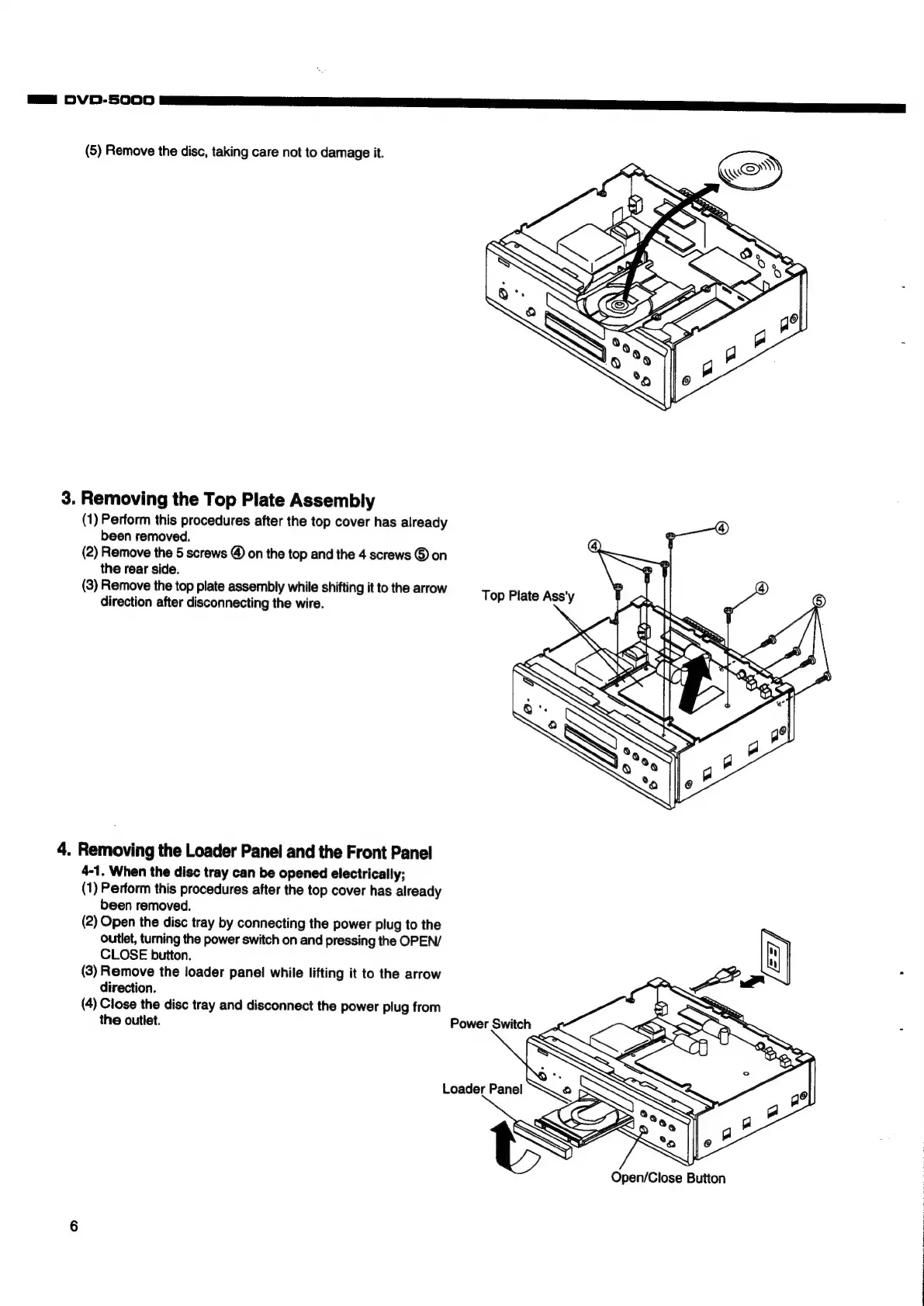
(5)
Remove
the
disc,
taking
care
not
to
damage
it.
3.
Removing
the
Top
Plate
Assembly
(1)
Perform
this
procedures
after
the
top
cover
has
already
been
removed.
(2)
Remove
the
5
screws
@
on
the
top
and
the
4
screws
©
on
the
rear
side.
(3)
Remove
the
top
plate
assembly
while
shifting
it
to
the
arrow
direction
after
disconnecting
the
wire.
4.
Removing
the
Loader
Panel
and
the
Front
Panel
4-1.
When
the
disc
tray
can
be
opened
electrically;
(1)
Perform
this
procedures
after
the
top
cover
has
already
been
removed.
(2)
Open
the
disc
tray
by
connecting
the
power
plug
to
the
outlet,
turning
the
power
switch
on
and
pressing
the
OPEN/
CLOSE
button.
A
Y
a
(3)
Remove
the
loader
panel
while
lifting
it
to
the
arrow
direction.
(4)
Close
the
disc
tray
and
disconnect
the
power
plug
from
the
outlet.
Open/Close
Button

Other manuals for Denon DVD-5000

Related product manuals