33
ENGLISH
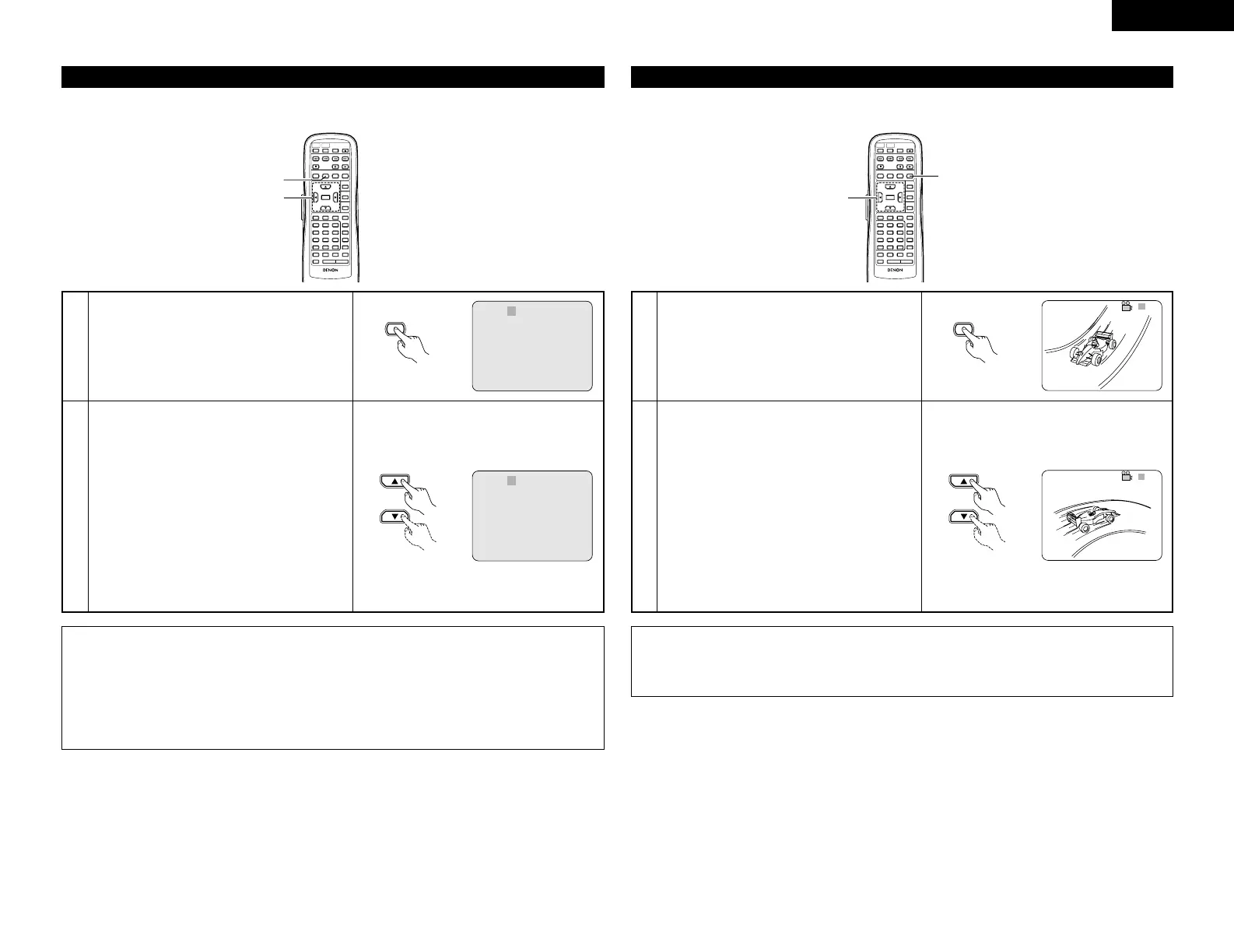
2 With DVDs containing multiple subtitle language signals, the subtitle language can be switched during
playback.
Switching the Subtitle Language (Multiple Subtitle Function)
REMOTE CONTROL UNIT
RC-552
POWER
ON
POWER
OFF
OPEN
/
CLOSE
NTSC
/
PAL
DISPLAY SUBTITLE
ANGLE
SKIP
SLOW / SEARCH
MENU
RETURN
PURE DIRECT
MEMORY
PICTURE
ADJUST
DIMMER
ZOOM
PROG/DIR
CLEAR
CALL
MARKER
REPEAT A-B RANDOM V.S.S.
SETUP PAGE
-
PAGE
+
123
4
5
6
7
8
9
0
SEARCH MODE
AUDIO
STOP
PLAYSTILL / PAUSE
TOP MENU
+
10
ENTER
2
1
1
2
During playback, press the SUBTITLE button.
• The current subtitle language number is
displayed.
Use the • and ª cursor buttons to select the
desired language.
• The display turns off when the SUBTITLE button
is pressed.
SUBTITLE 01/ 0 3 : ENGLISH
Remote control unit
Remote control unit
NOTES:
• If the desired language is not set after pressing the • and ª cursor buttons several times, the disc does
not include that language.
• The subtitle language set with the default settings (see page 13) is set when the power is turned on and
when the disc is replaced. If that language is not included on the disc, the disc’s default language is set.
• When the subtitle language is changed, several seconds may be required for the new language to appear.
• When a disc supporting the closed caption is played, the subtitle and the closed caption may overlap each
other on the TV monitor. In this case, turn the subtitle off.
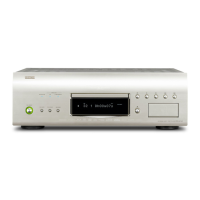
2 With DVDs containing multiple angle signals, the angle can be switched during playback.
Switching the Angle (Multiple Angle Function)
REMOTE CONTROL UNIT
RC-552
POWER
ON
POWER
OFF
OPEN
/
CLOSE
NTSC
/
PAL
DISPLAY SUBTITLE
ANGLE
SKIP
SLOW / SEARCH
MENU
RETURN
PURE DIRECT
MEMORY
PICTURE
ADJUST
DIMMER
ZOOM
PROG/DIR
CLEAR
CALL
MARKER
REPEAT A-B RANDOM V.S.S.
SETUP PAGE
-
PAGE
+
123
4
5
6
7
8
9
0
SEARCH MODE
AUDIO
STOP
PLAYSTILL / PAUSE
TOP MENU
+
10
ENTER
1
2
1
2
During playback, press the ANGLE button.
• The current angle number is displayed.
Use the
• and ª
cursor buttons to select the
desired angle.
• The display turns off when the ANGLE button is
pressed.
Remote control unit
Remote control unit
NOTES:
• The multiple angle function only works with discs on which multiple angles are recorded.
•“ANGLE” lights on the main unit’s display when playing a section recorded in the multi-angle mode.
• At scenes where multiple angles are recorded, the angle can be switched.



 To Next Page