CONFIGURING YOUR EXTEND
Your HEOS Extend can be configured to operate in two dierent modes, “Extender” mode and “Access Point” mode. Extender mode is used to extend the
range of your existing wireless network. Access Point mode is used to set up a new wireless network in the event you don’t have a wireless network installed
in your home or oce.
Extender Mode
1
Make sure the Extend is plugged into a wall outlet and
has power (the blue power LED should be solid blue).
2
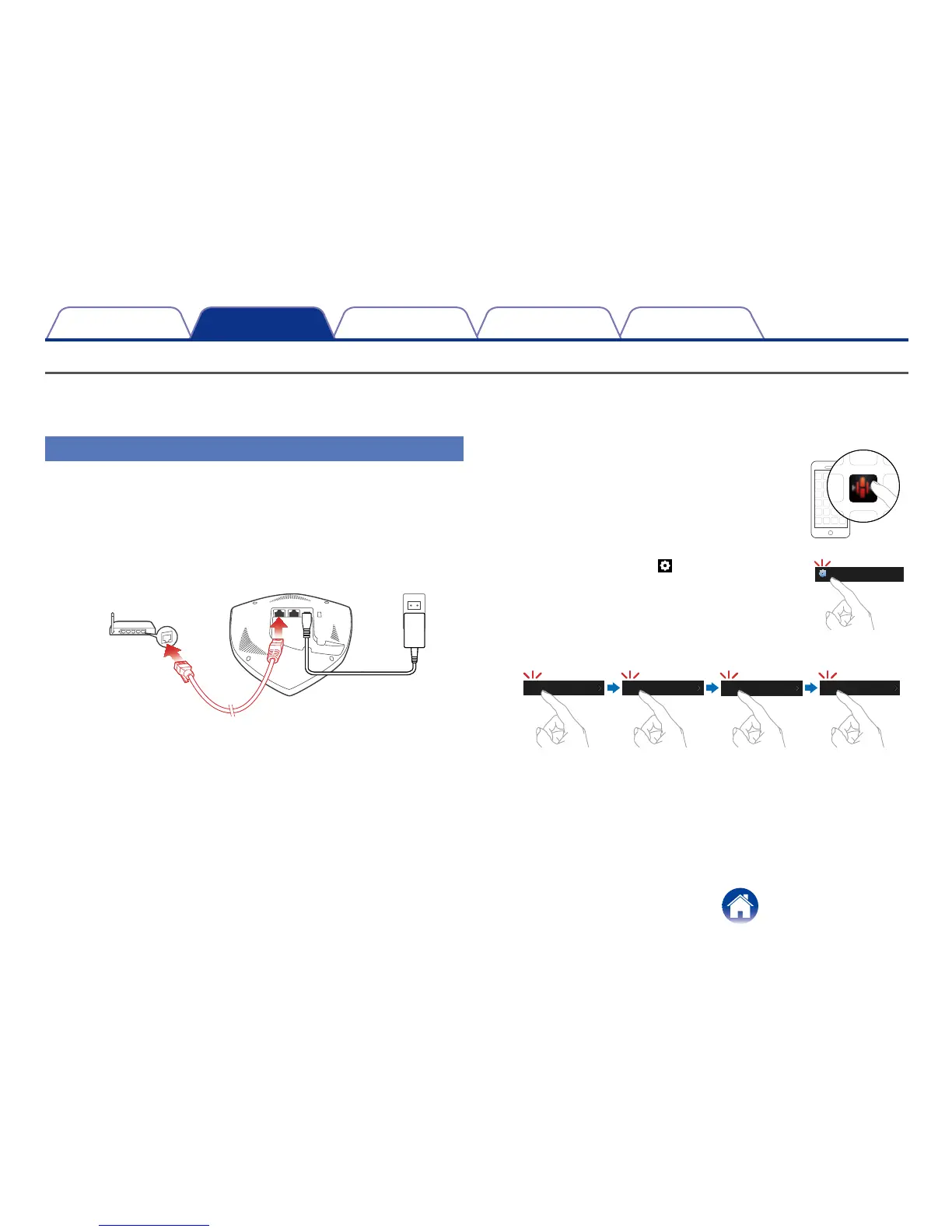
Connect the included Ethernet cable between one of
the two Ethernet jacks on the Extend and your existing
wireless router or switch.
3
Make sure your mobile device is connected to the
wireless network you want to extend. (You can check
this in the Settings/Wi-Fi menu of your mobile device)
4
Launch the HEOS app on your mobile
device.
5
Select the Settings icon in the upper
left corner of the screen or tap “Setup
Now” button at the top of the screen.
Music
6
Select My Devices -> HEOS Extend -> Mode -> Extender.
My Devices HEOS Extend Extender
Mode
Access Point
7
Follow the instructions on the screen to complete the
configuration.


 To Next Page