2 Controls
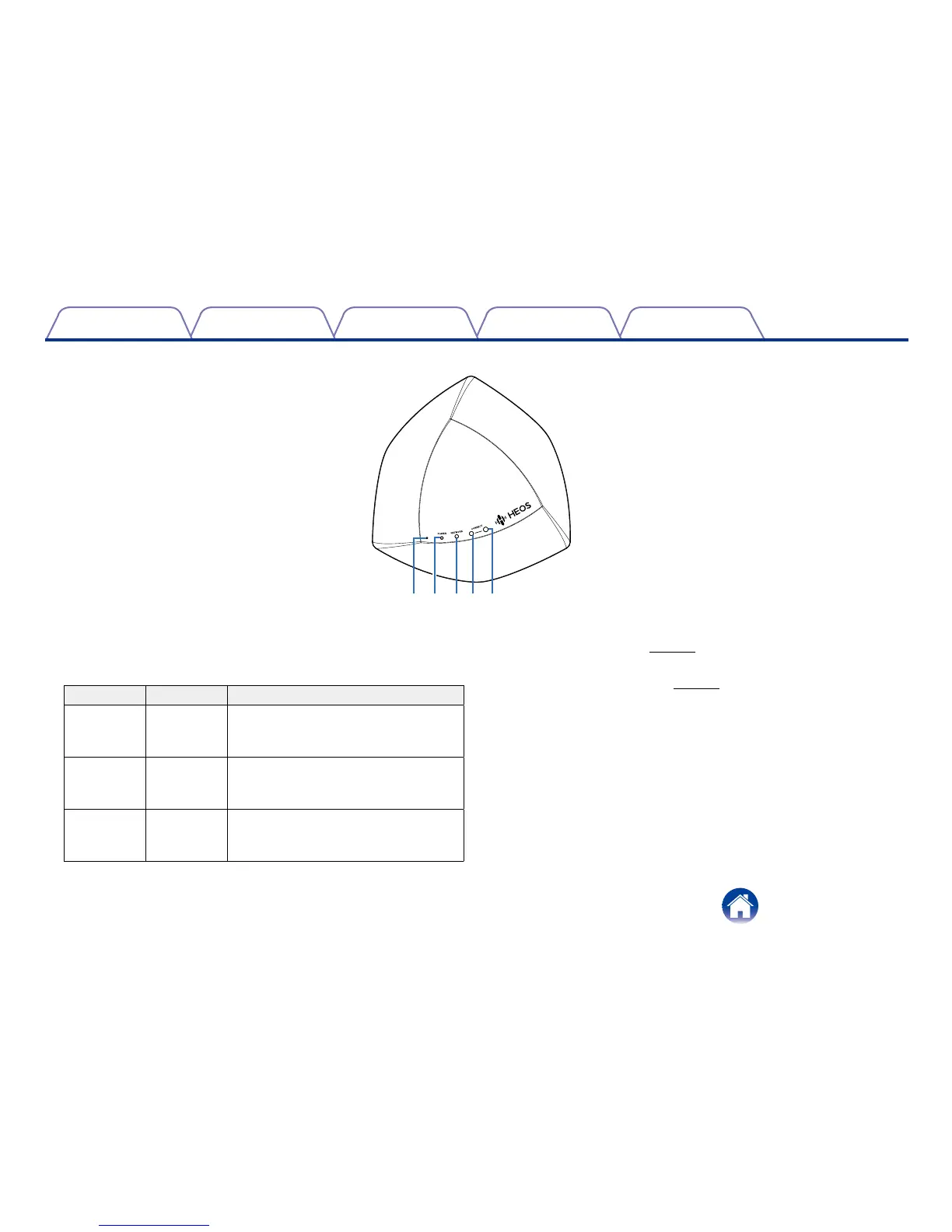
Front Panel
q
Power LED
w Network LED
e Connect LED
LED Color Description
POWER BLUE [OFF] AC power is disconnected
[Blinking] Starting up
[ON] Power On - Ready
NETWORK GREEN [OFF] Not connected to any networks
[Blinking] Connecting
[Solid] Connected
CONNECT GREEN [OFF] Connection mode is not running
[Blinking] Searching for a device to
connect
r Connect Button
Used for Wi-Fi setup (vpage23).
t Reset Button
Used to reset the Extend (vpage24).
q wert


 To Next Page