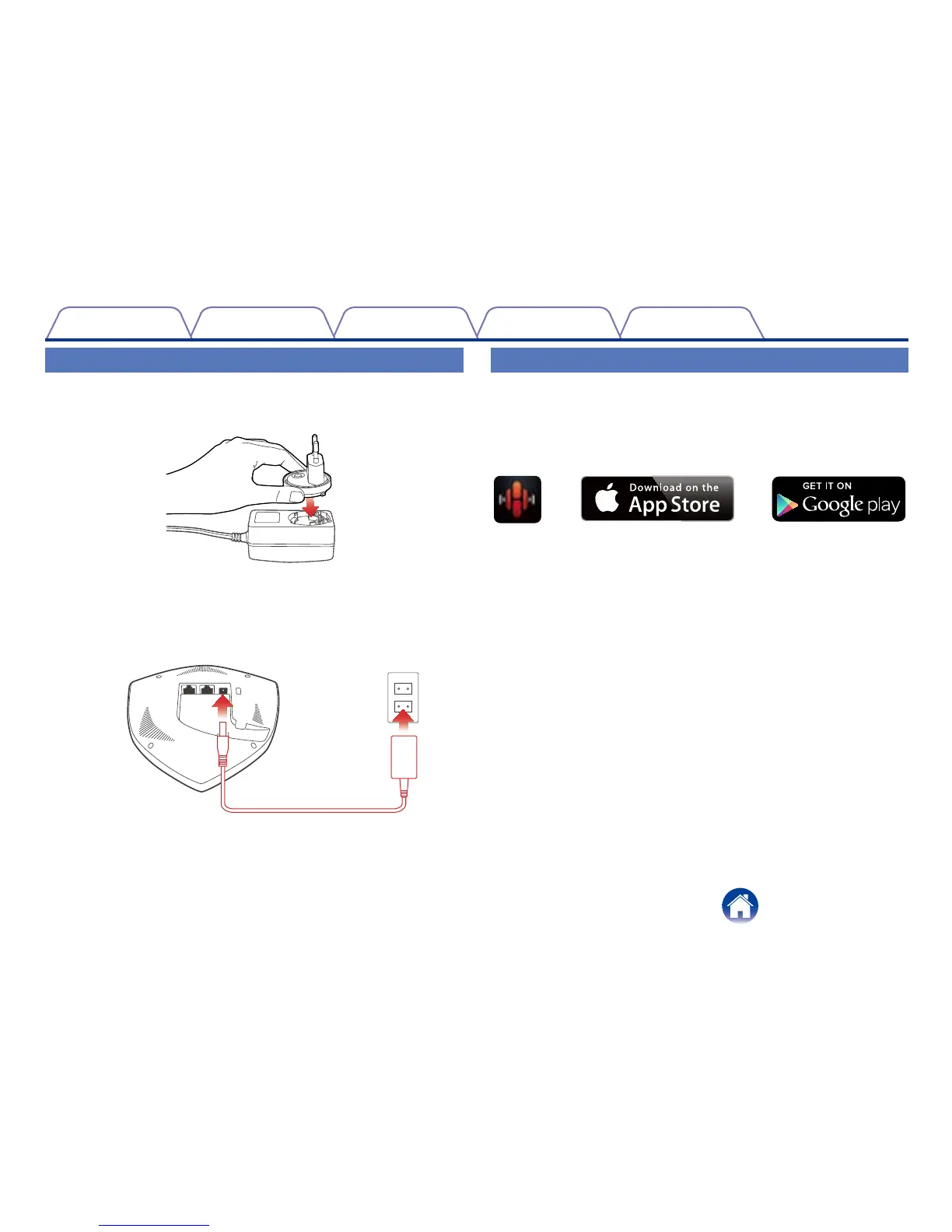
Powering Your Extend
1
Insert the appropriate adapter into the power supply
(make sure it snaps into place).
2
Connect the power cord to the back of the Extend and
the plug into a wall outlet. The Extend is capable of
automatically switching between 100 – 240v.
Getting the HEOS App
The HEOS app is the heart of the HEOS experience. Using your mobile
device and the HEOS app, you can setup, browse, explore, and control your
HEOS system right in the palm of your hand, from anywhere in your home.
Download the HEOS app for iOS or Android by searching App Store
SM
or
Google Play™ store for “HEOS by Denon”.


 To Next Page