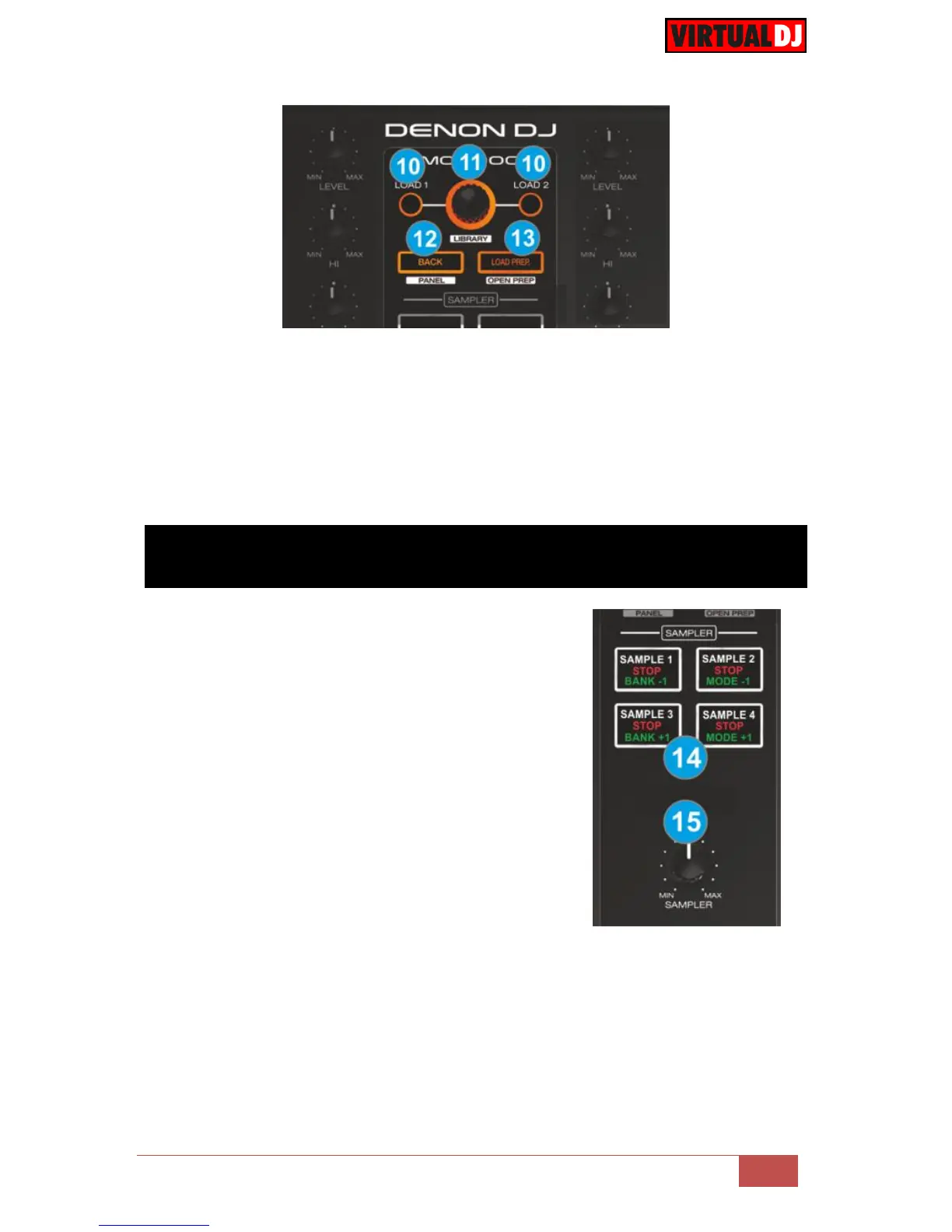
13. LOAD/PREP. Press this button to add the selected track to the Automix List of
Sideview.
Hold SHIFT down to set focus to Sideview.
If focus is on the Sideview hold SHIFT down and then use this button to cycle
through the Sideview windows (Automix, Sidelist, Karaoke, Sampler and Shortcuts)
Hold SHIFT down and press this button for more than 2 seconds to open/close the
Sideview.
14. SAMPLER BUTTONS. Use these buttons to
trigger Samples 1 to 4 of the selected Sampler
Bank of VirtualDJ.
Hold down any of the PAD MODE buttons (M)
and then use the left Sampler buttons to select
the previous and next Sampler Bank.
Hold down any of the PAD MODE button (M) and
then use the right Sampler buttons to select the
previous and next Sampler mode (On/Off,
Stutter, Hold and Unmute)
Depending on the selected Sampler mode, hold
SHIFT down and then use the same Sampler
buttons to stop the playing samples.
15. SAMPLER VOLUME. Use this knob to adjust the
Master Volume of the Sampler (will affect the
Output Volume of all Samples)



 To Next Page