[10.2] Uploading the BHT system parameter file
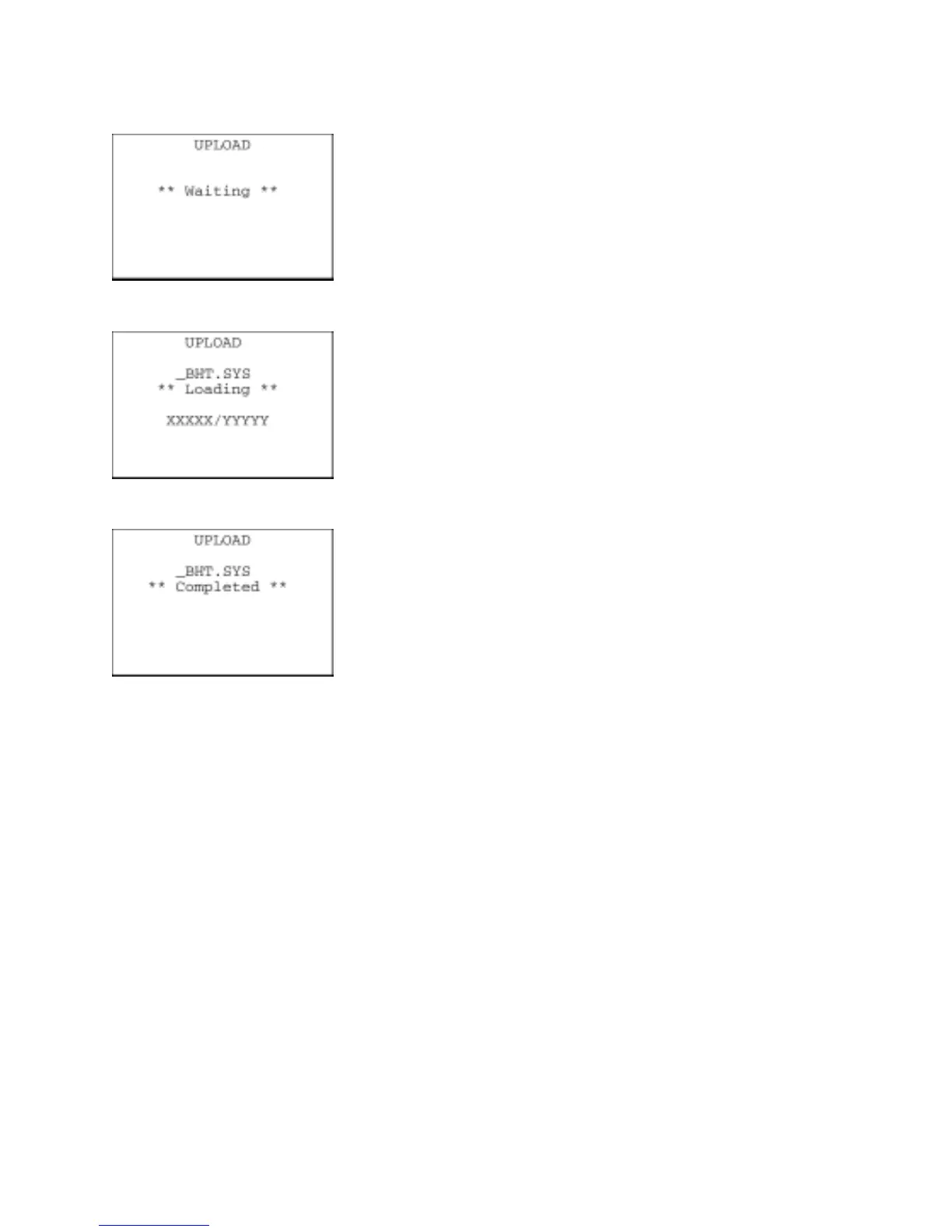
Selecting "2: UPLOAD" on the SYSTEM PARAMETER transfer menu
calls up the screen shown at left. With this screen displayed, the BHT
waits for the BHT system parameter file to be uploaded.
⇓
While the uploading operation is in progress, the screen shown at left
is displayed indicating the file name and the number of sent
records/the total number of records.
To abort the uploading operation, press the C key. The screen will
switch back to the SYSTEM PARAMETER transfer menu.
⇓
Upon completion of uploading, the BHT displays the screen shown at
left and beeps once.
Press the C key to return to the SYSTEM PARAMETER transfe


 To Next Page