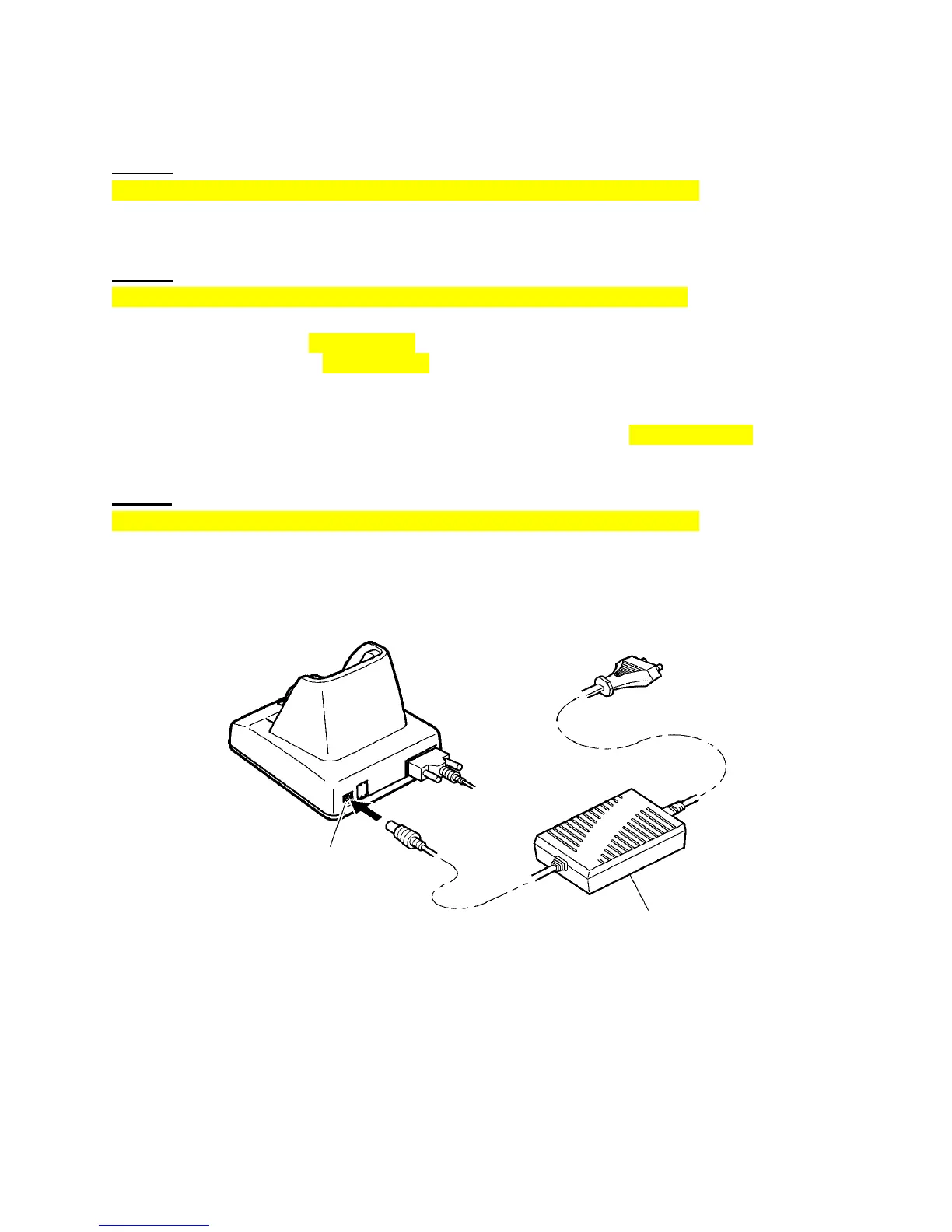
5.3 Applying Power to the CU-300
CU-301:
The CU-301 should be powered from a wall socket via the dedicated AC adapter. Connect the outlet
plug of the AC adapter to the power inlet connector of the CU-301, then plug the other end into a wall
socket. Pressing the | side of the power switch turns the CU-301 on; pressing the { side turns it off.
CU-321:
The CU-321 should be powered from a wall socket via the dedicated AC adapter or from the USB host
(PC) or USB hub via the USB interface.
Connecting the AC adapter supplies power to the CU-321. If no AC adapter is connected, turning on the
USB host (PC) and USB hub supplies power to the CU-321.
NOTE: To charge the battery cartridge, use the AC adapter except when the CU-321 is connected to a
self-powered hub capable of supplying power (5V 500 mA) via the USB line.
NOTE: To charge the battery cartridge even when the USB host (PC) is in suspend mode, use the AC
adapter.
CU-311:
The CU-311 should be powered from a wall socket via the dedicated AC adapter. Connect the outlet
plug of the AC adapter to the power inlet connector of the CU-311, then plug the other end into a wall
socket.
Power inlet connector



 To Next Page