69
Barcode Handy Terminal
“2: OPEN BAR SETTINGS”: Setting for the “function in which the reading setting is
1. e BARCODE menu
an
E screen.
: BUZZER/LED”: Buzzer/LED control
ions.
2. se the cursor keys ([▲] [▼]) or numeric keys ([1] [2] [3]) to select the desired item and then
pr .
3. Pr le e SET BARCODE menu.
[1]
1. enu and
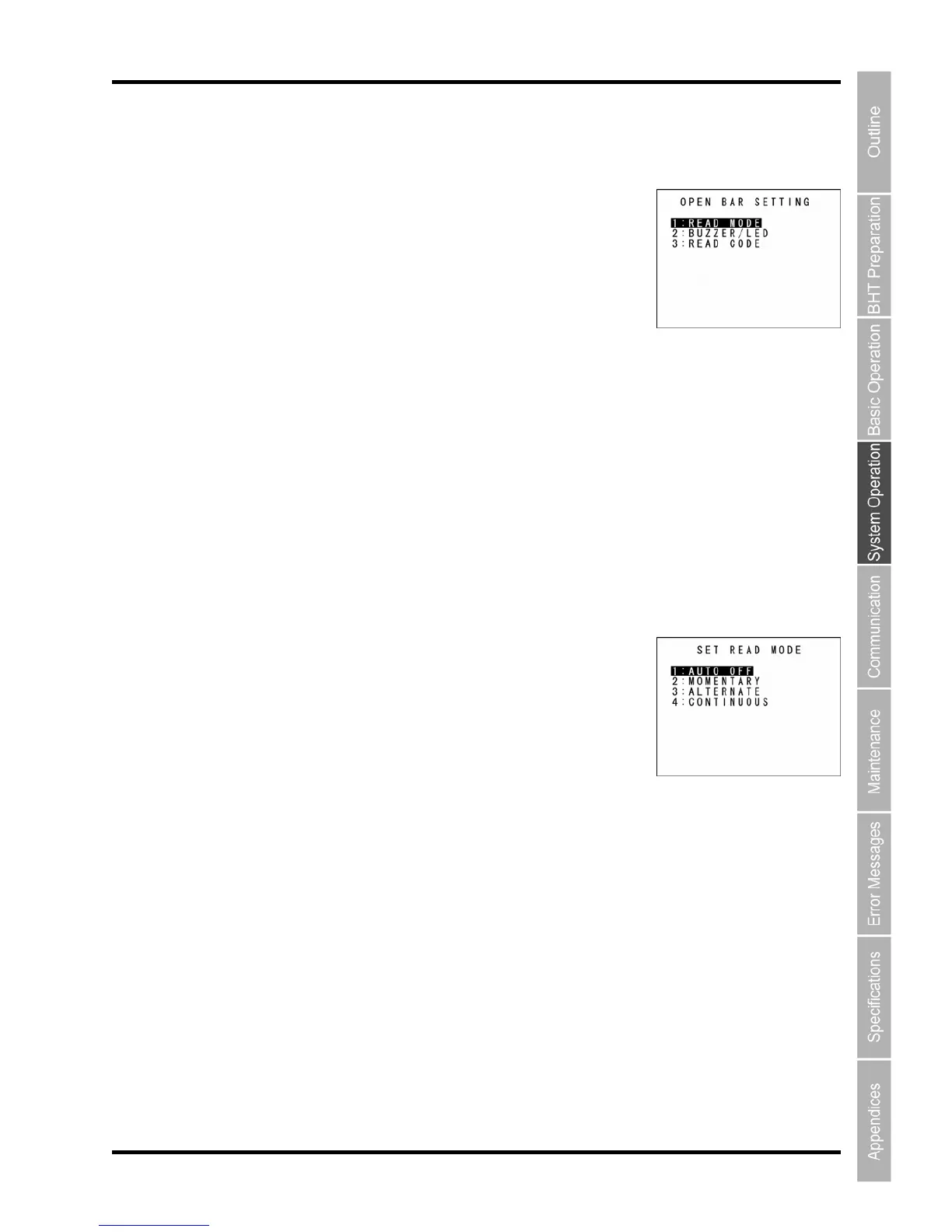
he SET READ MODE screen appears.
ted setting is the current setting.
TO OFF”: Auto off mode
light goes off.
“2: MOMENTARY”: Momentary mode
The light is illuminated continuously when the trigger switch is pressed and held.
“3: ALTERNATE”: Alternate mode
The light brinks (turns ON/OFF) when the trigger switch is pressed.
“4: CONTINUOUS”: Continuous-illumination mode
The light is on continuously.
2. Use the cursor keys ([▲] [▼]) or numeric keys ([1] [2] [3] [4]) to select the desired setting.
3. Press the ENT or Backspace/clear key to update the setting and return to the OPEN BAR
SETTING screen.
specified from the sy
stem setting”
S lect “2: OPEN BAR SETTINGS” at the SET
d then press the ENT key.
The OPEN BAR SETTING menu screen appears.
“1: READ MODE”: Read mode
Goes to the SET READ MOD
“2
Goes to the SET BUZZER/LED screen.
“3: READ CODE”: Read barcode
Goes to the SET BARCODE screen.
For details of the items above, refer to the following sect
U
ess the ENT key
ess the Backspace/c ar key to return to th
Read mode
Select “1: READ MODE” at the OPEN BAR SETTING m
then press the ENT key.
T
The highligh
“1: AU
When the specified time elapses after the trigger operation ends, the



 To Next Page