77
Barcode Handy Terminal
2. Use the cursor keys ([▲] [▼]) or numeric keys ([1] [2]) to select the desired item.
Press the cursor keys ([◄] [►]) to select the desired setting.
4. Press the or Backspace/clear key to update the
m
“6 ”: Detail setting of the Code 128 reading
1. Sele 8 SET BARCODE menu and then press the ENT key.
C
: MIN”:
um number of the Code 1
28 digits.
S ng
“2: MAX”:
Sets the ma
Setting range: 1 to 99
Point Always set the minimum number of digits to a number less than the maximum number o
3.
ENT
enu.
setting and return to the SET BARCODE
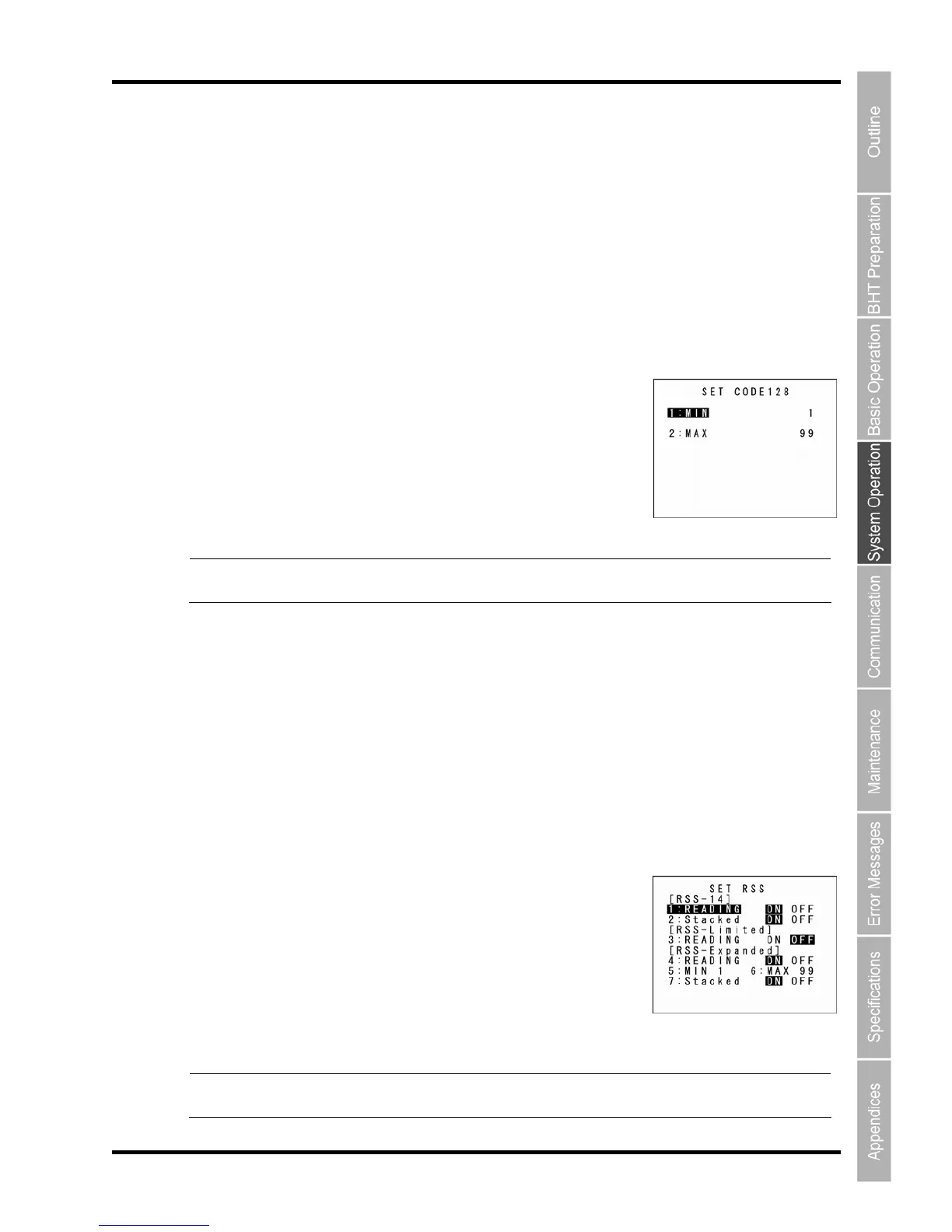
: CODE128
ct “6: CODE12 ” at the
The SET ODE128 screen appears.
“1
Sets the minim
etting ra e:
1 to 99
ximum number of the Code 128 digits.
umber, a read error occurs. digits. If the minimum number exceeds the maximum n
2. Use the cursor keys ([▲] [▼]) or numeric keys ([1] [2]) to select the desired item.
3. Press the cursor keys ([◄] [►]) to select the desired setting.
4. the setting and return to the SET BARCODE
menu.
“7
S1 Databar
) reading
1. Select “7: R ENT
The SET RSS screen appears.
SS-14 Truncated setting)
“1
isa ading of the RSS-14 (GS1 Databar
mnidirectional) or RSS-14 Truncated (GS1 Databar Truncated).
e
Enable
Stacked) or RSS-14 Stacked Omnidirectional (GS1 Databar Stacked
Omnidirectional).
Point To enable reading of the Stacked type barcode, it is necessary to set both “1: READING”
and “2: Stacked” to ON.
Press the ENT or Backspace/clear key to update
: RSS”: Detail setting of the RSS (G
SS” at the SET BARCODE menu and then press the key.
(RSS-14, R
: READING”:
Enables or d
bles re
O
“2: Stack d”:
s or disables reading of the RSS-14 Stacked (GS1 Databar



 To Next Page