82
BHT-904B/BHT-914B
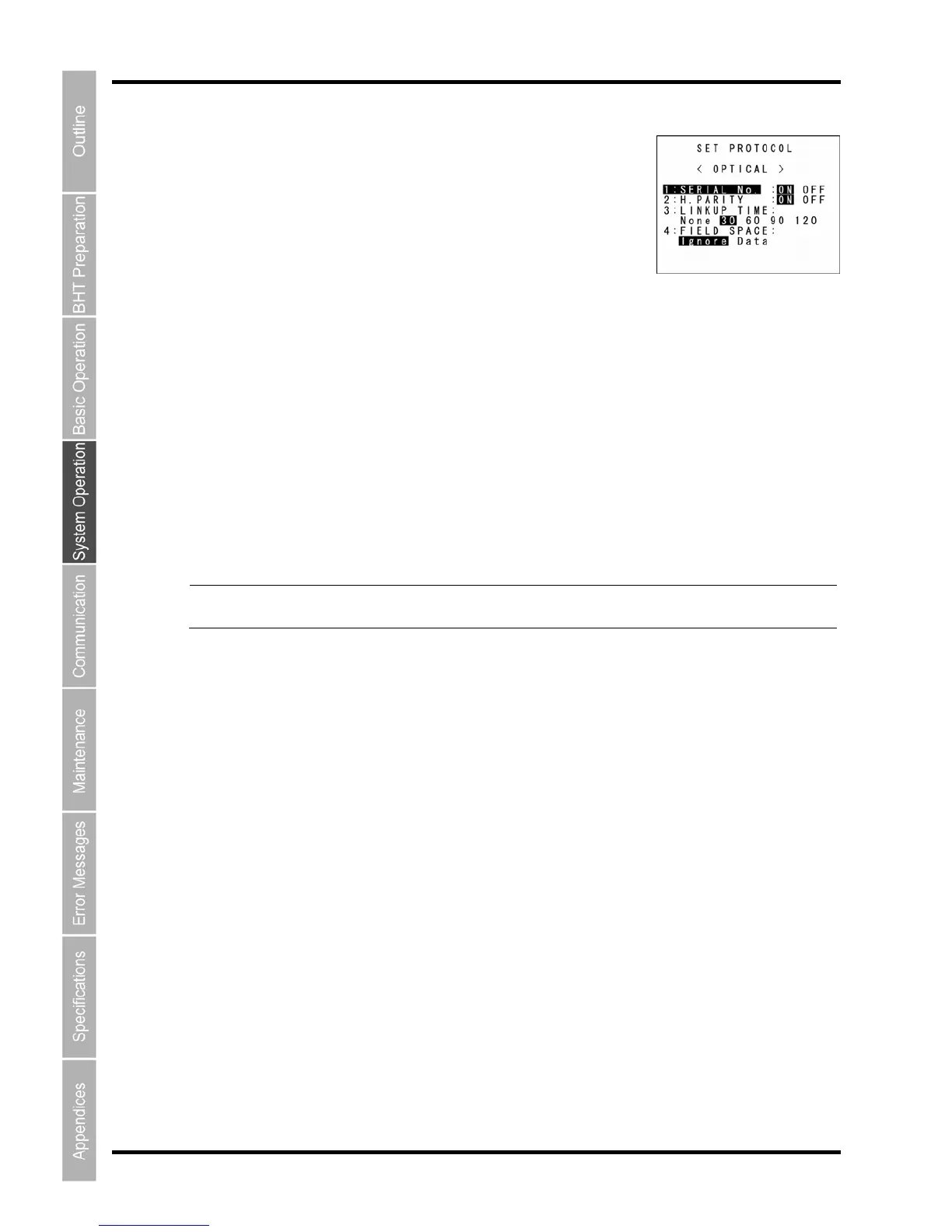
“2: PROTOCOL”: Communication protocol options setting screen
Select “2: PROTOCOL” to display the screen shown on the right.
be established.
”4
and to retain them as data, select “Data”.
To
se setting value using the cursor keys ([◄] [►]), and then press the ENT key.
ress the Backspace/clear key to return to the SET OPTICAL menu.
the serial number and horizontal parity
settings.
The highlighted settings will be the current settings.
“1: SERIAL No.”:
Selects whether or not to add serial numbers to data blocks
“2:H.PARITY”:
Selects whether or not to add horizontal parity.
”3: LINKUP TIME:
Selects the timeout length (in seconds) to be applied when a link is to
: FIELD SPACE:
To trim trailing spaces in fields, select “Ignore”,
make changes, use the cursor keys ([▲] [▼]) or numeric keys ([1] [2] [3] [4]) to highlight the item to be
t, highlight the
P
Point Selecting the BHT-Ir or Ymodem protocol ignores



 To Next Page