85
Barcode Handy Terminal
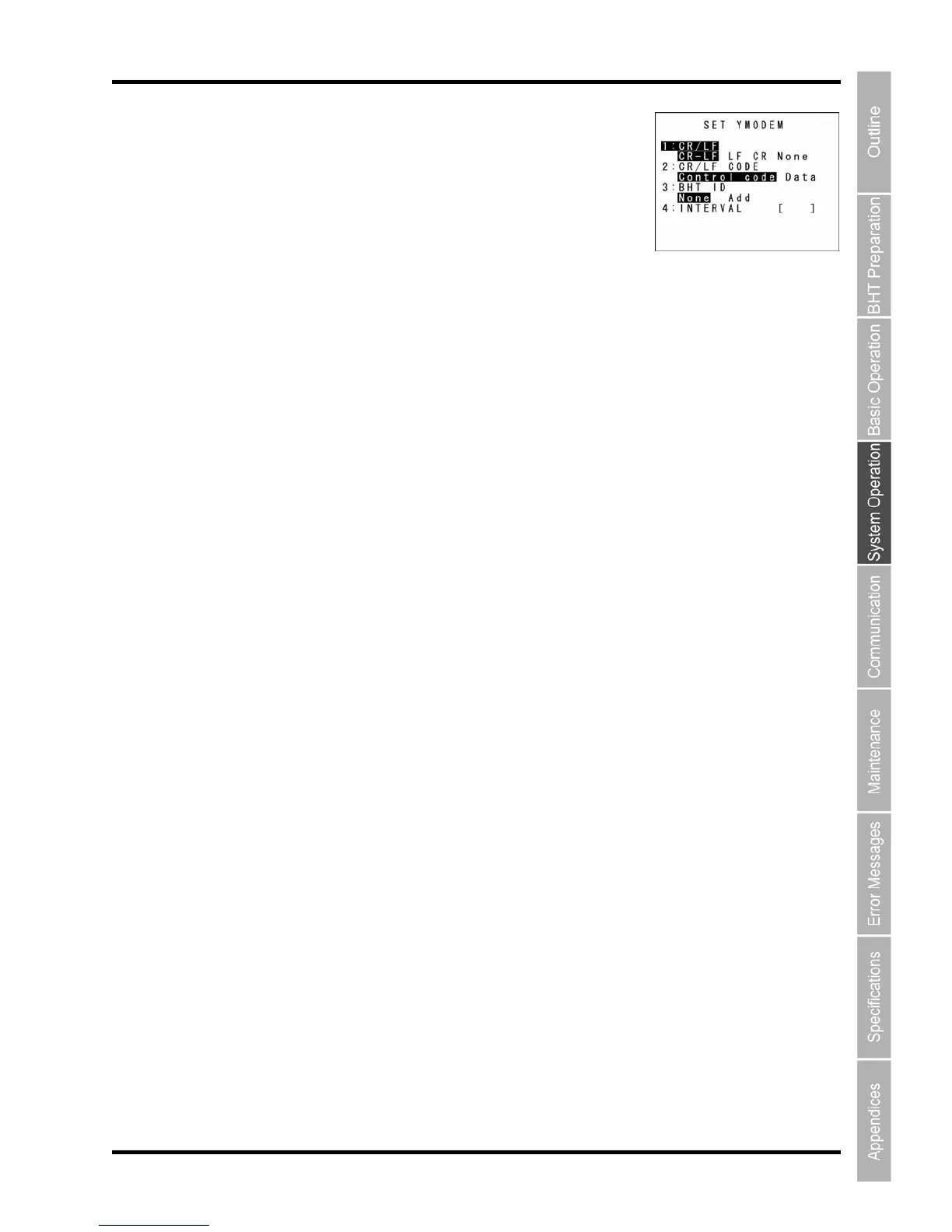
Select “1: Ymodem” at the PROTOCOL TYPE menu to display the screen
on the right.
“1: CR/LF”:
Specifies handling for line delimiters in records when data files are do
ode”:
: BHT ID”:
r not to add the BHT ID number to packets when performing Ymodem transfer.
(This setting is not supported. Changing
: INTERVAL”:
to highlight the item to be
t, highlight the setting value using the cursor keys ([◄] [►]), and then press the ENT key.
ckspace/clear key.
The highlighted settings will be the current settings.
Specifies line delimiters.
“2: CR/LF CODE”:
wnloaded.
“Control c
Does not han
dle line-break codes as data. (Handles as record delimiters.)
“Data”:
Handles line-break codes as data.
“3
Specifies whether o
“None” should normally be selected.
To add the BHT ID number to the transfer tool, select “Add”.
this setting has no result.)
“4
Specifies the retry interval within a range of 1 to 255 in units of 100 ms.
To make changes, use the cursor keys ([▲] [▼]) or numeric keys ([1] [2] [3] [4])
se
For “4: INTERVAL”, press the ENT key to change to entry mode.
The cursor displays, allowing the previous setting to be deleted by pressing the Ba
Enter a new setting values with the numeric keys and press the ENT key.
Press the Backspace/clear key to return to the SET COMMUNICATION men
u.



 To Next Page