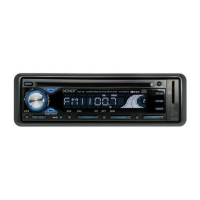
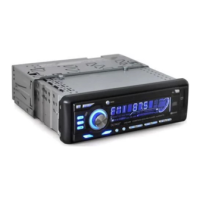
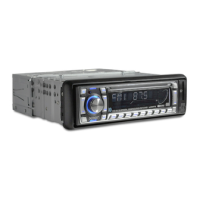
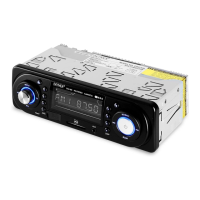
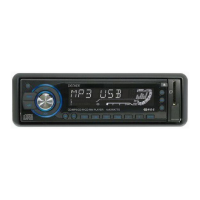
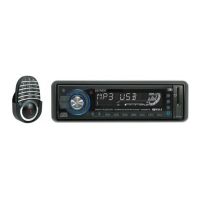
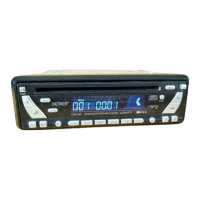
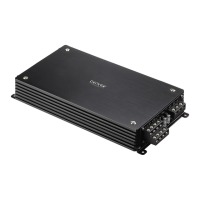
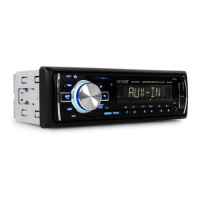
This document describes the DENVER CAT-140 Car Stereo, a versatile in-car entertainment system featuring DVD/SVCD/VCD/CD/MP3/MP4 playback, PLL FM Stereo Radio with Radio Data System, a 4 Inch TFT-LCD Display, and an SD/MMC Card Input. It also boasts a Slide Down/Detachable Front Panel for security and convenience.
Function Description
The DENVER CAT-140 serves as a comprehensive car stereo system, offering a wide range of audio and video playback options. Its primary functions include:
- DVD Video Playback: Supports DVD, DVD+R, DVD+RW, and DVD+DL formats. It features PBC (Playback Control) compatibility for Video CDs, allowing interactive menu navigation.
- CD Playback: Plays standard CD, CD-R, and CD-RW discs.
- MP3/MP4 File Playback: Capable of playing MP3 files from CD-ROM/CD-R/CD-RW discs and MP4 files from various media.
- PAL/NTSC Compatibility: This unit is PAL/NTSC system compatible, ensuring broad compatibility with different video standards.
- Multi-audio, Multi-subtitle, Multi-angle: When available on a DVD, the unit allows switching between multiple audio systems, subtitle languages, and viewing angles of a scene.
- FM Stereo Radio with PLL: Provides stable FM radio reception with Phase-Locked Loop tuning.
- Radio Data System (RDS): Displays information such as program type (PTY), traffic announcements (TA), and alternative frequencies (AF) when available from FM stations.
- SD/MMC Card Input: Allows playback of media files directly from SD or MMC memory cards.
- Front Panel Detachability: The front panel can be detached for security, deterring theft.
- Rear Camera Input: Supports connection of a rear camera for parking/reverse motion assistance, automatically displaying the camera view when reversing.
- Video Output: Connects to external A/V system to display video.
- Audio Output: Provides audio output for external amplifiers or speakers.
Important Technical Specifications
CD/MP3 Player Section:
- Signal to Noise Ratio: > 60 dB
- Channel Separation: > 50 dB (1kHz)
- Frequency Response: 20 Hz - 20 KHz
Tuner (FM):
- Frequency Range: 87.5-108 MHz
- Channel Step: 50 kHz
- Intermediate Frequency: 10.7 MHz
- Sensitivity: 2.5 µV
- Stereo Separation: 30 dB
- Signal to Noise Ratio: 50 dB
Line-Out:
- Output: 5V max
- Impedance: 10K Ohm
General:
- Power Supply: 12V DC (10.8-15.6V allowable)
- Speaker Impedance: 4 or 8 Ohm
- Output Power: 35W x 4CH
Usage Features
Front Panel Controls:
The front panel features a variety of buttons and a rotary knob for intuitive operation:
- POWER ON/OFF ( / ) / MUTE: Turns the unit on/off and mutes/unmutes audio.
- SELECT FUNCTION BUTTON: Switches between different functions.
- PRESET STATIONS (1,2,3,4,5,6): Stores and recalls radio stations.
- 'AF' FUNCTION BUTTON (ALTERNATIVE FREQUENCIES): Activates RDS Alternative Frequencies.
- 'TA' FUNCTION BUTTON (TRAFFIC ANNOUNCEMENT): Activates RDS Traffic Announcements.
- 'PTY' FUNCTION (PROGRAM TYPE): Activates RDS Program Type.
- LOUDNESS BUTTON (LD): Enhances bass and treble at low volumes.
- MODE BUTTON (MD): Selects the source (Tuner, AUX, SD/MMC, CD/DVD).
- BAND BUTTON (BD): Switches between FM bands (FM1, FM2, FM3).
- CD TRACK / SEARCH BUTTON: Navigates tracks or searches.
- AUTO SEEK TUNING: Automatically searches for radio stations.
- MUTE BUTTON (MU): Mutes/unmutes audio.
- PANEL RELEASE BUTTON ( ): Detaches the front panel.
- TFT-LCD DISPLAY: The 4-inch display shows operational information and video.
- CD EJECT BUTTON ( ): Ejects a disc.
- TILT BUTTON: Adjusts the viewing angle of the screen.
- MENU BUTTON: Accesses system menus.
- FAST FORWARD / FAST REVERSE: Skips forward/backward during playback.
- STOP BUTTON: Stops playback.
- PLAY/PAUSE BUTTON: Plays or pauses media.
- RESET BUTTON: Resets the unit to factory settings.
- CD SLOT: Insert CDs/DVDs here.
- SD/MMC CARD SLOT: Insert SD/MMC cards here.
Remote Control:
A full-function remote control is provided for convenient operation from a distance, mirroring many of the front panel controls and adding others like numeric keypads and specific menu navigation buttons.
General Operations:
- Turning the unit ON/OFF: Press the power button to turn on. Press and hold to turn off.
- Selecting a source (MODE): Press MODE repeatedly to switch between TUNER, AUX, SD/MMC, and CD/DVD modes.
- Loading and Ejecting a Disc: Insert a disc into the CD slot. Press the eject button to remove a disc.
- Adjusting Volume: Rotate the VOL knob or use VOL+ / VOL- on the remote.
- Mute Button: Press MU on the front panel or MUTE on the remote.
- Loud Button: Press LD to turn loudness feature on/off.
- Tilt: Press TILT to adjust the screen viewing angle.
- Reset: Press the RESET button (located on the housing) to reset the unit. This is useful if the unit malfunctions or if wiring is completed.
The unit offers extensive settings for audio, picture, dual, RDS, and expert configurations.
- Audio Settings: Adjust Bass, Treble, Balance, Fader, EQ (Flat, Classics, Pop, Rock), and Loudness.
- Picture Settings: Adjust Red, Green, Blue, Brightness, Contrast, Sharpness, Screen (16:9 / 4:3 / FULL), and Color Reset.
- Dual Settings: Controls for dual zone operation (if supported).
- RDS Setup: Enables/disables RDS, PTY, TA, and EON.
- Expert Settings: Adjust Stereo/Mono, Beep (on/off), Loud (on/off), and OSD Color.
Clock Settings:
Set the clock time, display, and adjust hours/minutes.
Listening to Radio:
- Band (BD): Press BD to switch between FM1, FM2, and FM3 bands.
- Automatic or Manual Tuning (SEEK UP / SEEK DN): Press SEEK buttons to automatically search. Press and hold for manual tuning.
- Auto Seek/Preset Scan (PSCN): Press PSCN to scan and store the 6 strongest stations in the current band.
- Auto Seek (AS): Press AS to scan and store the 6 strongest stations in the current band.
- Storing and Recalling Frequencies: Manually tune to a station, then press and hold a NUMBER (1-6) button to store. Press a NUMBER button to recall.
- Using the RDS Function: RDS provides information like program type, traffic announcements, and alternative frequencies.
- 'AF' Function (Alternative Frequencies): Automatically switches to a stronger frequency for the same station.
- 'TA' Function (Traffic Announcement): Interrupts current audio for traffic announcements.
- 'PTY' Function (Program Type): Allows searching for stations by program type (e.g., News, Sport).
Listening to CD/MP3:
- Playback: Press PLAY/PAUSE to start/pause. Use forward/reverse buttons to skip tracks or fast forward/reverse.
- Searching for particular track: Use the numeric keypad on the remote to select tracks directly.
- Repeat Tracks: Repeat current track, repeat all tracks, or repeat a folder.
- Random Playback: Plays tracks in a random order.
- Program Playback: Allows programming a sequence of tracks to play.
- Insert the SD/MMC card into the slot.
- The unit will automatically start playback from the card.
Playing DVD/Video CD/MP4:
- Playback: Insert a disc. The menu will display. Use navigation buttons to select items.
- Turning PBC ON/OFF (VCD only): PBC allows interactive menus on VCDs. Turn PBC on/off as needed.
- Stopping Playback: Press STOP.
- Fast Forward / Fast Reverse: Use the forward/reverse buttons.
- Finding the Beginning of Tracks: Skip to the beginning of the current or previous/next chapter/track.
- Pause Playback: Press PLAY/PAUSE.
- Repeat Playback: Repeat current track, repeat all, or repeat A-B section.
- Random Playback: Plays tracks/chapters in random order.
- Specifying Title/Chapter: Use the numeric keypad to select titles or chapters directly.
- Changing audio language during playback (Multi-audio): Press AUDIO to switch between available audio languages.
- Changing the subtitle language during playback (Multi-subtitle): Press SUB-T to switch between available subtitle languages.
- Changing the viewing angle during playback (Multi-angle): Press ANGLE to switch between available viewing angles.
- Title (DVD only): Press TITLE to return to the first title.
- Return to Root Menu (DVD only): Press MENU to return to the root menu.
- Slow motion playback: Press SLOW repeatedly to adjust playback speed.
- Zooming in During Playback: Press ZOOM repeatedly to zoom in/out.
- Displaying information (OSD): Press OSD to display playback information (time, chapter, title, audio, subtitle).
- Program Playback: Allows programming a sequence of titles/chapters to play.
Setting Up the DVD Player:
Access the setup menu to customize preferences:
- Language: OSD Language, Subtitle, Audio, DVD Disc.
- Display: TV System (Normal/PS, Normal/LB, Wide), TV Type (Auto, NTSC, PAL), Angle Mark (On, Off), Screen Saver (On, Off).
- Audio: Downmix (LT/RT, Stereo), Dual Mono (Stereo, L-mono, R-mono, Mix-mono).
- Parental: Dynamic (Off, 1/8, 1/4, 3/8, 1/2, 5/8, 3/4, 7/8 Full), Change password, Parental rating (1. Kid Safe to 8. Adult), Default (Restore).
Maintenance Features
Installation:
- Mounting: Choose a mounting location carefully to avoid interference with driving functions, high temperatures, direct sunlight, or excessive vibration. Ensure adequate space for wiring.
- Security: The front panel is detachable. Always detach it when leaving the car to prevent theft.
- Wiring: Follow the provided wiring diagrams for power, speakers, antenna, and external devices (e.g., rear camera, external A/V display, hand brake switch). Ensure proper grounding.
Fuse Replacement:
- If the fuse blows, check the power connection and replace the fuse with the specified amperage. An internal malfunction may indicate a more serious problem requiring professional service.
Remote Control Battery:
- The remote control uses a CR2025 battery.
- Replace the battery when it no longer functions.
- Do not recharge, disassemble, heat, or dispose of the battery in fire.
- Do not store the battery with metallic materials.
- In the event of battery leakage, wipe the remote control completely clean and install a new battery.
- Dispose of used batteries according to local regulations.
General Precautions:
- Volume: Keep the volume low enough to hear sounds outside the car.
- Moisture: Protect the product from moisture.
- Preset Memory: If the battery is disconnected or discharged, the preset memory will be erased and must be reprogrammed.
- Optical Instruments: Do not look directly into the optical instruments of the unit, as this product uses a laser.
- Installation Angle: The inclination angle for car radio installation must not exceed 30° otherwise the front panel will not open.
- Driving with Video Display: For safety, video display is typically restricted while the car is in motion. Ensure the hand brake wire is correctly connected to enable video display when the hand brake is engaged.
- Car Battery: If the car battery becomes weak, ensure the connector A (memory +12V) is properly connected to avoid memory loss.
Environmental Protection:
- The symbol of the crossed-out wheeled bin indicates that the product should not be disposed of with household garbage at the end of its lifecycle. It should be handed over to a collection point for the recycling of electrical and electronic appliances.
- The materials are recyclable as mentioned in this marking. By recycling, material recycling or other forms of re-utilization of old appliances, you are making an important contribution to protecting our environment.
- Please inquire at the community administration for the authorized disposal location.

 Need help?
 General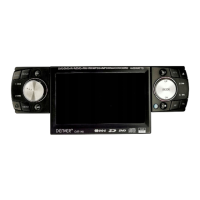

 To Next Page