E7
GENERAL OPERATIONS
Turning the unit ON/OFF ( )
Press any button to turn on the unit. To turn off, press and hold “ ” button.
Selecting a source (MODE)
Press MODE repeatedly to switch between TUNER, AUX, SD/MMC and CD/DVD mode.
Loading and Ejecting a Disc
Important:
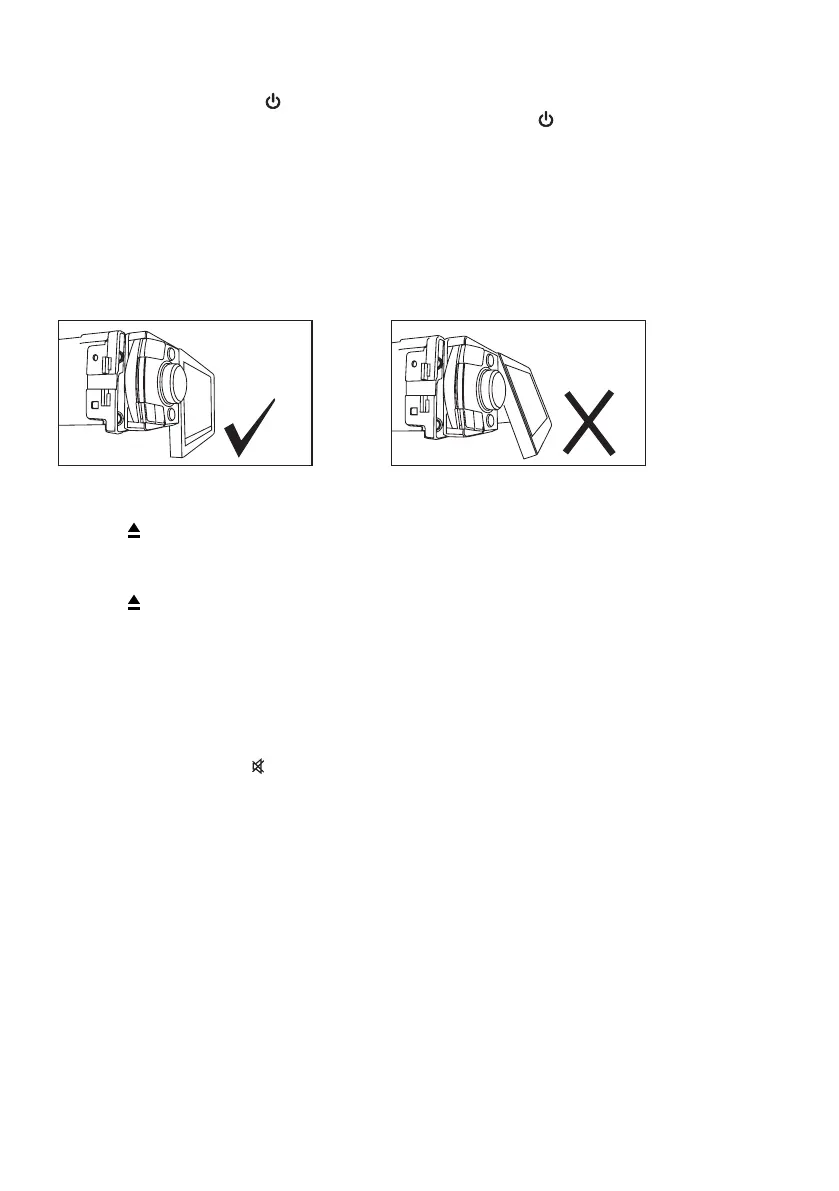
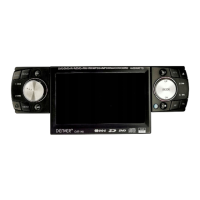
Before loading or ejecting disc, please check if the LCD screen is inline with the front panel. This
will prevent the screen from blocking the path when the disc is inserted or ejected. If it’s not inline,
push the screen all the way until inline with front panel then press eject button. Refer to illustrations
below for proper guide.
Loading a Disc
1. Press to open the front panel
2. Insert a disc into the disc loading slot
Ejecting a Disc
1. Press button to eject disc
Adjusting Volume
• Head Unit: RotateHead Unit: Rotate VOL knob right or left to increase or decrease volume.
• Remote Control: PressRemote Control: Press VOL+ or VOL- to increase or decrease volume
Mute Button
• Head Unit: PressHead Unit: Press MU button to mute the sound at once. Press again to return to previous volume
level.
• Remote Control: PressRemote Control: Press button.
Loud Button
Press and hold LD button to turn on/off LOUD feature.
Tilt
• Tilt feature allows you to control the viewing angles of the screen.Tilt feature allows you to control the viewing angles of the screen.
• PressPress TILT button repeatedly to choose the desired tilt angle.
Reset
Reset button is placed on the housing. The reset button is to be activated for the following reason:
• Initial installation of the unit when all wiring is completed.Initial installation of the unit when all wiring is completed.
• All the function button does not operate.All the function button does not operate.
• Error symbol on the display.Error symbol on the display.
Inline LCD Display
can insert or eject disc
NOT Inline LCD Display


 To Next Page