EN Operation
03/2020 41 / 84
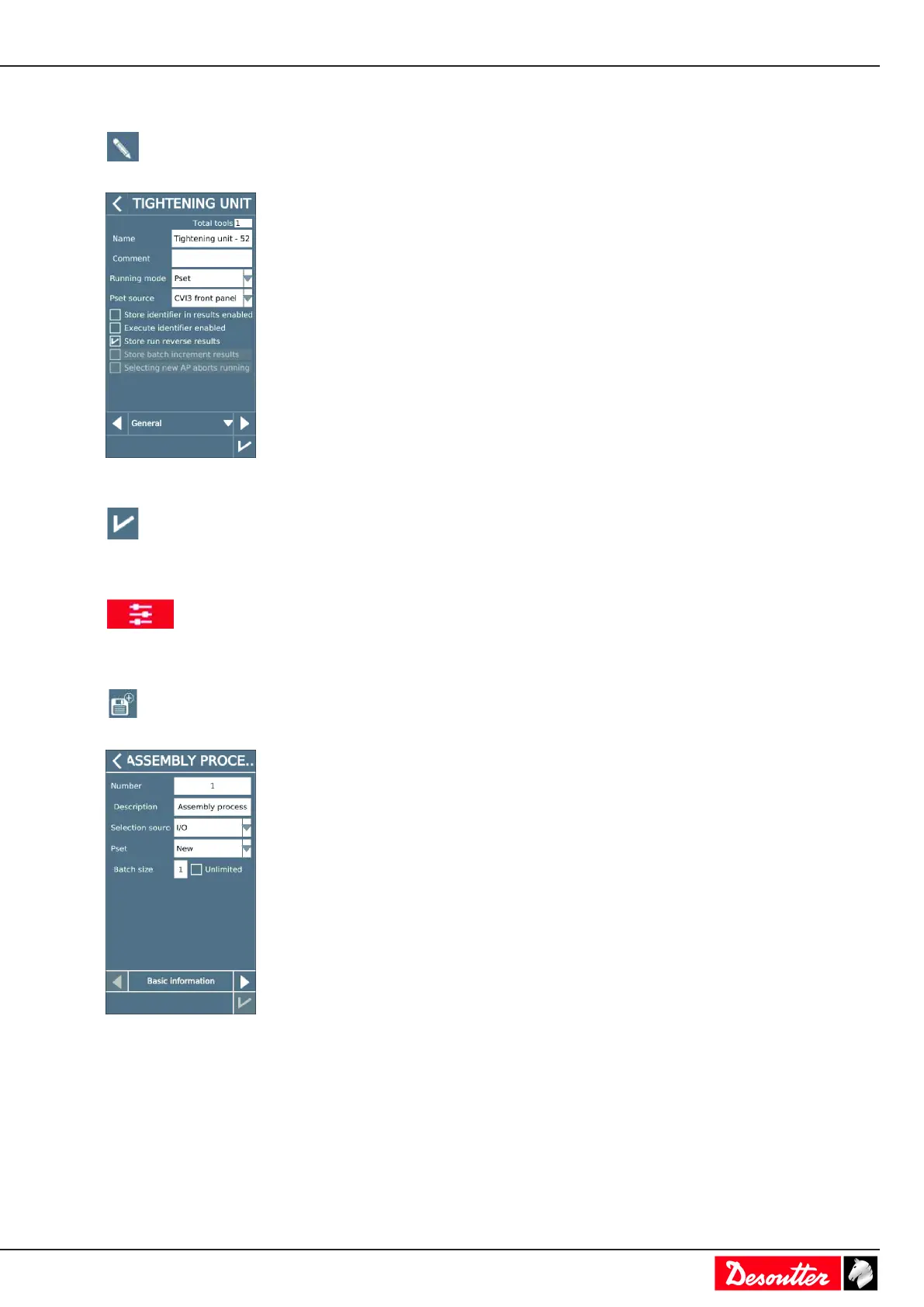
Tap Tightening unit.
Select the tightening unit in the list.
Tap this icon to edit.
Go to the box Running mode and select Assembly Process.
Tap this icon to validate.
Creating an Assembly Process
Go to the start screen and tap this icon.
Tap Assembly Process.
Tap this icon.
Enter a description.
Select Front panel as the source which will start the Assembly Process.
Other possibilities are as follows:
• I/O
• CVILOGIX
• Open Protocol
• Fieldbus
• Customized protocol



 To Next Page