18
3. Charge Point Manager Setup
The charge point is set by default to Autel’s cloud management software.
If using the Autel cloud management software, the user must download the Autel Charge
APP.
If the charge point has been set to an alternative cloud management software, this should
have been set up during commissioning and their APP must be downloaded by the user.
Accordingly, the user will need to be instructed which APP to download and use.
Instructions within this APP will need to be followed.
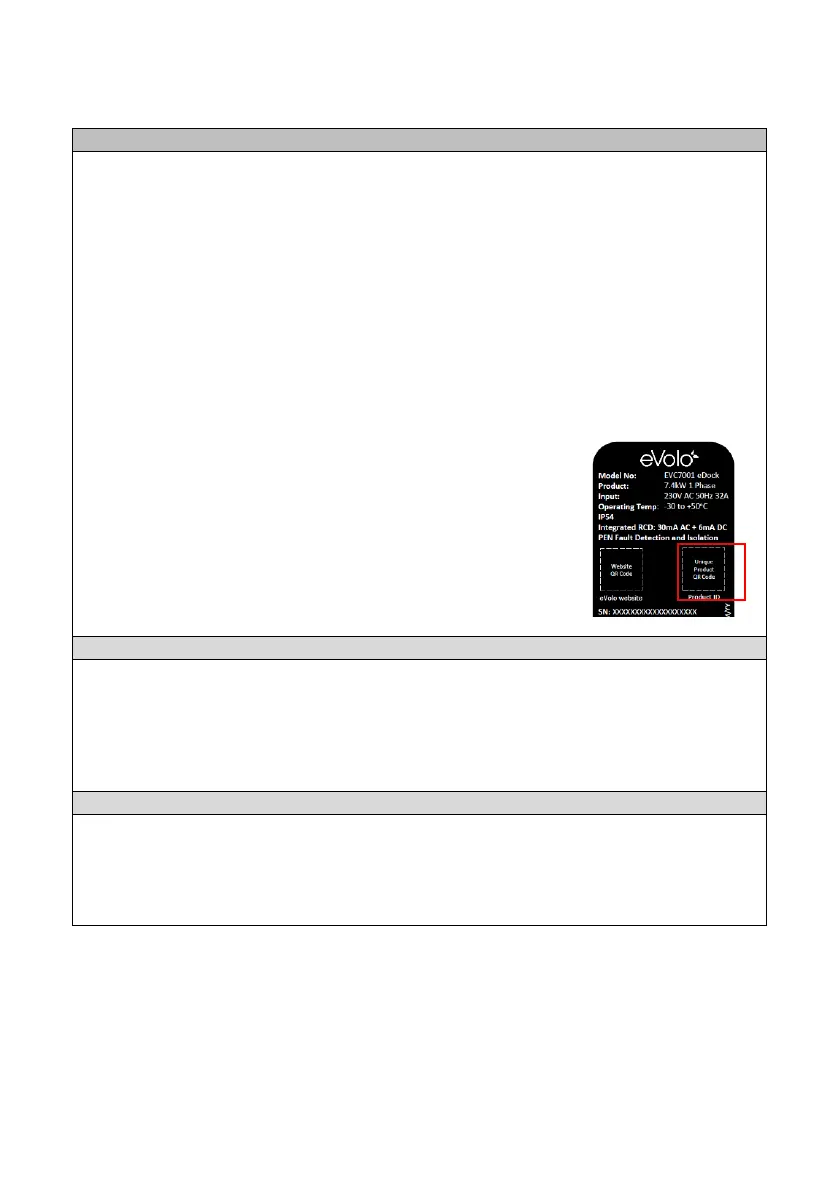
When required, the unique product ID QR code can be found
on the home/standby screen and on the product label on
the side of the product, shown in red in the diagram.
When the electrical supply is being supplied by the landlord/3
rd
party, the charge point
account is billed for the electricity being used via the CPO. The cloud management
software can be used to determine the amount electricity being used.
The charge point can be controlled by the RFID cards that are supplied with it.
Additional cards can be obtained from evolo-uk.com.


 To Next Page