65 Aleksandar Stamboliyski Str., 8000 Bourgas, Bulgaria
Tel: +359 56 820027, Fax: +359 56 836700
E-mail: oce@devabroadcast.com ,Web: www.devabroadcast.com
- 31 -
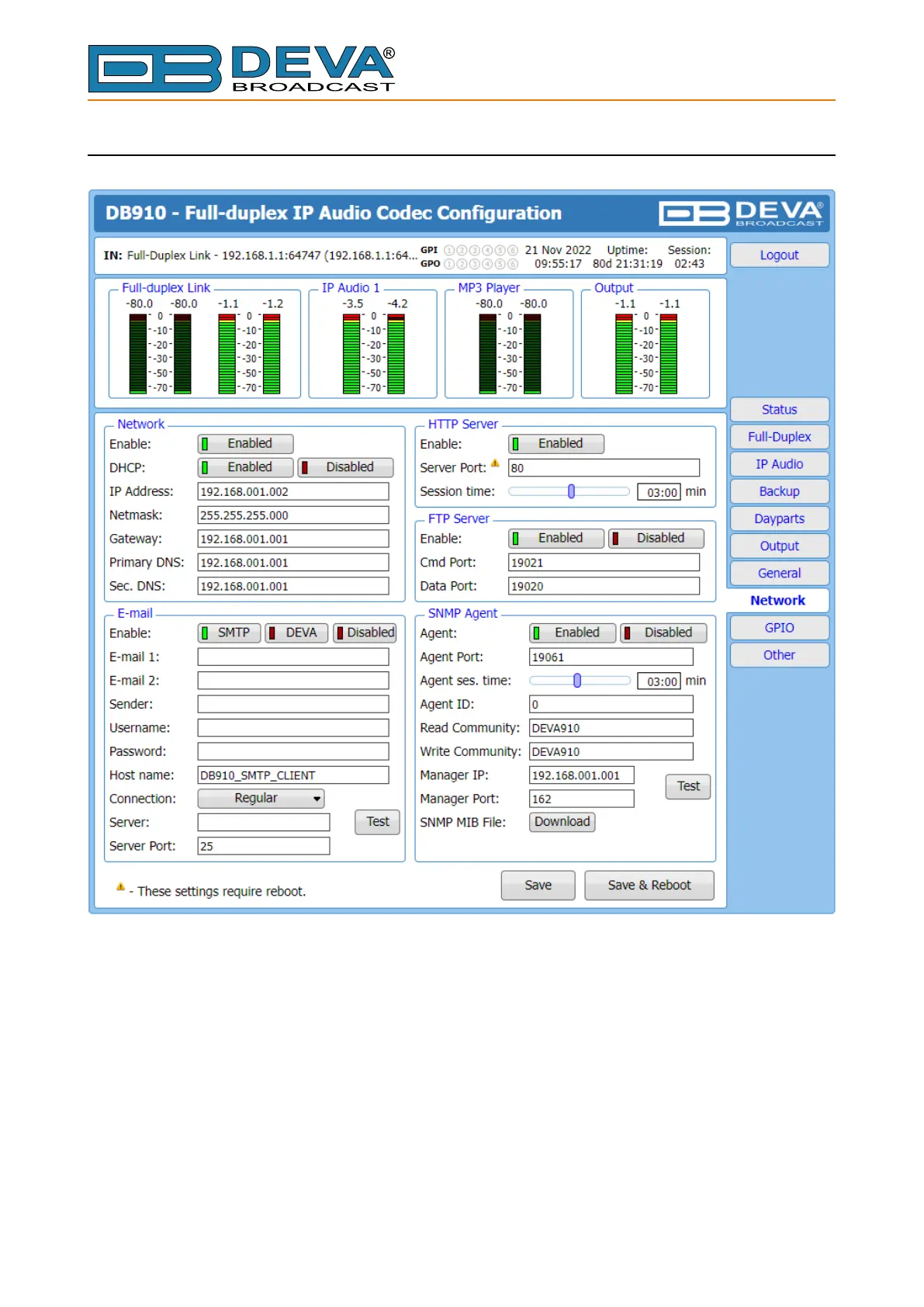
NETWORK
Network
The network addresses could be set manually (static IP) or automatically via a DHCP Server.
To set static IP, MASK, GATEWAY and DNS addresses, the DHCP should be disabled. In order for
the built-in DHCP client to be activated, the function should be enabled. When the DHCP client is
activated, all assigned values will be shown in the relevant elds on the “Status Screen”. If due to
any reason, the DHCP procedure cannot be completed, DB910 will use Auto IP and will generate
an IP Address.



 To Next Page