65 Aleksandar Stamboliyski Str., 8000 Bourgas, Bulgaria
Tel: +359 56 820027, Fax: +359 56 836700
E-mail: oce@devabroadcast.com ,Web: www.devabroadcast.com
- 11 -
Panel Indicators and Appointments
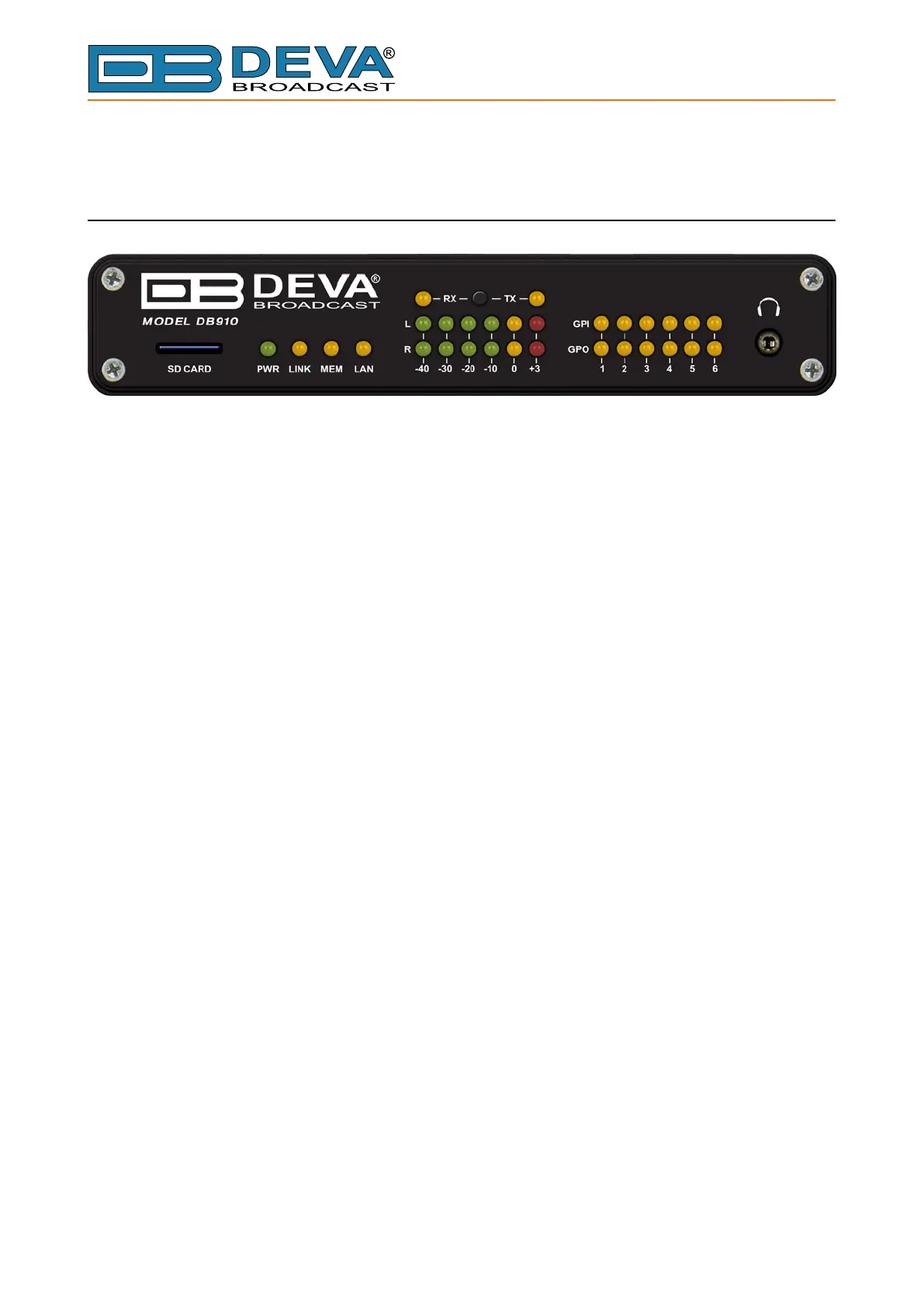
FRONT PANEL
1. SD Card
2. PWR LED – Power LED Indicator
3. LINK LED – Connection status Indicator. This LED can be in one of the following states:
- O – NO active IP connection;
- Blinking – at least one IP connection is active;
4. MEM LED – microSD card status indicator.
5. LAN LED – Network status indicator
6. L & R LED Meters – The full-time LED meters allow quick and easy monitoring of the Left
and Right Audio channels.
7. RX/TX LEDs and button – Select L&R LED Meter source - input or output
8. Phones Output – The following audio signals are reproduced through the headphones:
- Voice Announcement of DB910 IP Audio Encoder’s IP address upon startup;
- Audio signal from the currently active audio source.



 To Next Page