65 Aleksandar Stamboliyski Str., 8000 Bourgas, Bulgaria
Tel: +359 56 820027, Fax: +359 56 836700
E-mail: oce@devabroadcast.com ,Web: www.devabroadcast.com
- 37 -
APPENDIX A
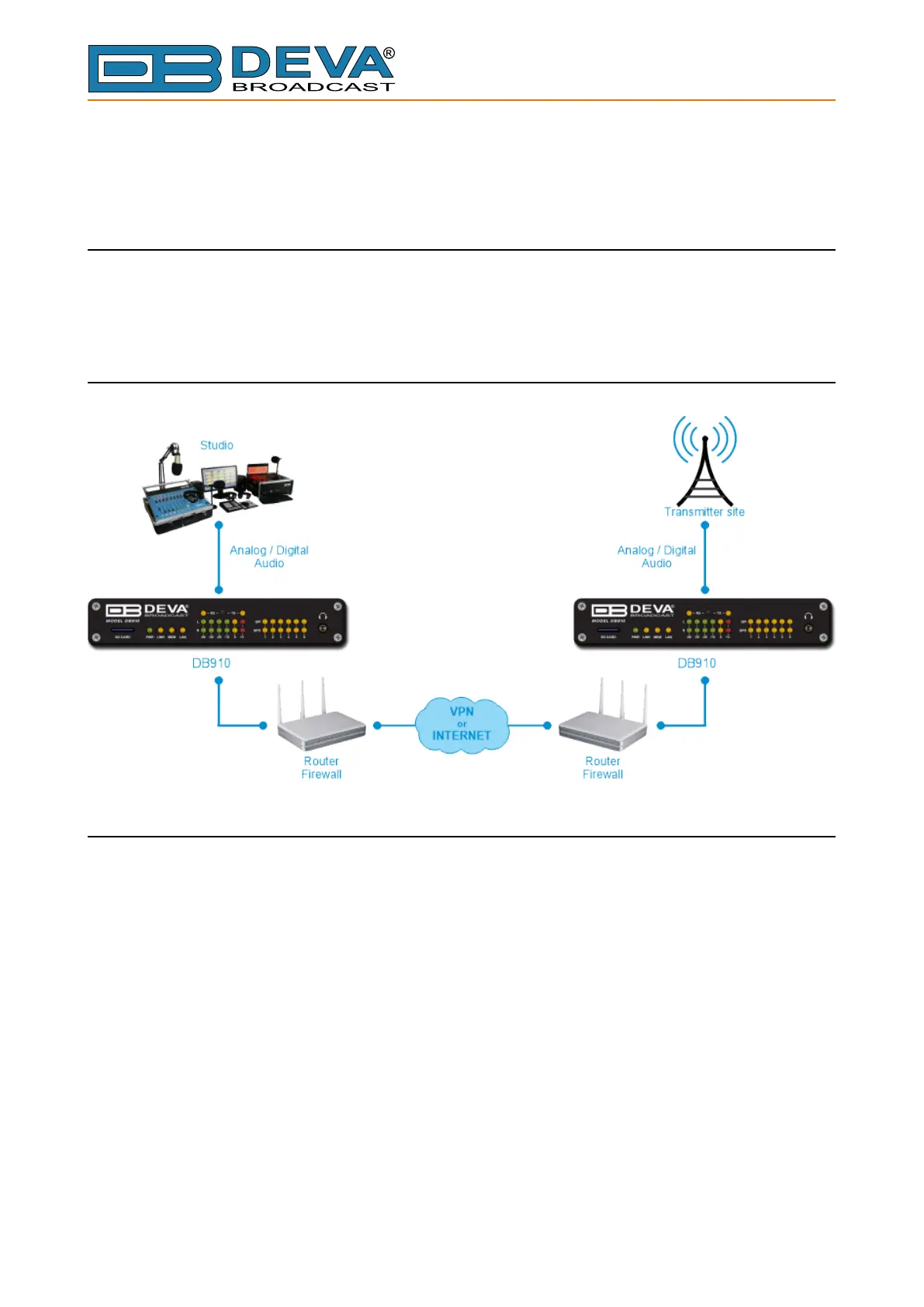
HOW TO SET A PAIR OF DB910 TO WORK IN FULL-DUPLEX
MODE
The DB910 is controlled trough a build in WEB Server and a standard web browser is used to
monitor its status or to make some adjustments. To operate the devices you need to know their IP
Address.
FULL-DUPLEX AUDIO TRANSMISSION
DB910 SET-UP
Prior to implementing the below written adjustments, the following requirements should be
fullled:
• One of the DB910 will be set as a Server and the other one will be set as a Client
• Server DB910 must have a static IP address;
• Client DB910 may have a dynamic IP address;
• If any (or both) of the two devices is placed behind a router, you will have to make sure that
the Full-Duplex Port is properly NAT forwarded;
• Client DB910 should have access to Server DB910 over the network (Internet or LAN)



 To Next Page