Replacing consumables
1
1-56 ineo+ 220/280/360 (Version 3)
1.16
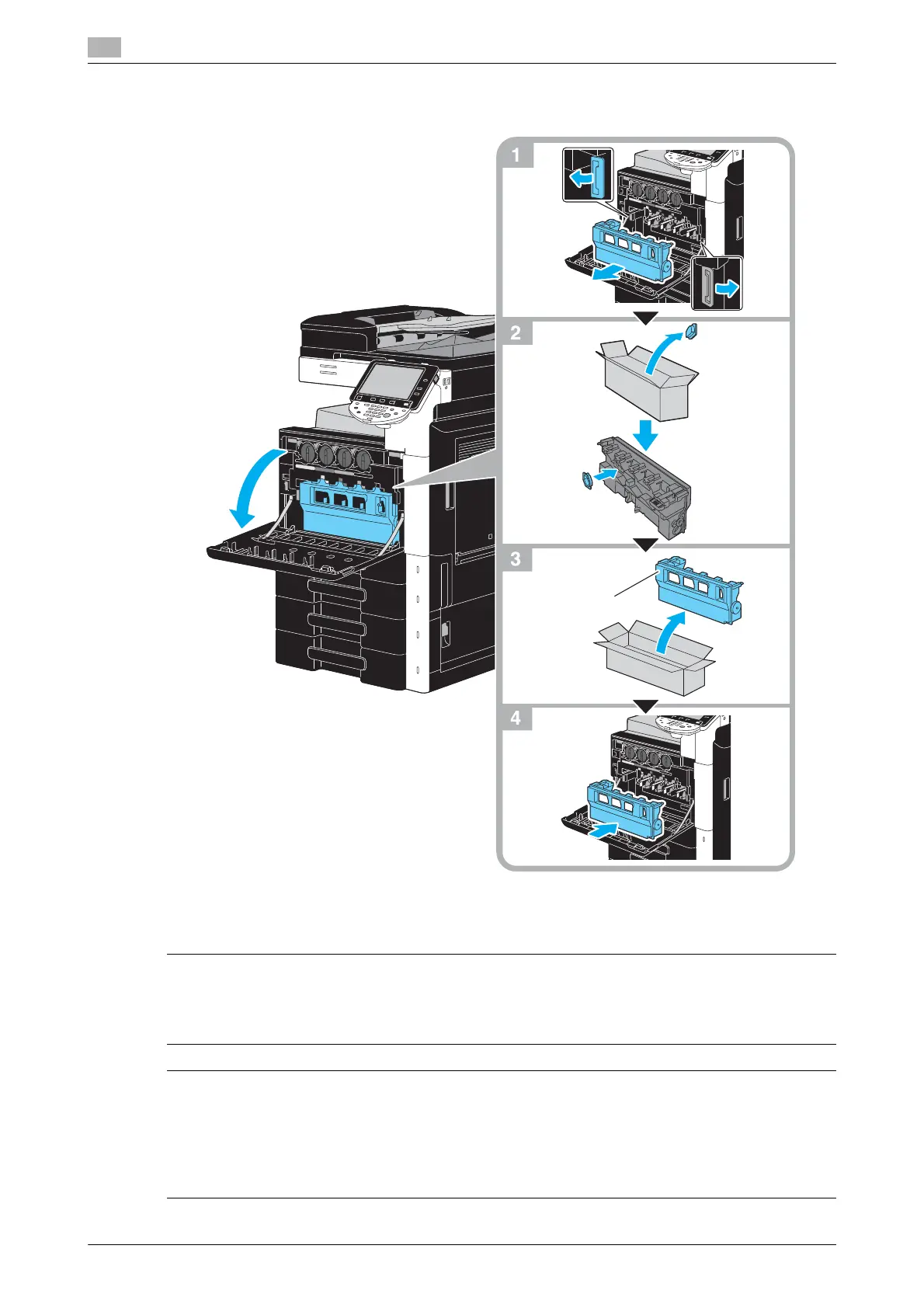
Replacing the waste toner box
The following procedure describes how to replace the waste toner box.
NOTICE
Keep used waste toner box, on which the cap was installed, in the plastic bag inside the box to be collected
by your service representative.
7 CAUTION
Handling toner and the toner box
- Do not burn toner or the toner cartridge.
- Toner expelled from the fire may cause burns.
7 CAUTION
Precautions for toner spills
- Be careful not to spill toner inside the machine or get toner on your clothes or hands.
- If your hands become soiled with toner, immediately wash them with soap and water.
- If toner gets in your eyes, immediately flush them with water, and then seek professional medical
attention.











 To Next Page