EN - 6
NOTE– For prescriptions of 5 LPM, be sure the ball is centered on the 5 liter line; the ball should not touch the red line. Setting the ow
higher than 5 may cause the oxygen purity level to drop.
NOTE– The low-ow alarm will activate if the ow meter ball is set below .3 lpm. The unit will continue to run; however, the Service
Required light will come on accompanied by an audible alarm. Adjust the ow meter to your prescribed ow.
NOTE– Installation of 515LF-607 low output ow meter package will cause the low ow alarm to not work.
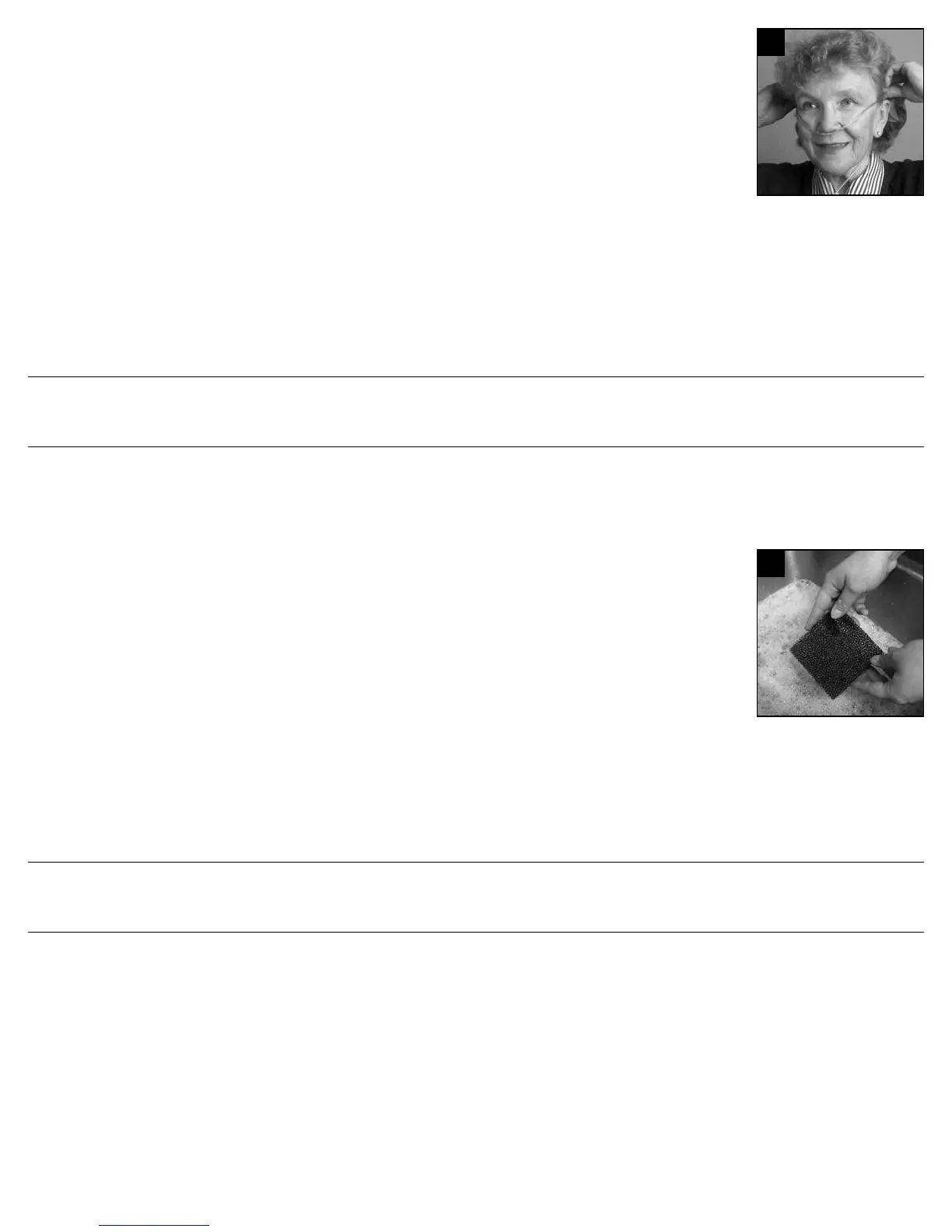
3. Your DeVilbiss concentrator is now ready for use, properly position the cannula or mask (Figure 4). Allow 20 minutes for oxygen
concentrator to reach stated performance.
DeVilbiss OSD Operation
The OSD (Oxygen Sensing Device) is a device within your concentrator that monitors the oxygen produced by your unit. When the unit is
turned “On,” all four lights (Power, Service Required, Low Oxygen, and Normal Oxygen) on the front panel will illuminate briey. After a few
seconds, only the Power and Normal Oxygen lights will remain lit.
The OSD lights on the front panel are dened as follows:
• Green Normal Oxygen light–acceptable oxygen level.
• Yellow Low Oxygen light– below an acceptable oxygen level.
If the oxygen purity falls below the acceptable level, the green Normal Oxygen light will shut off and the yellow Low Oxygen light will illuminate. Switch to your reserve oxygen
system. Refer to the Minor Troubleshooting section in this guide on page 7 and contact your DeVilbiss provider.
As an added safety feature should the oxygen purity continue to drop, an intermittent audible signal will sound. Contact your DeVilbiss provider immediately. Do not attempt
any other maintenance.
RESERVE OXYGEN SYSTEM
As a precaution, your DeVilbiss provider may supply you with a reserve oxygen system. If your unit loses electrical power or fails to operate correctly, the Patient Alert System
will sound to signal you to switch to your reserve oxygen system (if provided) and contact your DeVilbiss provider.
CARING FOR YOUR DEVILBISS OXYGEN CONCENTRATOR
DeVilbiss recommends using only original DeVilbiss parts and lters in order to guarantee a reliable operation of the product.
NOTE– Use no lubricants, oils or grease.
WARNING
Before attempting any cleaning procedures, turn the unit “Off.”
Cannula/Mask, Tubing, and Humidifier Bottle
Clean and replace the cannula/mask, tubing, and humidier bottle according to the manufacturer’s instructions.
Air Filter and Oxygen Outlet Connector
The air lter and connector should be cleaned at least once a week. To clean, follow these steps:
1. Remove the air lter, located on the back of the unit. Remove the oxygen outlet connector (if used).
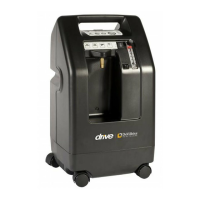
2. Wash in a solution of warm water and dishwashing detergent (Figure 5).
3. Rinse thoroughly with warm tap water and towel dry. The lter should be completely dry before reinstalling.
CAUTION– To prevent product damage, do not attempt to operate the unit without the air lter or while the lter is still damp.
Exterior Cabinet
As needed, clean the concentrator exterior cabinet by using a damp cloth or sponge with a mild household cleaner and wipe it dry.
WARNING
To avoid electric shock, do not remove the concentrator cabinet. The cabinet should only be removed by a qualied DeVilbiss technician. Do not apply liquid
directly to the cabinet or utilize any petroleum-based solvents or cleaning agents.
Use of harsh chemicals (including alcohol) is not recommended. If bactericidal cleaning is required, a non-alcohol based product should be used to avoid
inadvertent damage.
WARRANTY
DeVilbiss provides warranty for this device. Use only DeVilbiss approved original spare parts for maintenance and repair to retain warranty. Using unapproved or non-original
spare parts would void warranty.
PROVIDER’S NOTES - Cleaning and Disinfection When There is a Patient Change
When medical devices have already been used with a patient, contamination with human pathogenic germs should be assumed (unless there is evidence to the contrary), and
the next patient, user or third party should be protected by appropriate handling and preparation.
Therefore, when there is a patient change, people must be protected during the transport and handling of the device, and the device must be fully processed, i.e., cleaned and
disinfected, by suitably trained personnel before reuse to protect the next patient. The complete processing may only be done by the manufacturer or by a qualied DeVilbiss
provider/service technician.
NOTE–If the following described complete processing of the concentrator by a qualied DeVilbiss provider/technician is not possible, the device must not be used by another
patient!
DeVilbiss Healthcare recommends that at least the following procedures be carried out by the manufacturer or a qualied third party between uses by different patients.
NOTE–If preventive maintenance is due at this time, these procedures should be carried out in addition to the servicing procedures.
1. Dispose of all accessory components that are not suitable for reuse, i.e., particularly the oxygen tubing, the nasal cannula/mask, oxygen outlet connector and humidier
bottle.
2. The concentrator must be disconnected from the power supply for this step: Open the concentrator and remove all dust deposits inside the cabinet with an
appropriate vacuum cleaner.
CN-525K3
5
4








 To Next Page