1. Change filter cartridge if overflow occurs or every two months, whichever comes first.
2. Turn unit “off”.
3. Remove filter cartridge and 43/8” tubing.
4. Install new cartridge and tubing.
NOTE– Do not substitute any other material for this filter cartridge. Substitution may lead to contamination or poor performance; use only DeVilbiss filter cartridges.
NOTE– The filter cartridge contains a hydrophobic filter. If the filter media becomes wet, air flow will be stopped. The filter cartridge must then be replaced. Do not remove filter media
from filter cartridge.
NOTE– Filter cartridges are included with each disposable container. They are also available separately (7305D-635 12/pack).
Changing Bacteria Filter (single-patient use) Reusable Container and/or Disposable Container
1. Change bacteria filter if overflow occurs or every two months, whichever comes first.
2. Remove filter by disconnecting it from suction unit and lid assembly.
3. Replace with a clean DeVilbiss bacteria filter (non-sterile) and remount to suction unit and lid. Ensure that the clear side of the bacteria filter is toward elbow and container when
installing/re-installing. Do not reverse direction of filter. Additional filters (7305D-608 12/pack) may be purchased from your authorized DeVilbiss Healthcare provider.
NOTE– Do not substitute any other material for this bacteria filter. Substitution may lead to contamination or poor performance; use only DeVilbiss filters.
NOTE– Bacteria filter must be changed between patients.
TROUBLESHOOTING
NOTE– Your DeVilbiss Suction Unit contains no user-serviceable parts. If you believe your unit is not working properly, BEFORE YOU RETURN IT TO THE HOME MEDICAL EQUIPMENT
PROVIDER WHERE YOU PURCHASED IT, please take a few moments to check for these possible causes:
PROBLEM ACTION
Unit does not turn on, but green external power light is illuminated.
1. Check power sources and connections.
2. Ensure wall outlet is live by plugging in a lamp.
3. If running from an internal battery, ensure that your unit has a battery installed.
4. If battery is installed, check that it is fully charged.
Pump runs, but there is no vacuum.
1. Check that all tubing is connected properly.
2. Check tubing connections for breaks or leaks.
3. Ensure that float shut-off is not activated.
4. Check for leaks or cracks in container assembly.
Low vacuum.
1. Use vacuum adjustment knob to increase vacuum level.
2. Check system for leaks.
3. Push vacuum adjustment knob in toward unit and then release.
Battery will not charge but charge light is illuminated.
1. Ensure that unit is equipped with an internal battery by contacting your DeVilbiss equipment provider.
2. Verify that charge light turns on.
3. Check electrical connections during charging.
4. Ensure wall outlet is live by plugging in a lamp.
Specifications/Classifications
Size H x W x D inches (cm)
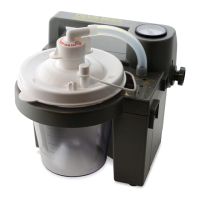
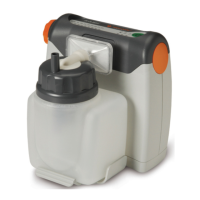
7305P & 7305D Series 9.0 x 7.0 x 8.0 (22.9 x 17.8 x 20.3)
Weight lb. (kg)








 To Next Page