EN - 7SE-DV54-HE
Controlling the Humidity (optional)
Theheatersettingcanbeadjustedwithinarangeof1to10.Theoptimaltemperaturesettingisdependentontheambient
temperature and humidity of your room. If your room temperature is low and/or the relative humidity is high, then a lower
temperature setting may be necessary to prevent excess condensation in the air supply tubing. If the room temperature is
high and/or the relative humidity is low, then a higher temperature setting may be necessary for optimal comfort.
The heater setting of 1 results in a heater plate temperature of approximately 84°F (29°C). The heater setting of 10 results
in a heater plate temperature of approximately 149°F (65°C).
NOTE–Always allow at least 10 minutes of cooling time after turning the device off before removing the water chamber
from the humidier cradle.
WARNING
Do not attempt to ll the humidier while it is attached to the humidier cradle. Damage to the humidier cradle
may occur.
CAUTION– Use only distilled water that is at room temperature. Do not add any medication or other additives to the water.
CAUTION– For proper operation, ensure the ow generator is OFF before inserting humidier chamber.
WARNING
Never touch the heater plate on the humidier cradle. Never touch the heat transfer plate on the bottom of the
water chamber. These plates can reach temperatures as high as 149°F (65°C) during operation.
Do not operate the heater if the water chamber is empty. The heater plate may be turned off using the keypad
heater control when being used without water.
SmartCode and Adherence Score Information
Your homecare provider may contact you to retrieve SmartCode and Adherence Score information. To display the
SmartCode, press the LEFT arrow key once. Use the UP arrow or DOWN arrow keys to change the SmartCode reporting
period. Press the LEFT arrow key again to display the Adherence Score.
NOTE–To ensure accurate SmartCode information, the CPAP should remain plugged in and powered during the day. Do
not unplug daily.
The Quick View Menu shows a summary of information which is reported in the SmartCode data. Information in the Quick
View includes: Number of days used more than 4 hours (or can be set to 5 hours by clinician), AHI (Apnea/Hypopnea
Index), High Leak percent (percent of time at leak >95 L/m) and Daily Usage (average hours per day used). Each
parameter can be viewed in any of four time periods: 1 day, 7 days, 30 days and 90 days.
Compliance information can be viewed without turning the CPAP on. With the blower OFF (display shows OFF), press the
left or right arrow keys on the keypad to scroll through the information.
Generating Compliance Reports for Employer/Insurer/Physician
SmartCode reports satisfy most requirements for ongoing compliance/adherence information, and the software retains
1,023 days (2.8 years) of data. We recommend you work with your provider to establish a routine for clearing SmartCode
data to ensure current usage information is available. Compliance meter should be cleared only after the required report is
generated, submitted and approved by the requestor. Once cleared, a new cycle of 2.8 years begins, and the only source
for the previous data will be the hard-copy reports.
NOTE-Only the provider has access to clear the meter.
Using The SmartFlex Feature
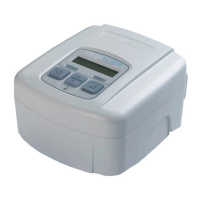
Your SleepCube has a SmartFlex pressure relief feature to help make it easier to exhale against your prescribed pressure
by lowering the pressure slightly when you exhale. The pressure returns to your prescribed pressure during inhalation to
maintain your therapy.
The SmartFlex menu is available in all modes and is a sub-menu that allows you to control various functions of your
SleepCube. It is accessed by pressing the down button while “SmartFlex Menu” is shown on the Display.
SmartFlex pressure relief includes three settings for exhale relief: 1, 2 and 3. (1 is the least amount of relief, 3 is the most
amount of relief). Setting SmartFlex pressure relief to OFF turns the SmartFlex feature OFF.
Thepressurewaveformcanalsobeadjustedindependentlyforinhalationandexhalationtosmooththetransitionwhen
SmartFlex pressure relief is active. The pressure waveform settings are SmartFlex-i (IRnd) and SmartFlex-e (ERnd) with
settings from 0 to 5 in steps of 1 (0 is the least amount of smoothing, 5 is the most amount of smoothing).












 To Next Page