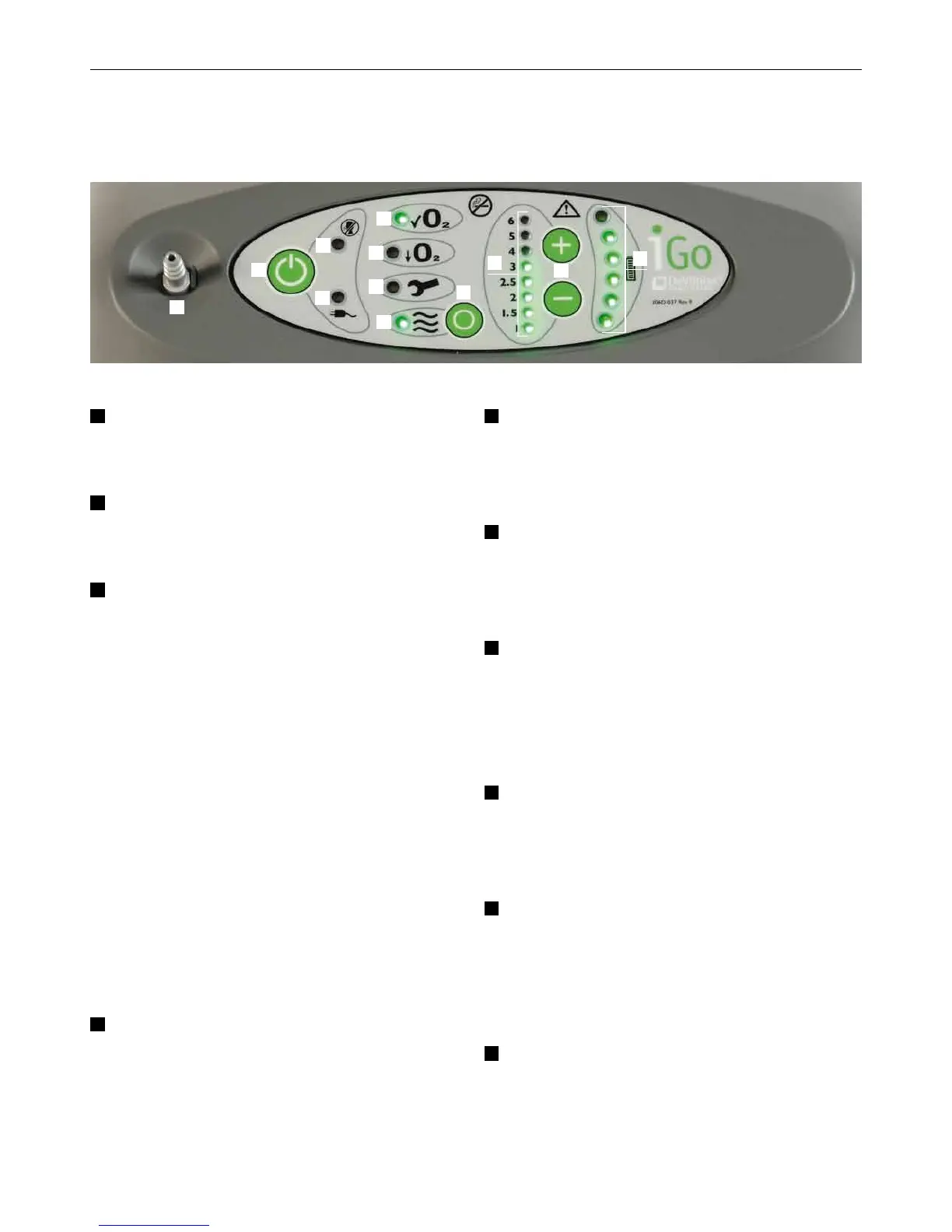
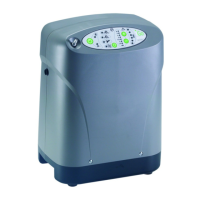
Transportable Oxygen Concentrator. Equipment Guide.06
1
Oxygen Outlet – oxygen is dispersed
through this port.
2
Power button – turns the system
ON or OFF.
3
No Breath Detected light (PulseDose
mode ONLY) – illuminates intermittently
and an audible alert sounds every
3 seconds if the iGo™ is operating in
PulseDose mode and does not detect
a breath for 30 seconds. If a breath is
detected during the alert, the alert
condition is cleared. If a breath is not
detected during the alert, the unit
changes to continuous flow mode after
60 seconds of alerting.
NOTE – Once the unit changes to
continuous flow, use the Mode Select
button to change back to PulseDose.
4a
External Power light – illuminates when
the iGo™ system is connected to either
AC or external DC power. Power Fail
alert – illuminates inter mittently with an
audible alert for 15 minutes. Pressing
the Power button stops the alert.
4b
Green Normal Oxygen light – illuminates
when the iGo™ delivers greater than
84% oxygen purity.
4c
Yellow Low Oxygen light – illuminates
if the iGo™ delivers 75 % to 84 %
oxygen purity.
5a
Red Service Required light – illuminates
with an audible alert if the iGo™
delivers less than 75 % oxygen purity
or if component failure is detected.
5b
Mode Select button – selects the
mode of oxygen delivery (PulseDose
or continuous flow).
6a
Flow Indicator light – in PulseDose
mode, pulses ON with every breath;
in continuous flow mode, illuminates
continuously.
6b
Flow Rate Indicator lights – illuminate
the flow rate at which the iGo™ is set to
deliver oxygen.
Control Panel.
2
1
3
4b
4c
5a
6a
5b
4a
6b
7
8








 To Next Page