27
DE-M040302E • DEWE-5000 • Technical Reference Manual • Printing version 2.2.3 • January 19, 2012
Main System
PS/2 mouse connector
The mouse / trackball connector is used to connect the trackball embedded in the keyboard or an external
PS/2 mouse. The connector meets standard PS/2 pin assignment.
PS/2 keyboard connector
The keyboard connector is used to connect PS/2 keyboard to DEWE-5000 system. The connector meets
standard PS/2 pin assignment.
USB interface connectors (Universal Serial Bus)
The USB interface connectors meets standard USB pin assignment.
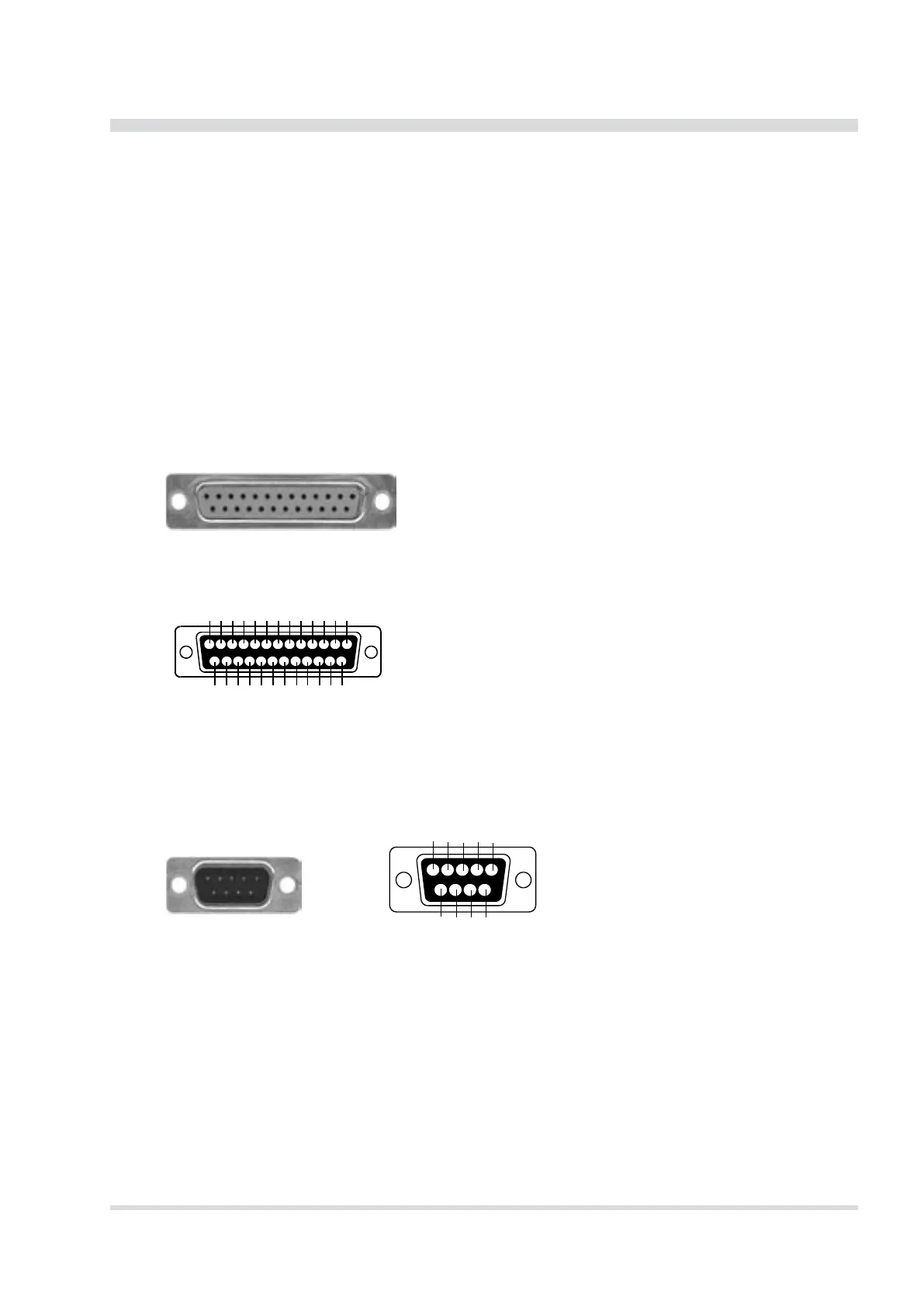
LPT printer interface connector
The printer interface connector (female) is located on the right side of the DEWE-5000. It is congured as
standard LPT interface.
Pin assignment
1: Strobe
2: Data 1
3: Data 2
4: Data 3
5: Data 4
6: Data 5
7: Data 6
8: Data 7
9: Data 8
10: ACK
11: Busy
12: PE
13: Select
14: Auto FD
15: Error
16: Init
17: Select In
18: GND
19: GND
20: GND
21: GND
22: GND
23: GND
24: GND
25: GND
25-pin SUB-D connector (female)
12345678910 11 12 13
14 15 16 17 18 19 20 21 22 23 24 25
Schematic
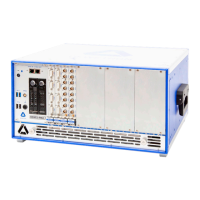
RS-232 interface connector (COM1)
The RS-232 interface connector (male) is located on the right side of the DEWE-5000. It is congured as
standard RS-232 interface COM 1 and can be used for mouse or other peripheral units.
Pin assignment
1: DCD (Data Carrier Detector)
2: RD (Received Data)
3: TD (Transmitted Data)
4: DTR (Data Terminal Ready)
5: GND (Ground)
6: DSR (Data Set Ready)
7: RTS (Request To Send)
8: CTS (Clear To Send)
9: RI (Ring Indicator)
9-pin SUB-D connector (male) Schematic


 To Next Page