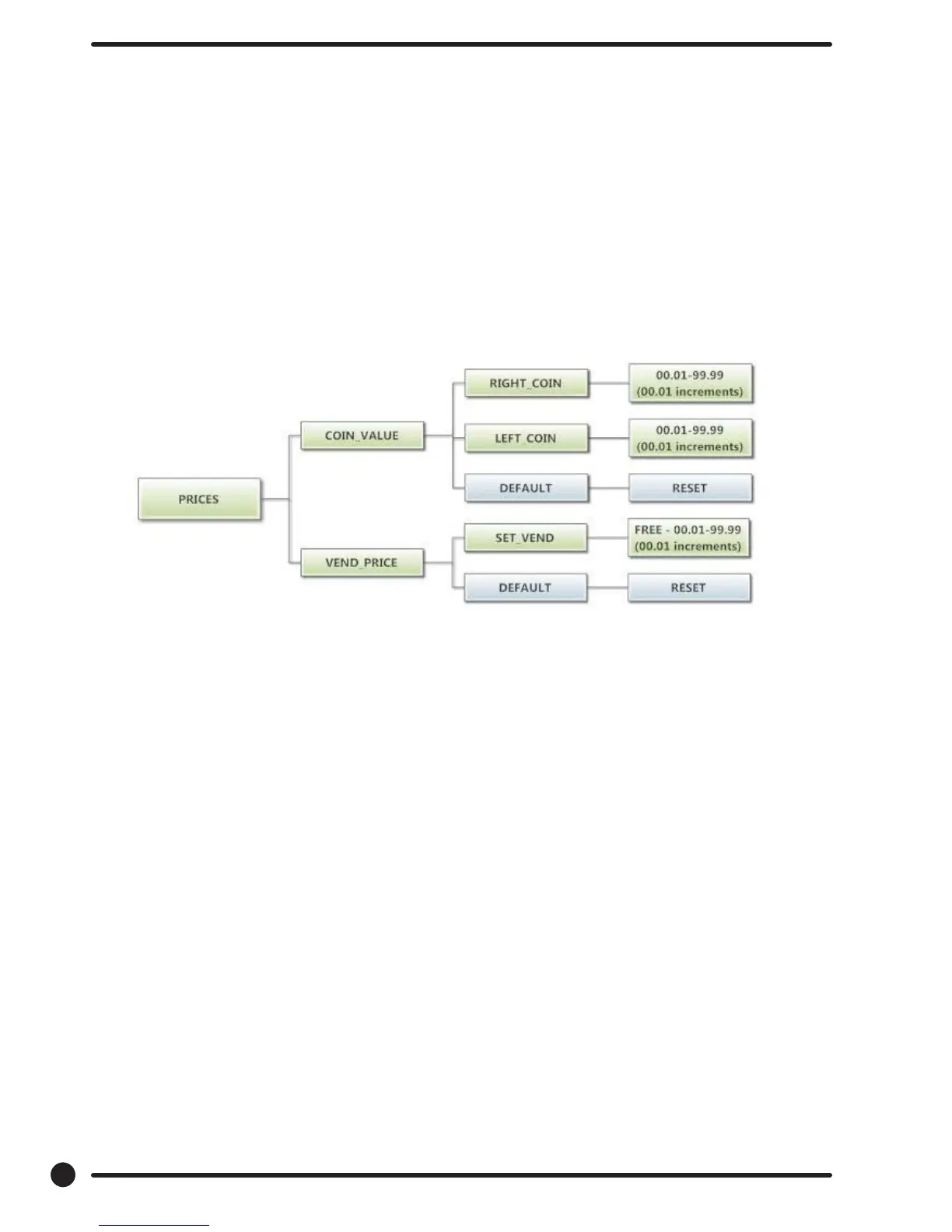
Prices Option:
This option allows the user to set values for coin acceptor inputs and to set the vend price. It also allows
the user to return the values to factory defaults. “RIGHT COIN” and “LEFT COIN” are the two possible
inputs from coin acceptors.
“SET VEND” is the actual Base Vend Price (or Vend Price A) that is shown on the control display.
After changing prices using the “Up” or “Down” buttons, the “Enter” button must be pressed again for the
control to store the changes that have been made.
To reset either the coin acceptor inputs or the vend price to factory default, press “Enter” when the “DE-
FAULT” prompt is shown. Press “Enter” again when the “RESET” prompt is shown to conrm the action.
Figure 3, shown below, shows the sub menu options for Prices:
40
Part # 8533-081-001 1/18










 To Next Page