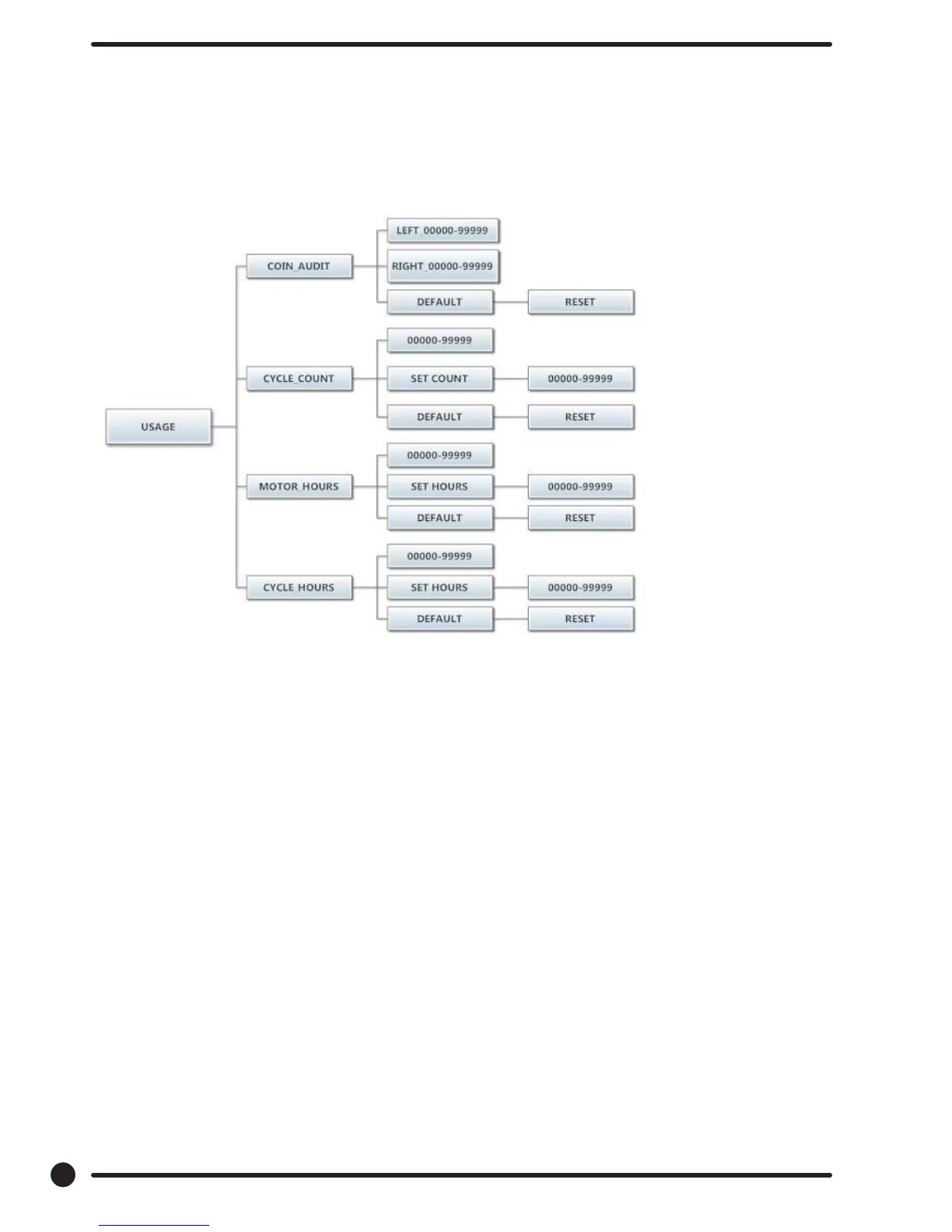
Usage Menu:
The Usage menu allows for the user to track data about machine usage. See below for detailed information
on each sub menu option.
Figure 8, shown below, shows the sub menu options for Usage:
Coin Audit:
The coin audit eld shows the accumulation of coin pulses that were sent to the control over each of the
left and right coin inputs. Note that this is a count of coin pulses, not an accumulated report of vend value.
The user can also return the coin audit amounts to the factory default setting (zero). To reset all coin audit
values, press “Enter” when the “DEFAULT” prompt is shown. Press “Enter” again when the “RESET” prompt
is shown to conrm the action.
Cycle Count:
The cycle count eld shows the accumulation of wash cycles that have occurred. Note that this is a count of
cycles, not of hours accumulated.
The user can also set the count value to a designated number. For example, if it is necessary to replace the
control on a machine, the new control could be programmed to show the cycle count value that was re-
corded by the previously installed control. The individual digits of the count can be set by using the “Up” or
“Down” buttons to change the number that is ashing. Once the desired digit of the count is chosen, press
the “Enter” button to move to the next digit. Once the complete count is chosen, the “Enter” button must
be held down for 3 seconds to conrm the action.
The user can also return the cycle count to the factory default setting (zero). To reset the cycle count, press
“Enter” when the “DEFAULT” prompt is shown. Press “Enter” again when the “RESET” prompt is shown to
conrm the action.
48
Part # 8533-081-001 1/18










 To Next Page