Settings Options:
The Settings options allow for the user to make various programming changes to change how the control
operation aects the customer. See below for detailed information on each next level option.
It also allows the user to return the programmable values to the factory default setting. To reset all values
in the Settings options to factory default, press “Enter” when the “DEFAULT” prompt is shown. Press “En-
ter” again when the “RESET” prompt is shown to conrm the action.
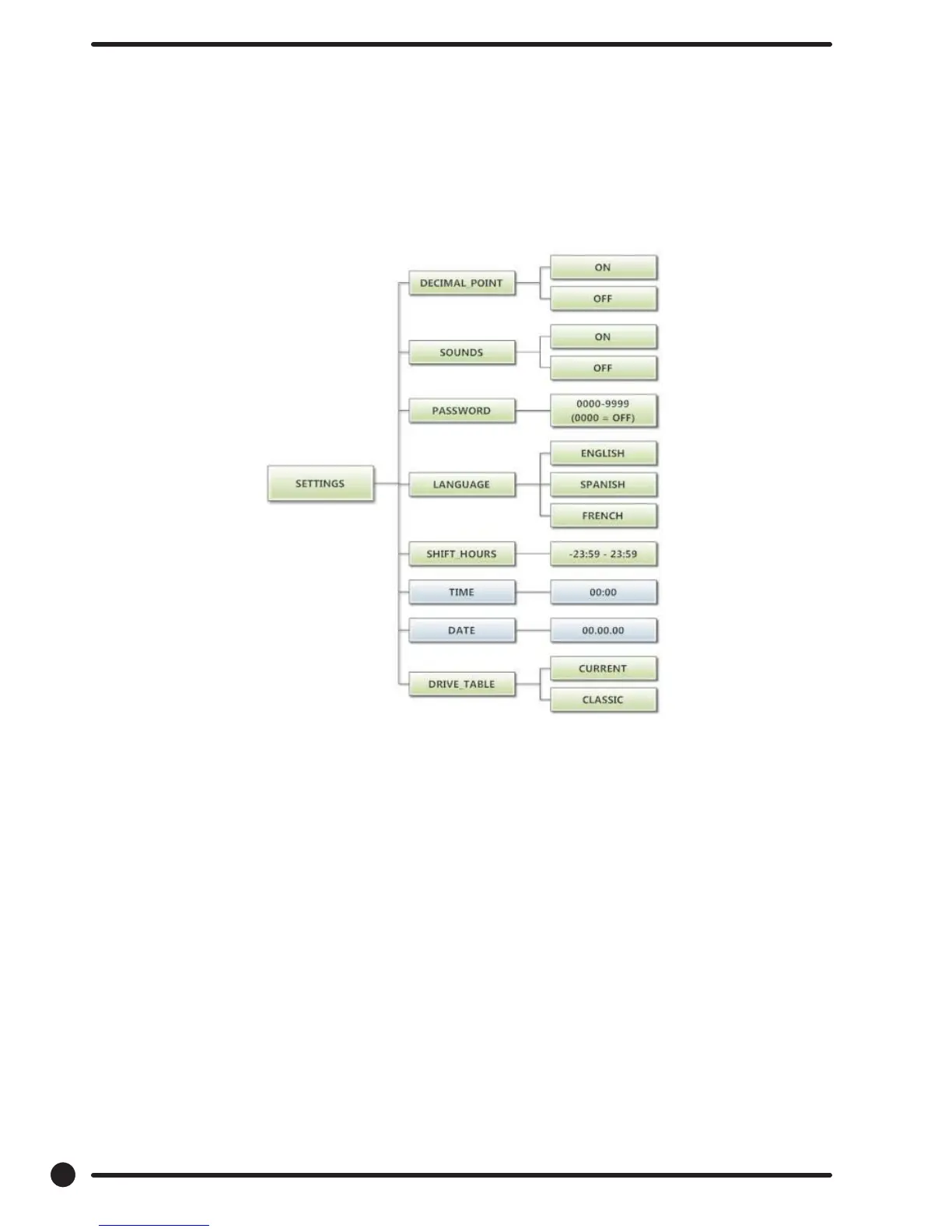
Figure 7, shown below, shows the next level options for Settings Options:
Decimal Point:
If the user programs the Decimal Point to “OFF”, control display will not show a decimal point on any vend
price values. The factory default is “ON”.
Sounds:
If the user programs the Sounds to “OFF”, the control will not sound the enunciator at the end of a wash
cycle. The factory default is “ON”.
Password:
If the user programs the Password to any value other then 0000, the control will prompt the user to enter
a password (the programmed value) before manual programming can be accessed. The factory default is
“0000” (no password).
Note that if the user forgets the Password, it can be reset to factory default (no password), by performing
a hard reset on the control. Please refer to the appropriate section of this manual to understand how to
perform a hard reset.
The individual digits of the Password can be set by using the “Up” or “Down” buttons to change the
number that is ashing. Once the desired number is chosen for a single digit, press the “Enter” button to
move to the next one. Once all four desired digits are chosen, the “Enter” button must be held down for 3
seconds to conrm that the complete password should be set.
46
Part # 8533-081-001 1/18










 To Next Page