39
2
Hardware Installation
1
PS/2 Mouse and PS/2 Keyboard Ports
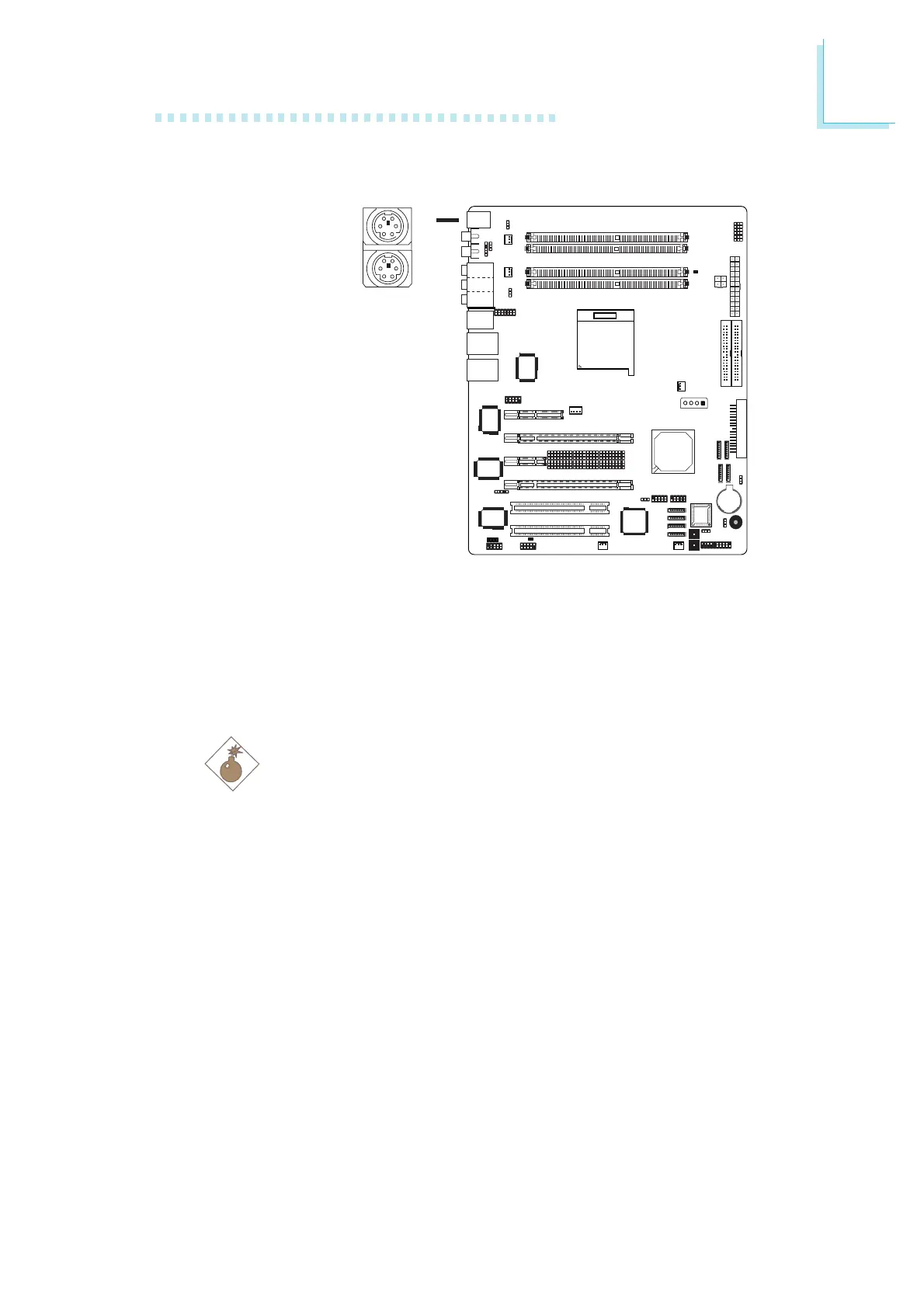
The system board is equipped with an onboard PS/2 mouse
(Green) and PS/2 keyboard (Purple) ports - both at location CN2
of the system board. The PS/2 mouse port uses IRQ12. If a mouse
is not connected to this port, the system will reserve IRQ12 for
other expansion cards.
Warning:
Make sure to turn off your computer prior to connecting or
disconnecting a mouse or keyboard. Failure to do so may
damage the system board.
Wake-On-PS/2 Keyboard/Mouse
The Wake-On-PS/2 Keyboard/Mouse function allows you to use the
PS/2 keyboard or PS/2 mouse to power-on the system. To use this
function:
• Jumper Setting:
JP7 must be set to “2-3 On: 5VSB”. Refer to “PS/2 Power
Select” in this chapter for more information.
• BIOS Setting:
Configure the PS/2 wake up function in the Integrated Peripherals
submenu of the BIOS. Refer to chapter 3 for more information.
PS/2 Mouse
PS/2 Keyboard
W
.
.
.
.
.
.
.
.













 To Next Page