40
2
Hardware Installation
1
W
S/PDIF-in/out Jacks
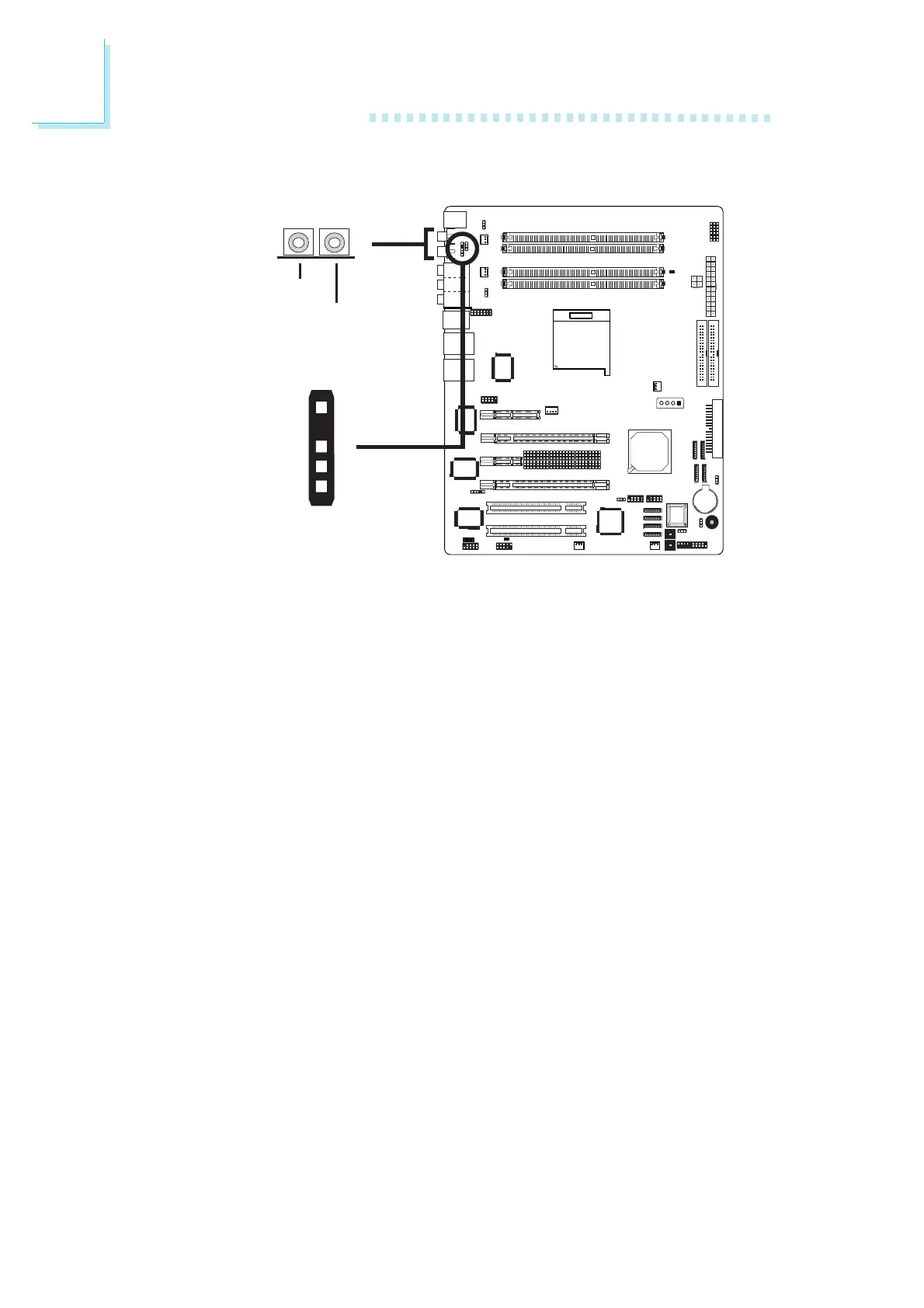
The system board is equipped with an onboard S/PDIF-in RCA jack
(red) and a S/PDIF-out RCA jack (yellow) at locations CN5 and
CN7 respectively.
The S/PDIF connector at location J3 is used to connect to
optical S/PDIF ports. The S/PDIF ports may be mounted on a card-
edge bracket. Install the card-edge bracket to the system chassis
then connect the audio cable connector to J3. Make sure pin 1 of
the audio cable connector is aligned with pin 1 of J3.
DO NOT use RCA S/PDIF and optical S/PDIF at the same time.
W
J3
S/PDIF-in
S/PDIF-out
1
5
+5V
Key
SPDIF out
SPDIF in
GND













 To Next Page