41
2
Hardware Installation
1
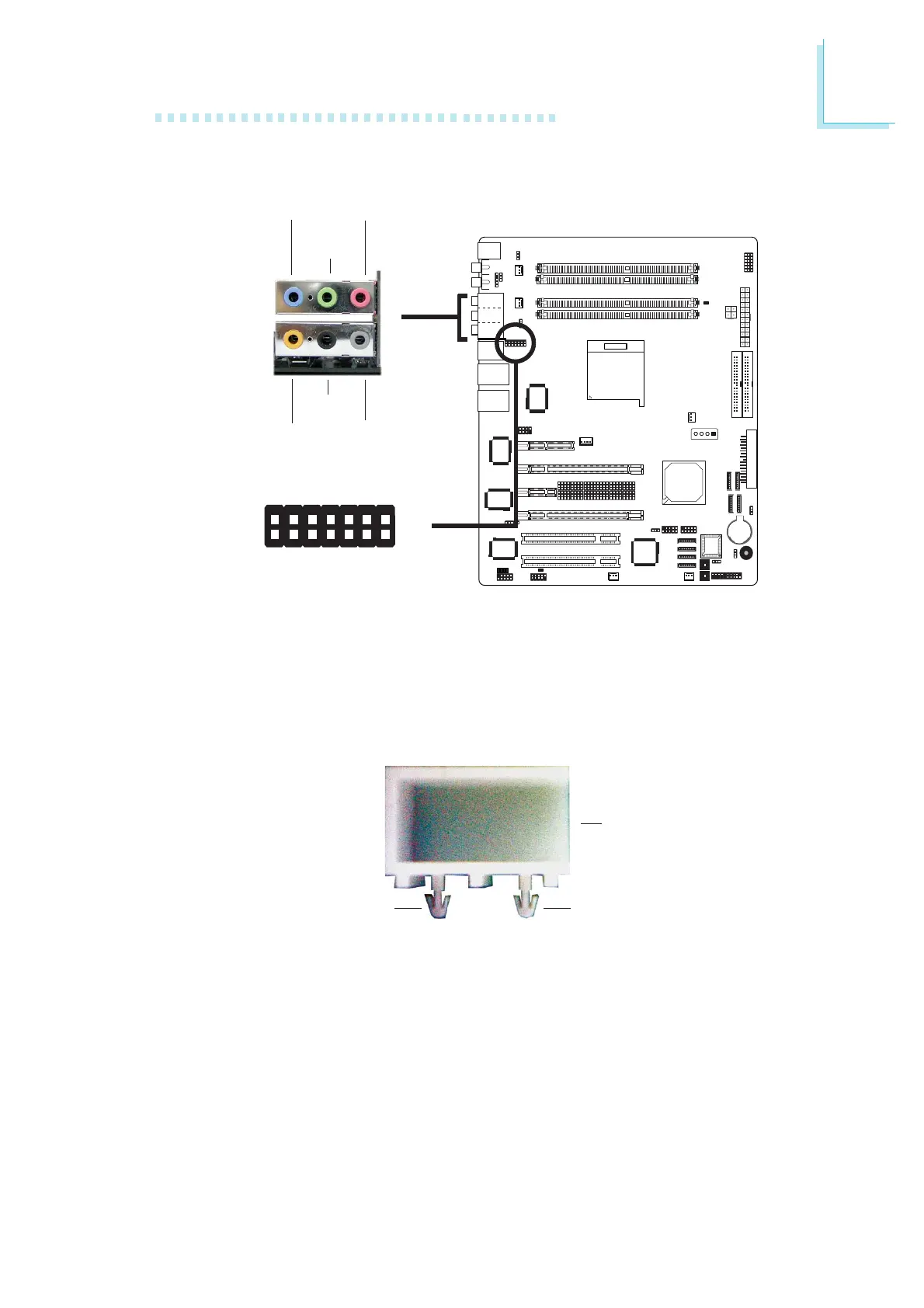
Installing the Karajan Audio Module
The system board comes with the Karajan audio module already
installed on the board. The module is stabilized by means of the
module holder.
W
1
2
13
14
W
J5
Line-in
Front R/L
(Line-out)
Mic-in
Center/
Subwoofer
Rear R/L
Side R/L
Karajan Audio Module
Karajan audio connector
Karajan audio module
If in any case you need to remove the Karajan audio module, the
steps below will guide you on how to install and uninstall the
module.
To uninstall:
1. The Karajan audio module is snapped through the system board
via the module holder. Pull the Karajan audio module upward. The
module holder will at the same time detach from the system
board.
Karajan audio
module holder
Plug
Plug













 To Next Page