Procedure
A
Before installation, conrm that the machine and the computer are not connected with the
USB cable or LAN cable.
B
Log on to Windows as an "Administrator."
C
Insert the DGSHAPE Software Package CD into the CD-ROM drive of the computer.
When the automatic playback window appears, click [Run menu.exe]. If a [User Account Control]
window appears, click [Allow] or [Yes], and then continue with the installation.
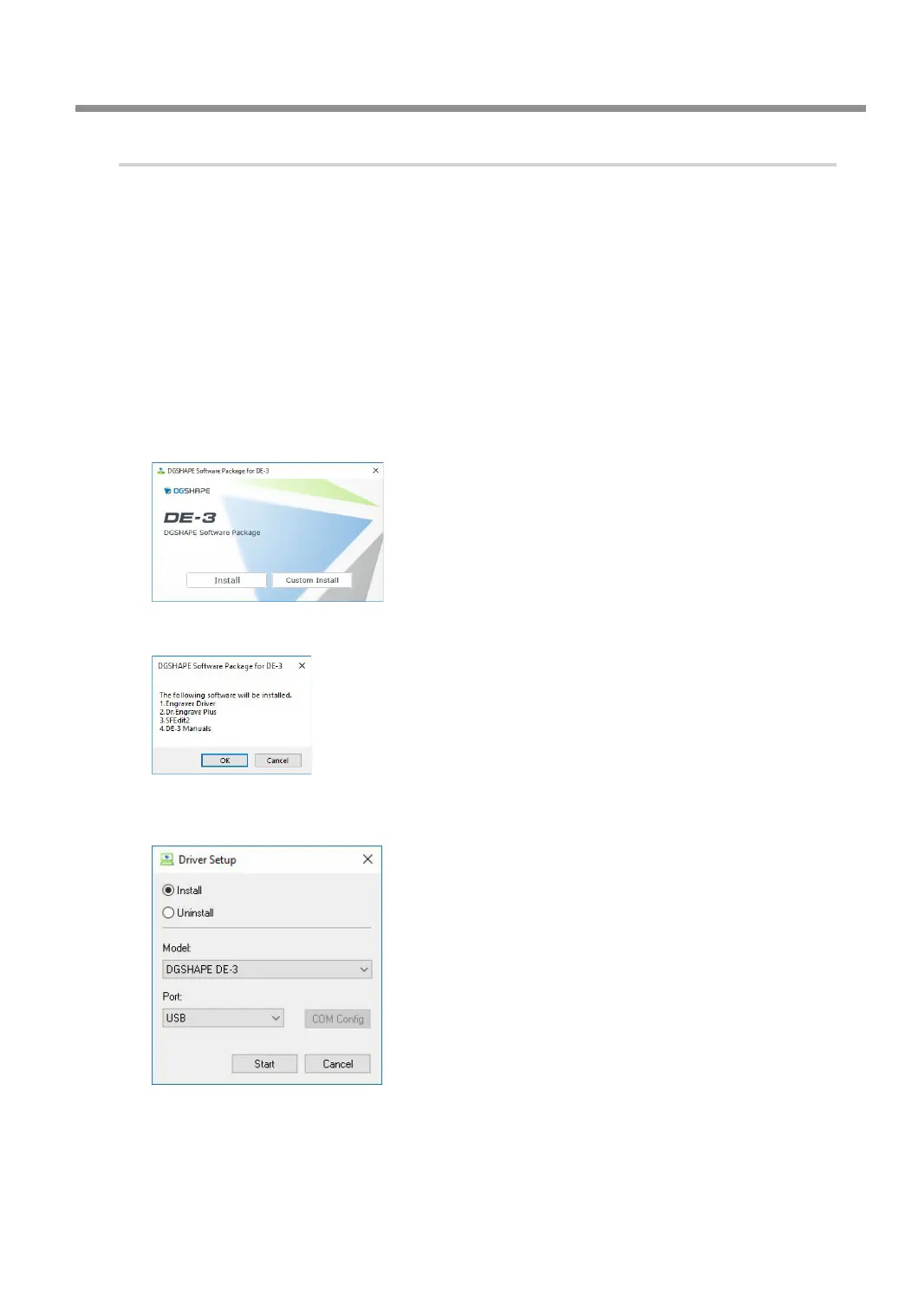
The setup menu screen appears automatically.
D
Click [Install].
Install the various software all at once. Follow the on-screen instructions to proceed with the
installation.
E
Click [OK].
F
Select [Install], [DGSHAPE DE-3] for the model name, and [USB] for the port, and then
click [Start].
Installation information for each piece of software will be displayed automatically. Follow the
instructions displayed for each installer to continue with the installation.
Connecting to the Computer (USB Connection)
25



 To Next Page