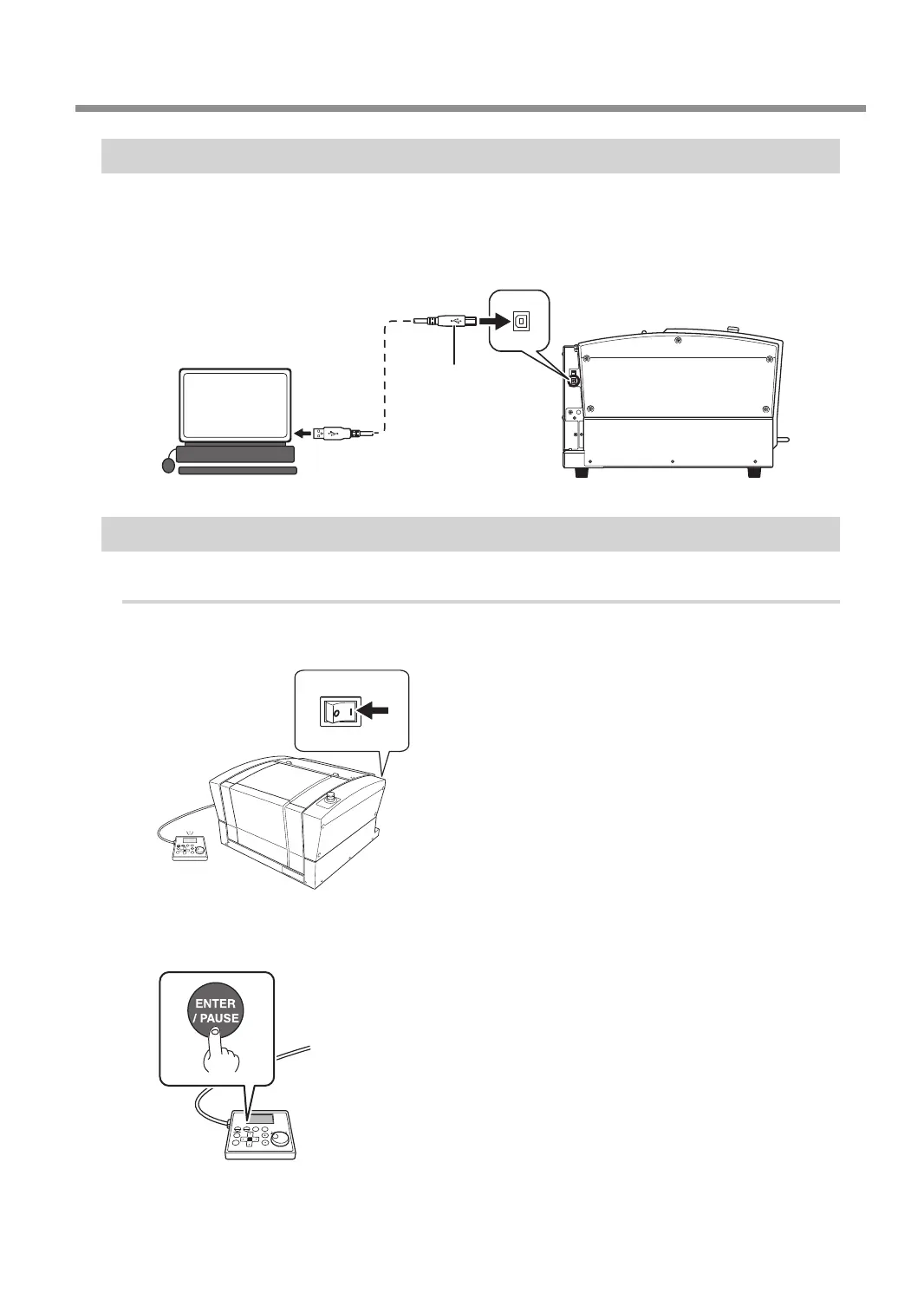
Step 2: Connecting the USB Cable
• Use the included USB cable.
• Never use a USB hub.
• Connect the computer and the machine directly.
• Do not connect a LAN cable and a USB cable to the machine at the same time.
Left side
Computer
USB cable
Step 3: Switching the Power On
Procedure
A
Switch on the power switch.
The Engraver Driver will be installed automatically on the computer connected with the USB cable.
ON
B
Press [ENTER/PAUSE].
The machine starts the initial operations.
Connecting to the Computer (USB Connection)
27



 To Next Page