C
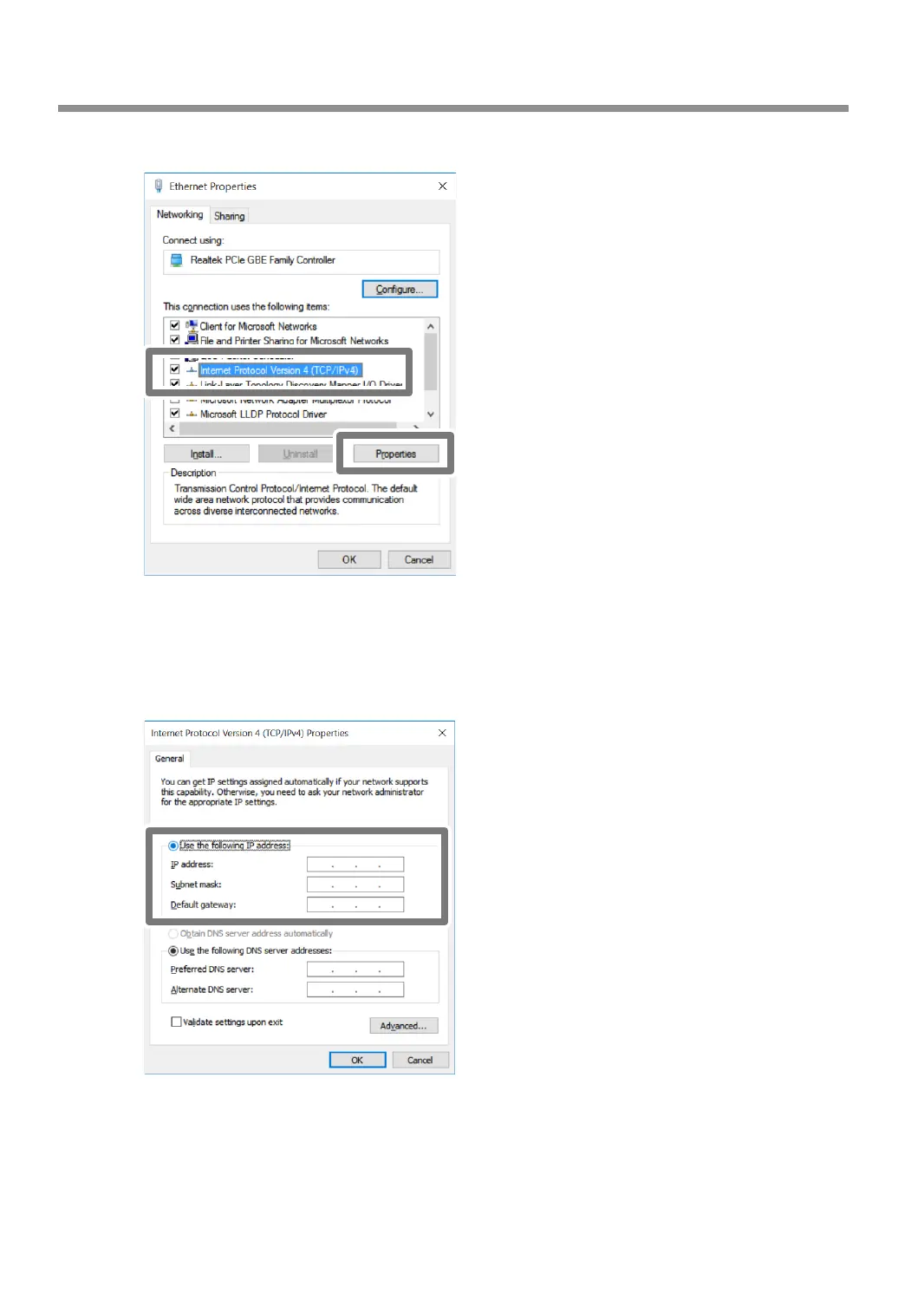
Select [Internet Protocol Version 4 (TCP/IPv4)], and then click [Properties].
* With a Wi-Fi connection, the name of this window is [Wi-Fi Properties].
* On Windows 7, the name of this window is [Local Area Connection Properties] or [Wireless Network
Connection Properties].
D
Select [Use the following IP address], and then enter the number you determined in step
P. 28 "Step 1: Determining the Network Addresses".
E
Click [OK] or [Close] to close the windows that have been displayed in the procedure.
Connecting to the Computer (LAN Connection)
30



 To Next Page