After Sales Support TEL:1800 189 941 12
GETTING STARTED
First Time Installation
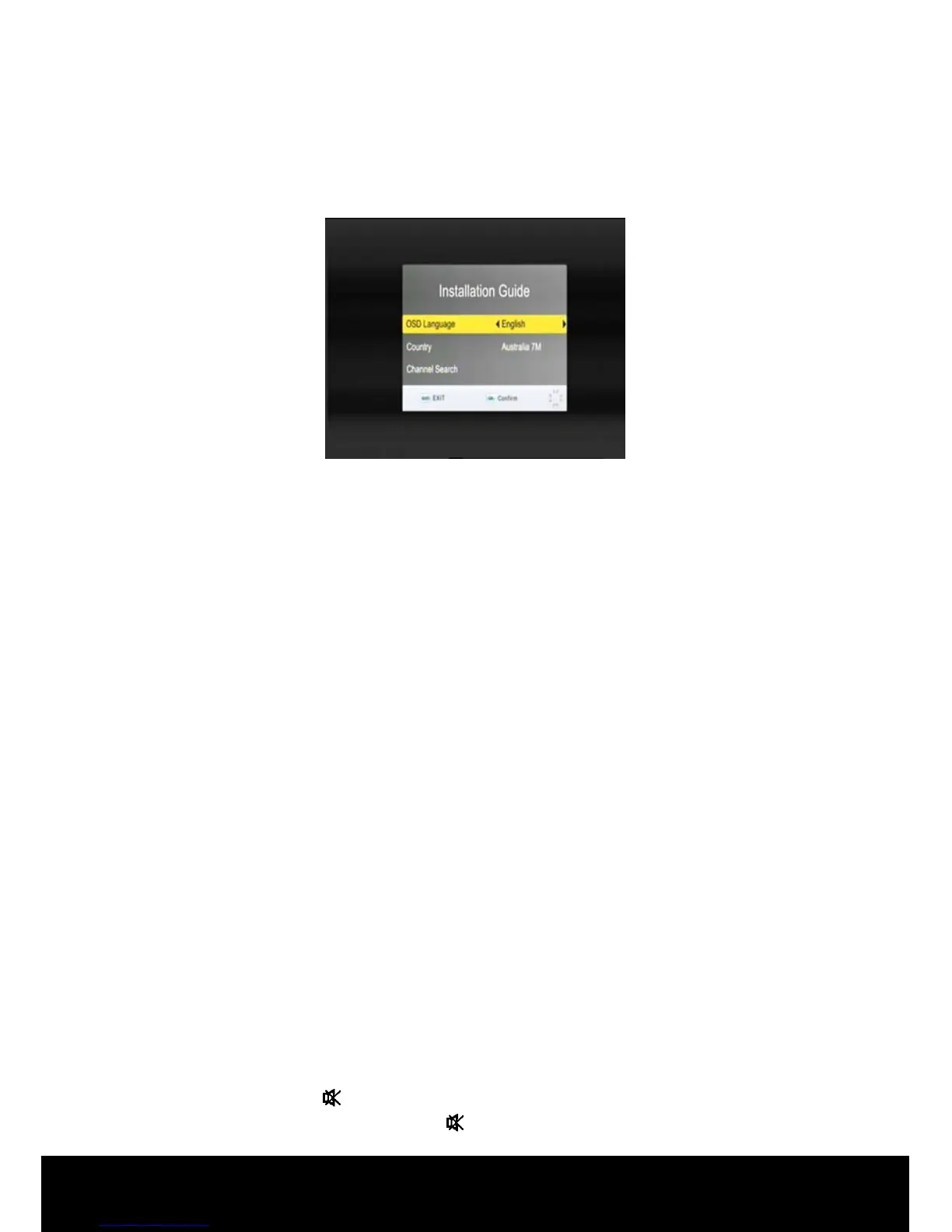
If you are using the STB for the first time or the unit is restored to factory default, a
First Time Installation Guide menu will be displayed.
In the Installation Guide menu you can set the language (the default is English), and
activate Auto Channel Search.
When scanning is complete, all active channels found will be stored automatically.
(If you want to stop scanning, press the EXIT key to stop. The channels already
found will be stored).
Now you are ready to watch digital TV channels and radio broadcasts.
If you skip the Installation Guide screen, you can press MENU key to display the
main menu then use the ◄/► keys to navigate to the Channel Search sub menu,
use the ▲/▼ keys to navigate to and highlight Auto Search. Press OK to
commence Auto Search.
Switching programs
1. Press the NUMERIC keys (0~9) on the remote control to select the channel
number you want.
2. Alternatively press the ▲/▼ keys on the remote control or the front panel to
change the available channels upward/downward.
3. Press the RECALL key to view the previous channel selected.
4. Press OK to activate the channel list.
Volume control
Press the ◄/► keys on the remote control or front panel to adjust the volume.
Mute
1. Press the MUTE key to temporarily stop the sound.
2. To cancel mute, press the MUTE key again.



 To Next Page