After Sales Support TEL:1800 189 941 21
INSTRUCTIONS
< Information >
In this submenu item detailed information of the system, such as model, SW version,
HW version is displayed. Press EXIT to return the last menu.
< Software Update >
An upgrade can be performed using the USB port. (Only to be advised by DGTEC
technician)
2.8 USB
For this function to work you will need to insert a USB drive into the USB Port on the
rear panel of the unit. This unit will support an external powered Hard Drive or a USB
thumb drive.
Press the ► key on the remote control to select USB from the Main Menu options to
display the USB sub menu.
In this menu environment use the ▲/▼ keys to highlight the item, then press OK to
enter any of the following items: Multimedia, Photo Configure, Movie Configure
and PVR Configure.
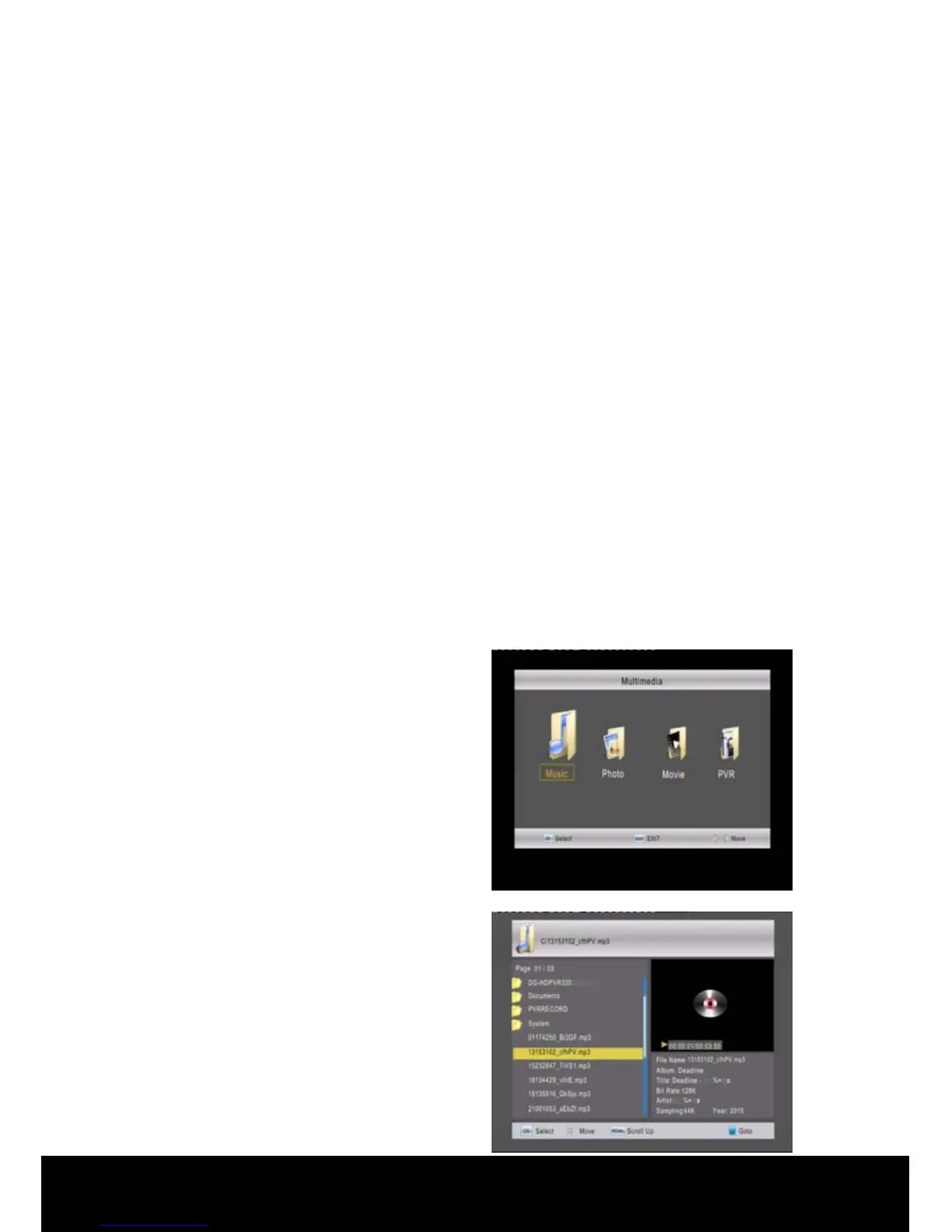
< Multimedia >
Press the▲/▼ keys on the remote
control to highlight the Multimedia
option then press OK to enter the
Multimedia sub menu. Use the ◄/►
keys to navigate through the USB
options available then press OK to
enter.
Music: The music files stored in the
mobile storage device will appear in this
menu. Use the ▲/▼ keys to highlight a
file then press OK to play it. Press
RECALL to return the last menu.
In this environment only MP3 files can
be played.



 To Next Page