23
REC QUICK START GUIDE
recordings by repeating the above steps.
You can schedule recordings for future dates by navigating / in the EPG to
access future dates.
Press to save the schedule.
3.4 Pause And Catch-Up Live TV (TIME SHIFT)
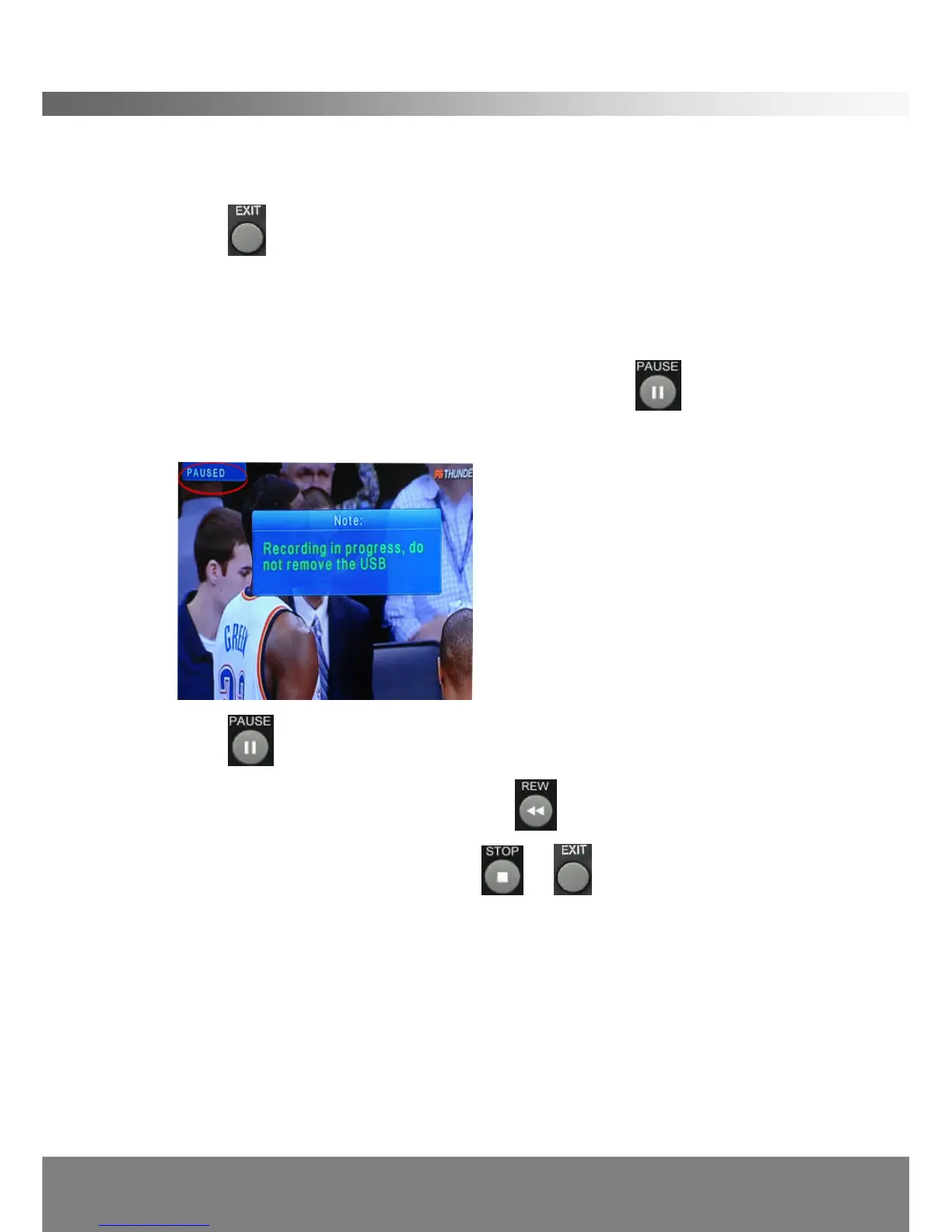
You can Pause and Rewind Live TV shows by pressing the button at any
time. The screen will freeze with the following message:
Press to resume the live broadcast from the where it was paused.
You can Rewind the program by pressing the button on the remote control
Exit the Time Shift mode by pressing the or buttons.
Note: Time Shift will activate only if an USB storage device is connected to the
DG-HD3040’s USB port.
Note: During Time Shift the storage/memory is consumed. Therefore the
duration you can Pause and Catch-Up is restricted to storage device’s
capacity. A 2GB Capacity allows 1.5hours of recording and Time Shift.
Note: During Active Stand-By the DG-HD3040 consumes 15%-25% less energy
than in full operational mode.



 To Next Page