7
ASSEMBLY AND PARTS LIST
1.6 Connecting to Equipment
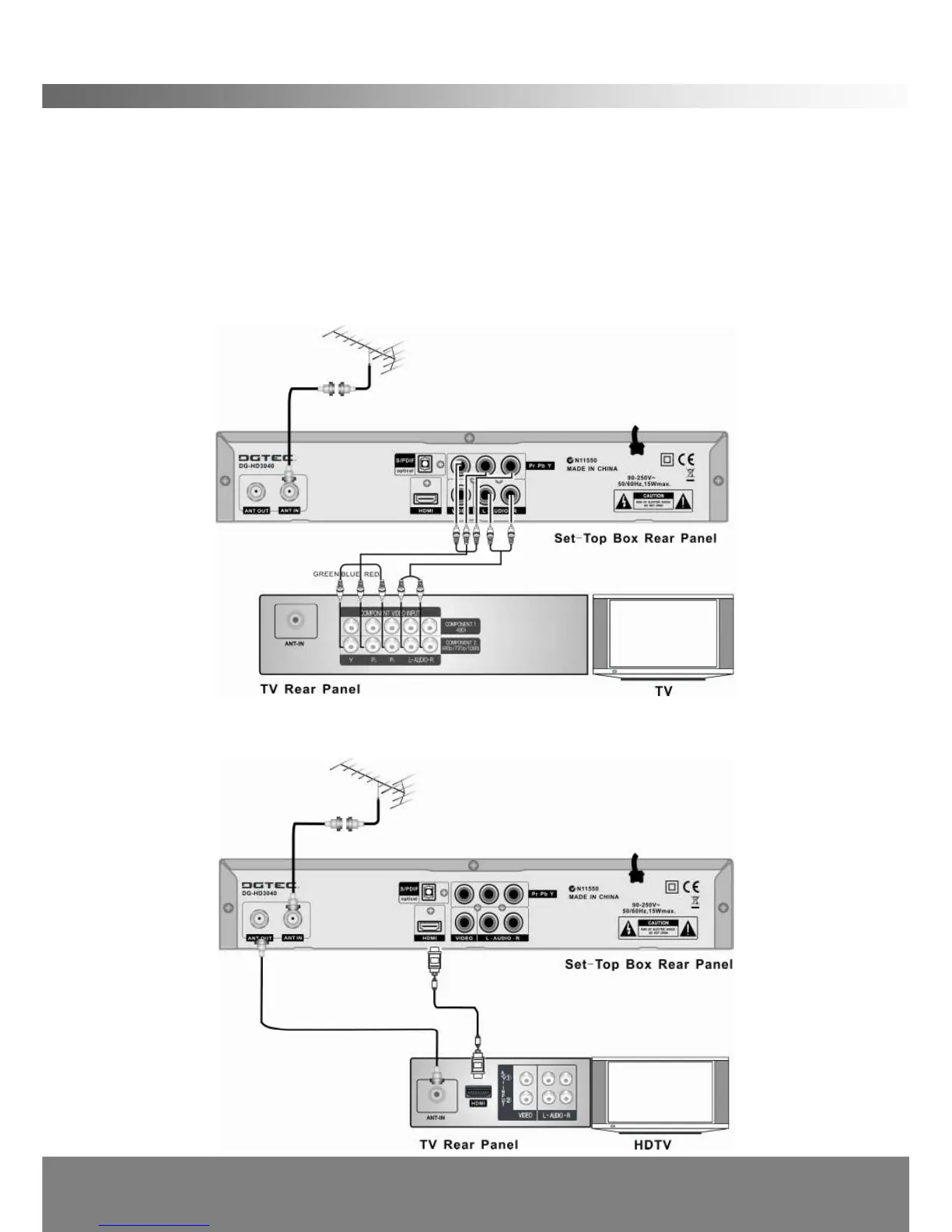
1. Connect your TV antenna cable to the “ANT IN”jack on the back of the STB using
coaxial RF cable.
OPTION 1- YPbPr connection (High Definition connection, cable not supplied)
2. Connect the YPbPr out connectors and AUDIO L/R out connectors on the back of
the STB to the COMPONENT IN on your television using RCA-type cables.
OPTION 2- HDMI (High Definition connection, cable not supplied)
3. Connect the HDMI out connector on the STB to the HDTV using HDMI cable.



 To Next Page